Converse agora com nosso suporte
Chat com o suporte

Foglight for Hyper-V 5.7.0 - User and Reference Guide

About Foglight for Hyper-V Agent administration Performance monitoring with the Hyper-V Environment dashboard Performance investigation with the Hyper-V Explorer Foglight for Hyper-V alarms Appendix: Hyper-V Agent error codes

Report templates

Shows the top N and bottom N Hyper-V Servers based on CPU utilization, CPU percent ready, memory utilization, disk transfer rate, and network transfer rate over a user-specified time range. The value of N is also user-specified. The report takes into consideration only the Hyper-V Servers in the service specified.
Shows the top N and bottom N virtual machines based on CPU-used Hz, CPU percent ready, memory consumed, disk growth rate, disk transfer rate, and network transfer rate over a user-specified time range. The value of N is also user-specified. The report takes into consideration only the virtual machines in the service specified.

Foglight Chargeback

In an IT environment with a high number of physical and virtual machines, it is often important to determine the true cost of virtual machines in order to adequately plan resources for system utilization. The Chargeback tab available on the Hyper-V Environment dashboard provides standard models, allowing you to get insight into host machine usage within a data center.
Figure 151. Chargeback tab
For complete information about this tab, see the Foglight™ Chargeback User Guide.

Foglight for Capacity Management

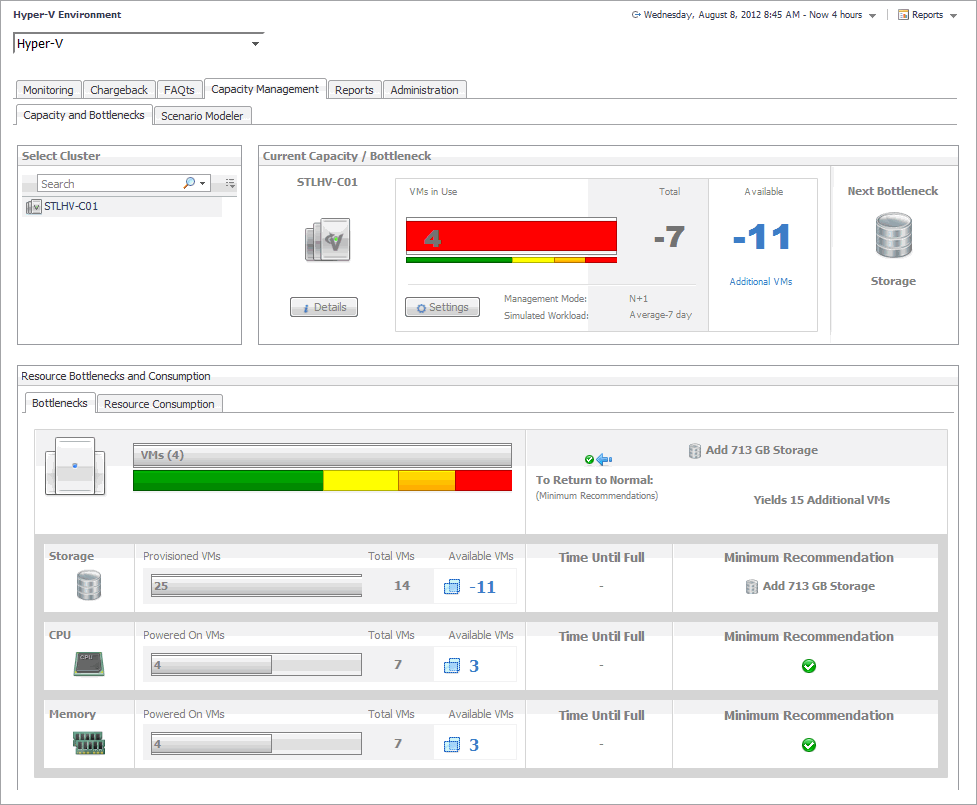
Figure 152. Capacity Management tab
For complete information about this tab, see the Foglight™ for Capacity Management User Guide.

Foglight Resource Optimizer for Hyper-V Environments

With virtual machines quickly becoming the industry standard in an IT infrastructures, making it necessary to plan for the addition of virtual machines to the physical hosts. This is often a challenge for administrators. Foglight™ Resource Optimizer simplifies the optimization process, providing waste-finding and right-sizing functionality for virtualized environments. The Optimizer tab available on the Hyper-V Environment dashboard allows you to get insight into capacity bottlenecks and management. Use this tab when you want to optimize the CPU, memory, network, and storage consumption, and to project and plan for additional requirements in your environment.
Figure 153. Optimizer tab
For complete information about this tab, see the Foglight™ Resource Optimizer for Hyper-V Environments User Guide.
Documentos relacionados

The document was helpful.

Selecione a classificação

I easily found the information I needed.

Selecione a classificação