Chat now with support
Chat with Support

Foglight for Application Operations 5.9.8 - User Guide

Introducing Foglight APM Monitoring Transactions Examining Response Times Examining Error Breakdowns Viewing Real User Activity from a Geographical Perspective Using the SOC Transactions Tab Creating Custom Drag-and-Drop Dashboards APM Tile and View Reference Appendix: Enabling End User Transactions from FxM and FxV

Application Server detail view

The Request Types tab lists the following information for each request type: request name, response time, bottleneck location (based on the most time-consuming tier of a request), calls completed, calls incomplete, call exceptions, and number of traces.
The information presented on the Server Info tab depends on the type of application server selected: JBoss®, OracleAS, Apache Tomcat, WebSphere®, or WebLogic®.

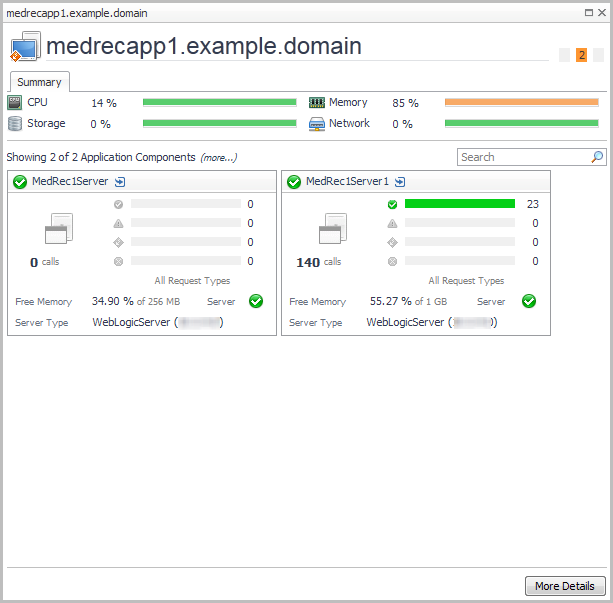
Host detail view

The banner shows host metrics if the host is monitored. Click More Details to see the performance details for the host.

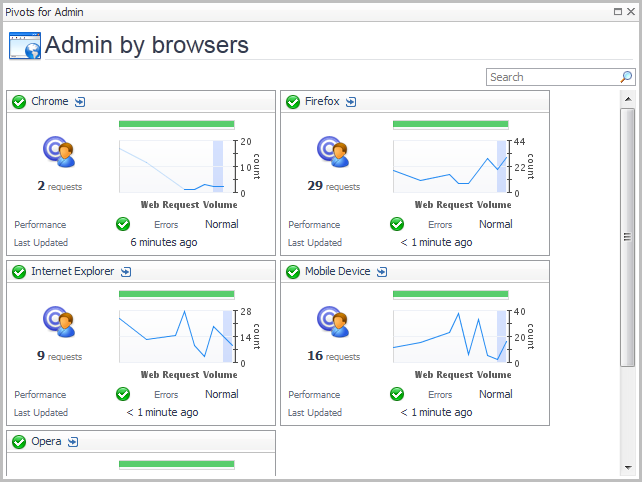
Pivot Breakdown detail view

Real User (APM) Performance detail view

To access this view, click the title bar of a Real User (APM) tile, or from the Geographical Perspectives dashboard, click Transaction Detail for an APM transaction.
Related Documents

The document was helpful.

Select Rating

I easily found the information I needed.

Select Rating