Chat now with support
Chat with Support

Foglight for Application Operations 5.9.8 - User Guide

Introducing Foglight APM Monitoring Transactions Examining Response Times Examining Error Breakdowns Viewing Real User Activity from a Geographical Perspective Using the SOC Transactions Tab Creating Custom Drag-and-Drop Dashboards APM Tile and View Reference Appendix: Enabling End User Transactions from FxM and FxV

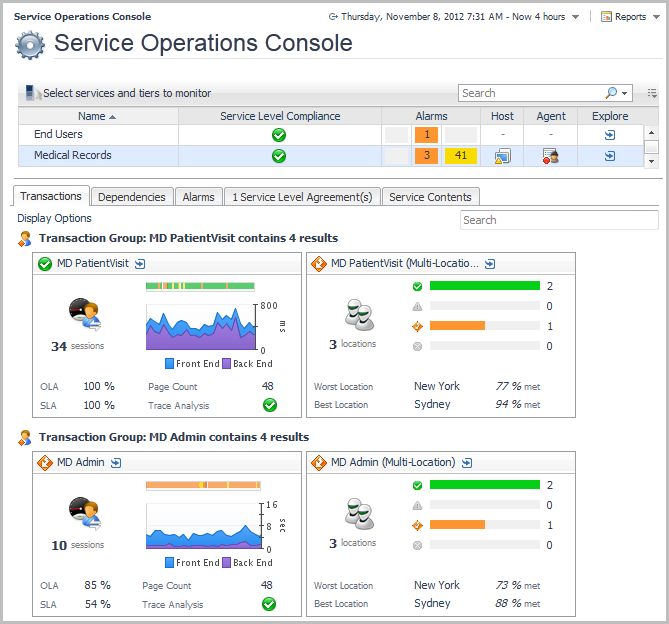
Exploring the SOC Transactions tab

Real users (Foglight APM Appliances)
Real users (FxM or FxV)
Synthetics (FTR or Synthetic Monitor for Internet)
2

Real users

The Response Time Breakdown tab requires Foglight for Java EE Technologies version 5.8.2 or later, or Foglight for Microsoft .NET 5.9.1 or later. For more information, see Requirements for using the Response Time Explorer dashboard.
The SLA Violators tab requires FxM and a deployed and configured FxM Map Agent. For more information, see Prerequisites for using the Geographical Perspective dashboard.

Synthetics

Single-Location Synthetics layout

The Single-Location Synthetics tile shows summarized data about a synthetic transaction executed from a single location. This type of layout shows the number of script executions and their execution times over the monitored period, along with other metrics. For more information about the metrics appearing on this tile, see section Single-Location Synthetics tile.
Drill down on this tile (click the title bar) to open the Synthetic Result detail view. For more information about the metrics appearing on this tile, see section Synthetic Result detail view.
Related Documents

The document was helpful.

Select Rating

I easily found the information I needed.

Select Rating