|
NOTE: You require the Foglight for Storage Management role Administrator to perform tasks that affect agents. |
|
1 |
On the navigation panel, under Dashboards, click Administration > Agents. |
|
2 |
Click Agent Status. |
|
4 |
|
5 |
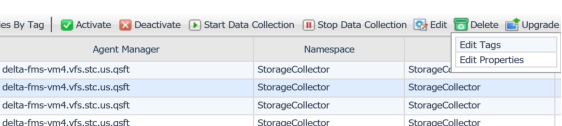
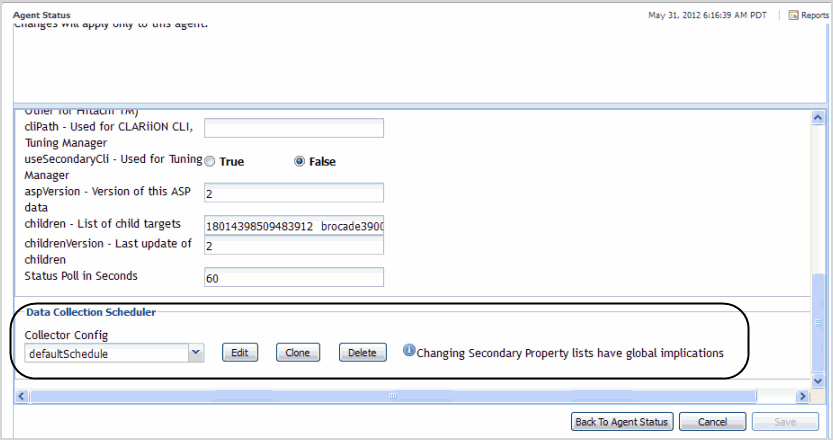
Select Modify the properties for this agent only. |
|
• |
|
8 |
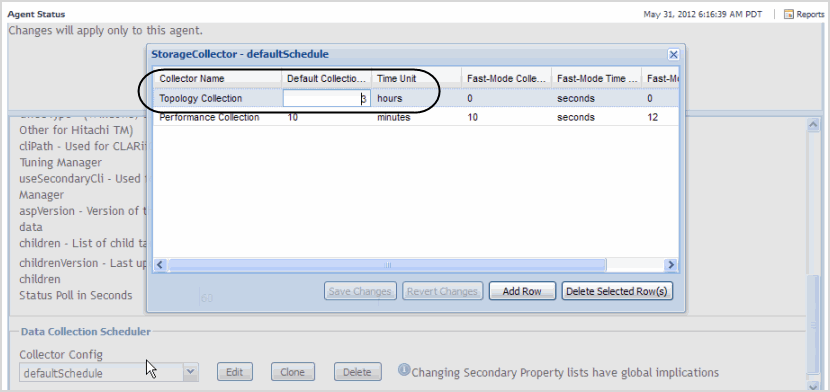
Click Edit. |
|
10 |
Click Save Changes. |
|
11 |
Close the Storage Collector-defaultSchedule dialog box. |
|
12 |
Click Back to Agent Status. |
|
1 |
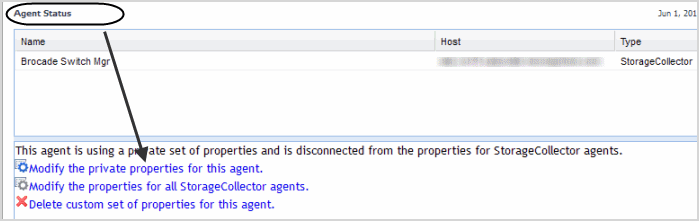
From the Agent Status view, click Modify the private properties for this agent. |

|
5 |
Click Edit. |
|
7 |
Click Save Changes to update the new schedule. |
|
8 |
Close the Storage Collector-<name> dialog box. |
|
9 |
Click Save to assign the new schedule to the agent. |
|
10 |
Click Back to Agent Status. |
This procedure provides the steps required to clone a schedule to another Storage Collector agent.
|
1 |
From the Agent Status view, click Modify the private properties for this agent. |
|
3 |
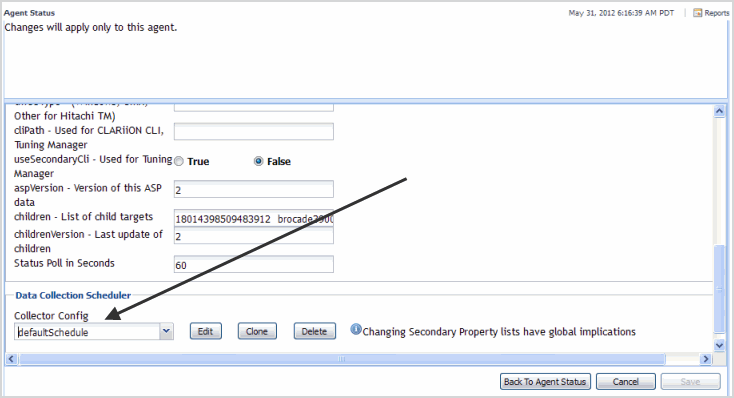
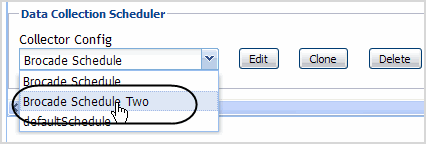
Click the Collector Config drop-down list. |
|
5 |
Click Save to assign this new schedule to this agent. |
|
6 |
Click Back to Agent Status. |