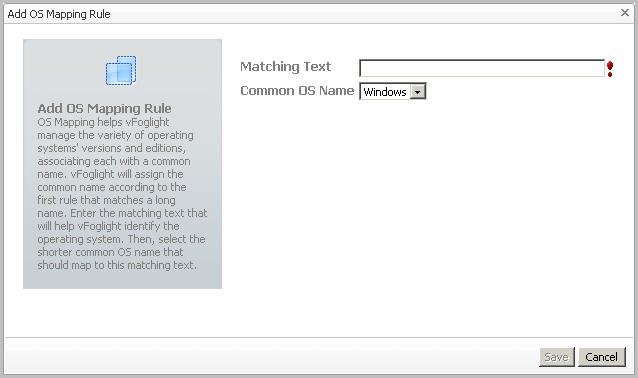
OS mapping involves associating various versions and editions of a particular operating system with a common OS name. You configure OS mapping rules using the Administration tab on the VMware Environment dashboard. This helps Foglight for VMware map the OS names reported by Foglight for VMware to those reported by physical OS monitoring, so that you can view all Windows machines, all Linux machines, and so on.
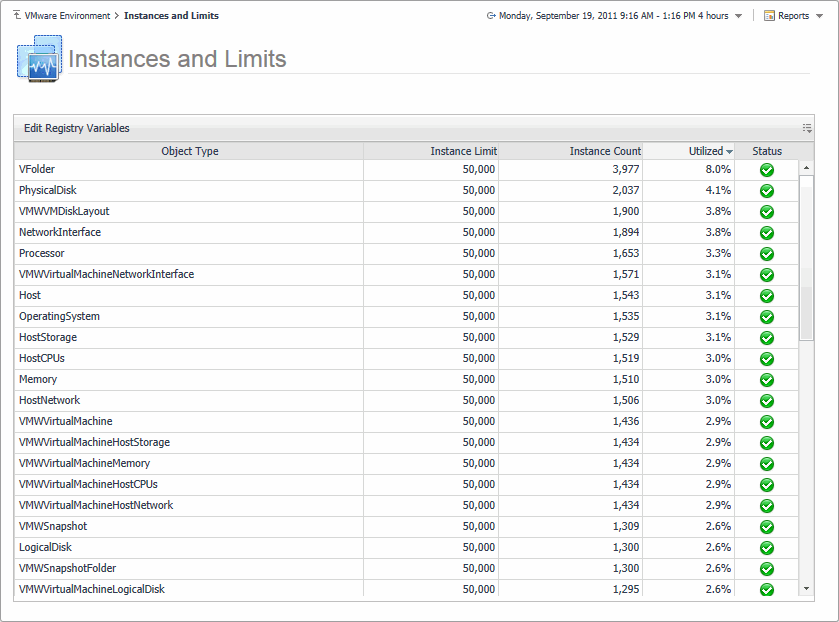
Explore the Instances and Limits view to see the existing VMware object types. To access this view, on the VMware Environment dashboard, open the
Administration tab, and click
Review Instances and Limits.
The Instances and Limits view displays the list of the existing VMware object types, and for each type it shows the type name, instance limit, instance count, instance limit utilization, and the current status given as a highest severity level associated with an instance of that type. This information can give you insight into the size of your database and whether additional adjustments are required to improve your system performance. For example, if an object type results in a high number of object instances, this may result in performance bottlenecks. To prevent them, check if any of these are updated recently and, if not, delete them from the database.
To view the list of existing registry variables or to edit them, click Edit Registry Variable in the top-left corner. For complete information about registry variables, see the
Administration and Configuration Help.