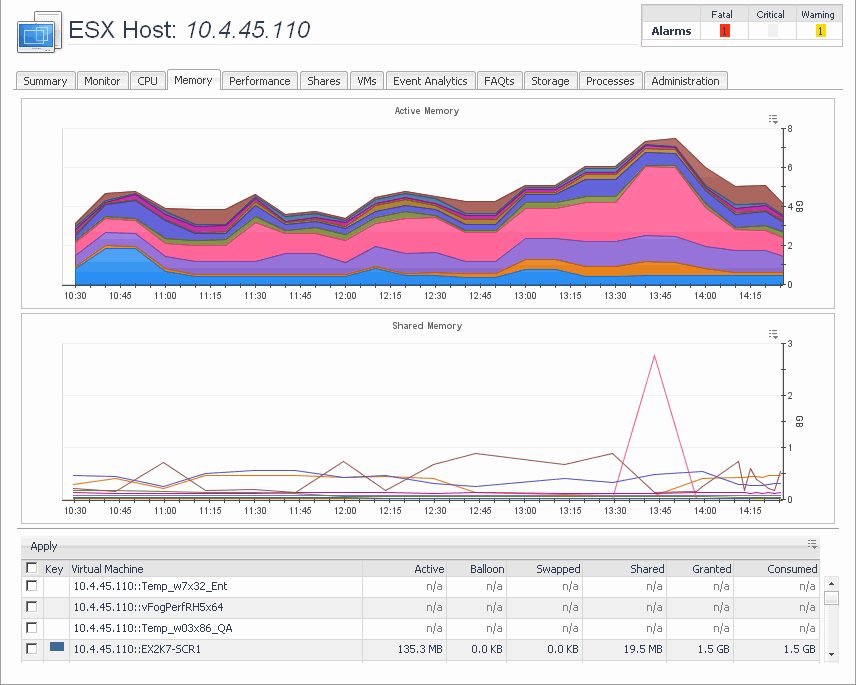
The VMware Explorer’s Memory tab displays the combined memory utilization for an ESX host, showing the amount memory used by each virtual machine that is running on that host. This includes the amount of active and shared memory in GB, all during a selected time period.
This tab is available in the VMware Explorer. To find it, open the VMware Explorer and on the Virtual Infrastructure view, that appears on the navigation panel, select the server or virtual machine instance. In the VMware Explorer, open the
Monitor tab.
The VMware Explorer’s Monitor tab shows details of system resources consumption for a server or a virtual machine.
This tab is available in the VMware Explorer. To find it, open the VMware Explorer and on the Virtual Infrastructure view, that appears on the navigation panel, select a Virtual Center, datacenter, cluster, ESX® host, resource pool, or one of the following containers: Datacenters, ESX Hosts, Resource Pools, or Virtual Machines. In the VMware Explorer, open the
Performance tab.
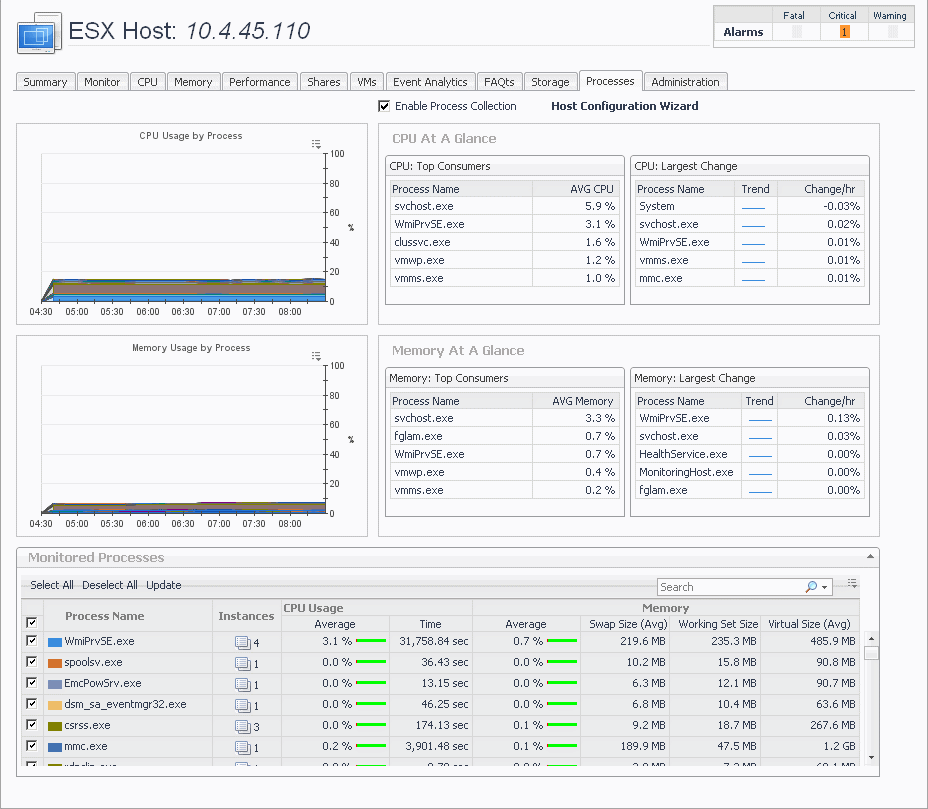
This tab is available in the VMware Explorer. To find it, open the VMware Explorer and on the Virtual Infrastructure view, that appears on the navigation panel, select a Virtual Center, ESX® host, or virtual machine instance. In the VMware Explorer, open the
Processes tab.