| |||
| |||
| |||
| |||
|
|
• |
| |||
| |||
| |||
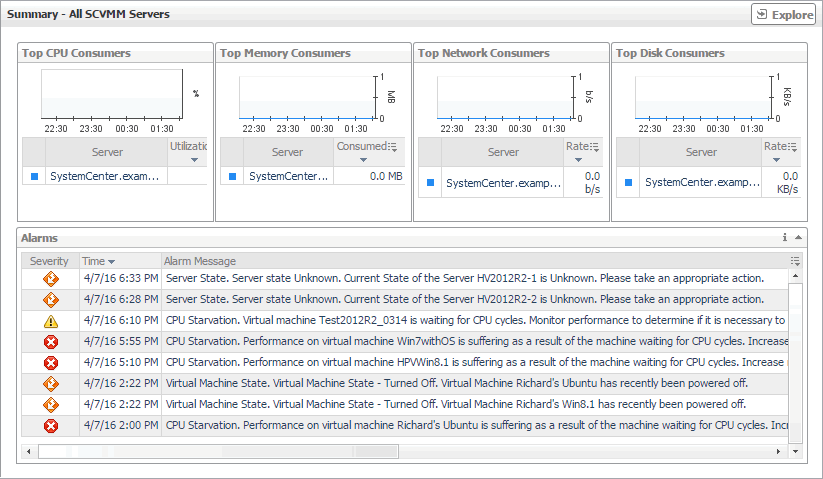
Figure 74. Alarm dialog box
 |
| |||
| |||
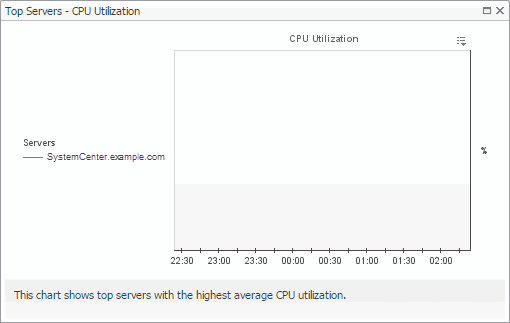
Figure 75. Top Servers - CPU Utilization dialog box
 |
| |||
| |||
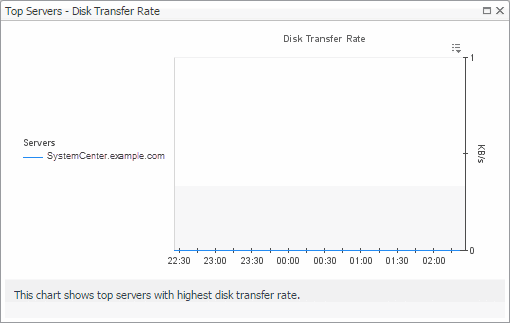
Figure 76. Top Servers - Disk Transfer Rate dialog box
 |
| |||
| |||
Figure 77. Top Servers - Memory Consumed dialog box
 |
| |||
| |||
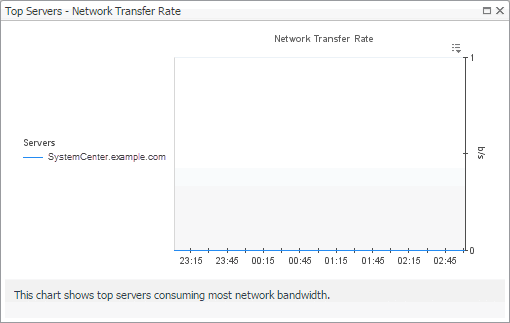
Figure 78. Top Servers - Network Transfer Rate dialog box
 |
|
• |
|
• |
The Explorer button: Allows you to open the SCVMM Server: Explorer: Single dashboard. For more information, see SCVMM Server: Explorer: Single dashboard. |
| |||
| |||
| |||
Figure 80. Alarm dialog box
|
| |||
| |||
| |||
| |||
| |||
| |||
Figure 81. Related objects alarm dwell
 | |||
Figure 82. Clusters dwell
 | |||
Figure 83. Servers dwell
| |||
Figure 84. Virtual Machines dwell
 | |||
Figure 85. Other Items Inventory dwell
 | |||
Figure 86. Other Items Inventory dwell
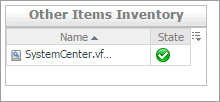 | |||
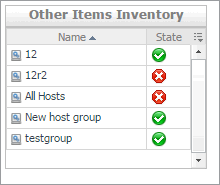
Figure 87. Other Items Inventory dwell
 |
| |||
| |||
| |||
| |||
| |||
| |||
| |||
| |||
| |||
| |||
| |||
Figure 88. CPU Load dialog box
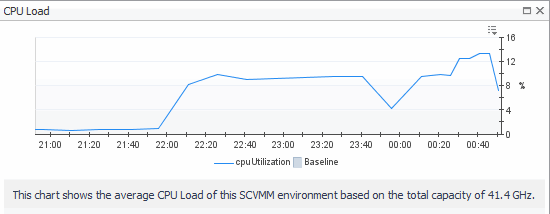 | |||
Figure 89. CPU Utilization dialog box
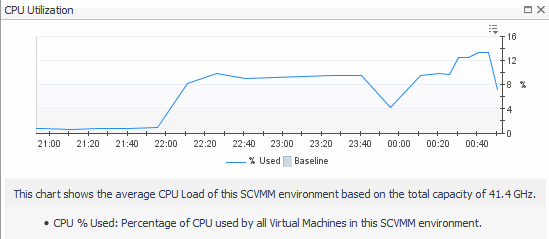 | |||
Figure 90. Disk I/O dialog box
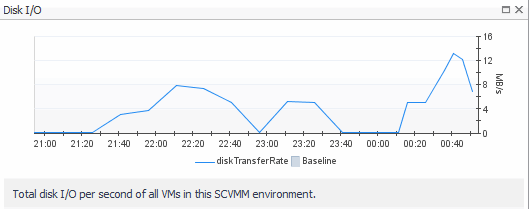 | |||
Figure 91. Disk Utilization dialog box
 | |||
Figure 92. Memory Usage dialog box
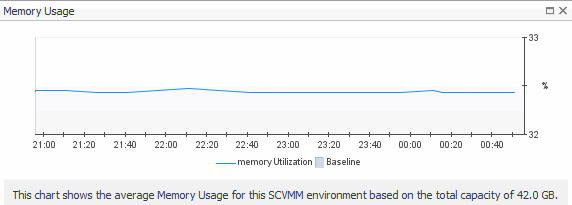 | |||
Figure 93. Memory Utilization dialog box
 | |||
Figure 94. Network I/O dialog box
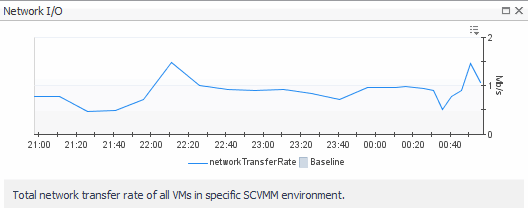 | |||
Figure 95. Network Utilization dialog box
 |
|
Database Host. The name of the machine on which the database is running. | |
|
Database Name. The name of the SCVMM database. | |
|
Database Status. The alarm state of the SCVMM database. | |
|
SCVMM Host. The name of the machine on which the SCVMM is running. | |
|
Service Status. The state of the SCVMM Windows service. |
|
• |
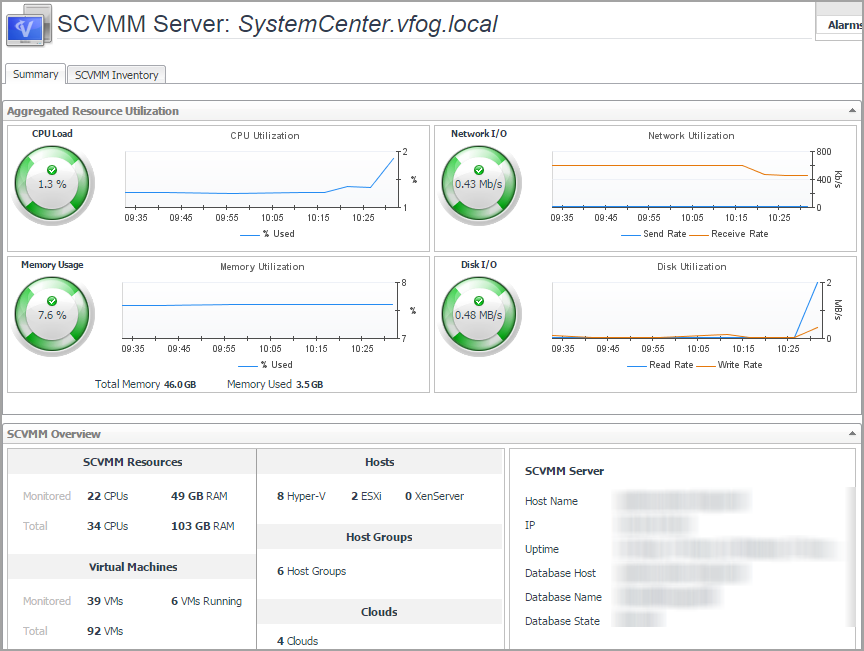
Summary: Includes the following embedded views: |
|
• |
SCVMM Inventory: Includes the following embedded views: |
| |||
| |||
| |||
| |||
| |||
| |||
| |||
| |||
| |||
| |||
| |||
Figure 97. CPU Load dialog box
| |||
Figure 98. CPU Utilization dialog box
| |||
Figure 99. Disk I/O dialog box
| |||
Figure 100. Disk Utilization dialog box
| |||
Figure 101. Memory Usage dialog box
| |||
Figure 102. Memory Utilization dialog box
| |||
Figure 103. Network I/O dialog box
| |||
Figure 104. Network Utilization dialog box
|
|
SCVMM Resources. Shows the CPU and memeory information.
| |||||
|
Virtual Machines. Shows the VM related information.
| |||||
|
Hosts. Shows the list of hosts available in the selected SCVMM Server. | |||||
|
Host Groups. Shows the number of host groups available in selected SCVMM Server. | |||||
|
Clouds. Shows the number of clouds available in the selected SCVMM Server. | |||||
|
SCVMM Server. Shows the state of the selected SCVMM Server, including Host Name, IP, Uptime, Database Host, Database Name, and Database State.
If there are no IP and Uptime metrics displayed in the SCVMM Server area, this should be caused by one of the following:
|
|
Name. The name of cloud on which the selected SCVMM server is minitored. | |
|
Host Groups. The name of the host group that is used by the cloud. | |
|
Logical Networks. The name of the logical network that is used by the cloud. | |
|
VM Usage. The number of virtual machines that are used by the cloud. | |
|
Custom Quota Usage. The points of custom quota. | |
|
CPU Usage. The number of virutal CPUs that are used by the cloud. | |
|
Memory Usage. The maximum memory (in megabyte) that can be used by all virtual machines. | |
|
Storage Used. The number of storage (in gigabyte) that is used by the cloud. | |
|
Storage Committed. The total storage capacity (in gigabyte) of all virual hard disks on the cloud. |
|
Name. The name of the Host Group. | |
|
Host Count. The number of hosts. | |
|
VM Count. The number of the virtual machines. | |
|
Hypervisors. The type of hypervisor included in the host group. |
|
Library Server. The name of the Library Server. | |
|
Computer Name. The host name of the Library Server. | |
|
SCVMM Name. The Fully Qualified Domain Name (FQDN) of the selected SCVMM server. | |
|
Allow Unencrypted Transfers. Specifies whether the unencrypted transfer is allowed or not. | |
|
Domain Name. The name of domain. | |
|
Description. Describes the Library Server. | |
|
Is Virtual Cluster Name. Specifies whether the Libraray Server is a virtual cluster or not. | |
|
iscsi SAN Status. Indicates the status of the ISCSI SAN that is connected to the Library Server. | |
|
Is Cluster Node. Specifies whether the Library Server is a cluster node or not. |
|
Select a Network. Lists available networks in the selected SCVMM server. | |||||||||
|
Networks - <name of selected network>.
|
|
SCVMM Server. The FQDN of the selected SCVMM server. | |
|
Availability. Specifies whether the database is available or not. | |
|
Database Host. The host name of the database server. | |
|
Database Instance. The instance name of the database server. | |
|
Database. The name of the database server. |
| |||||||||||||
|
| |||||||||||||||||
|

