
| |||
| |||
| |||
| |||
| |||
| |||
| |||
Figure 170. Combined CPU Consumption dialog box
 |
|
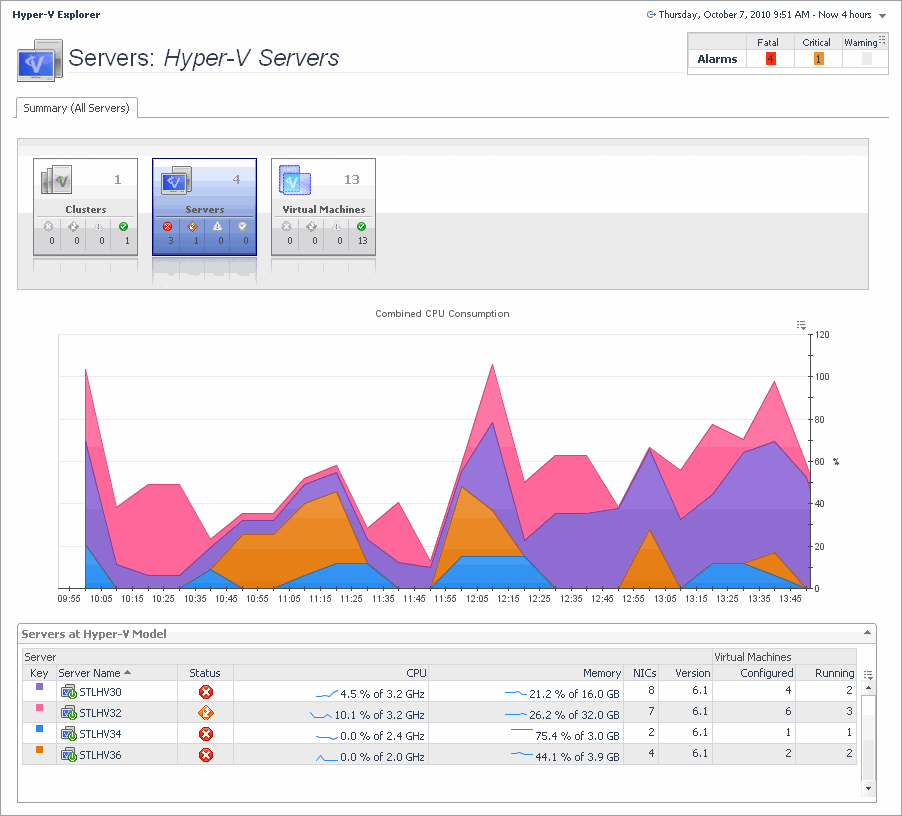
Displays a high-level overview of your virtual environment. The view has a tile for each type of object in your virtual infrastructure: Clusters, Servers, and Virtual Machines. Each tile shows how many of the corresponding object instances there are in your virtual infrastructure, as well as the count of objects of that type in each of the alarm states (Normal, Warning, Critical, Fatal). | |||
| |||
| |||
| |||
| |||
Figure 171. Clusters dwell
 | |||
Figure 172. Servers dwell
 | |||
Figure 173. Virtual Machines dwell
 |
| |||
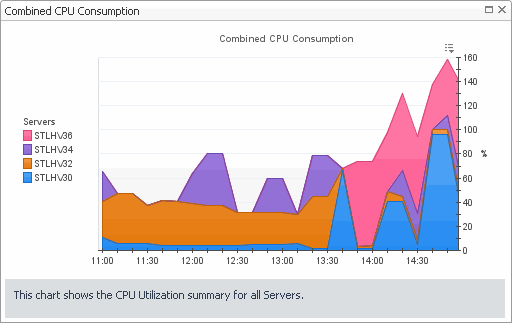
Figure 175. Combined CPU Consumption dialog box
 |
| |||
| |||
| |||
| |||
| |||
| |||
| |||
| |||
| |||
|
The Hyper-V Explorer’s Virtual Environment view displays a high-level overview of your virtual environment. The view has a tile for each type of object in your virtual infrastructure: Clusters, Servers, and Virtual Machines. Each tile shows how many of the corresponding object instances there are in your virtual infrastructure, as well as the count of objects of that type in each of the alarm states (Normal, Warning, Critical, Fatal). | |||
| |||
| |||
| |||
| |||
Figure 176. Clusters dwell
| |||
Figure 177. Servers dwell
| |||
Figure 178. Virtual Machines dwell
|
|
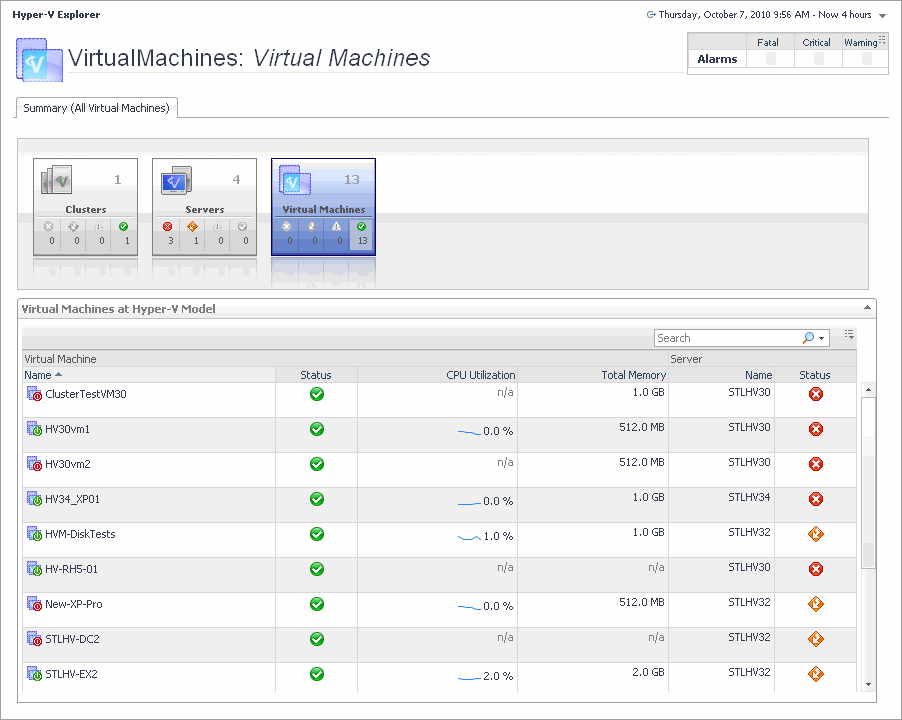
The Hyper-V Explorer’s Virtual Environment view displays a high-level overview of your virtual environment. The view has a tile for each type of object in your virtual infrastructure: Clusters, Servers, and Virtual Machines. Each tile shows how many of the corresponding object instances there are in your virtual infrastructure, as well as the count of objects of that type in each of the alarm states (Normal, Warning, Critical, Fatal). | |||
| |||
| |||
| |||
| |||
Figure 180. Clusters dwell
| |||
Figure 181. Servers dwell
| |||
Figure 182. Virtual Machines dwell
 |
| |||
| |||
| |||
| |||
| |||
| |||


