| |||
| |||
| |||
| |||
|
|
• |
| |||
| |||
| |||
| |||
Figure 18. Alarm dialog box
 | |||
|
| |||
| |||
Figure 19. Top Clusters - CPU Utilization dialog box
 |
| |||
| |||
Figure 20. Top Clusters - Disk Transfer Rate dialog box
 |
| |||
| |||
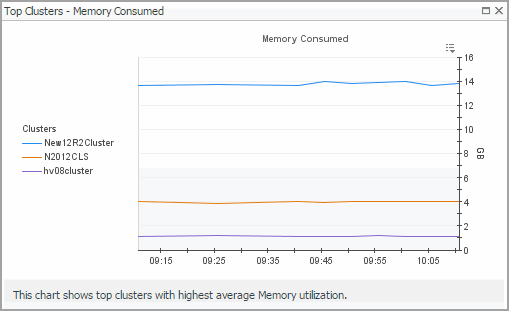
Figure 21. Top Clusters - Memory Consumed dialog box
 |
| |||
| |||
| |||
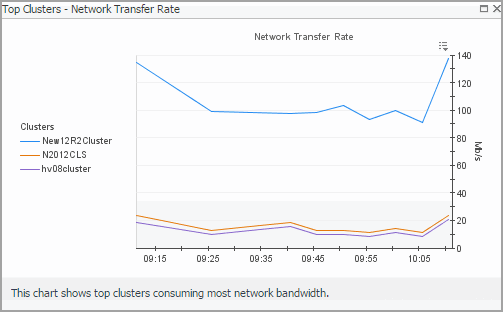
Figure 22. Top Clusters - Network Transfer Rate dialog box
 |
|
• |
| |||
| |||
| |||
Figure 24. Alarm dialog box
|
| |||
| |||
| |||
Figure 25. Object alarms dwell
 | |||
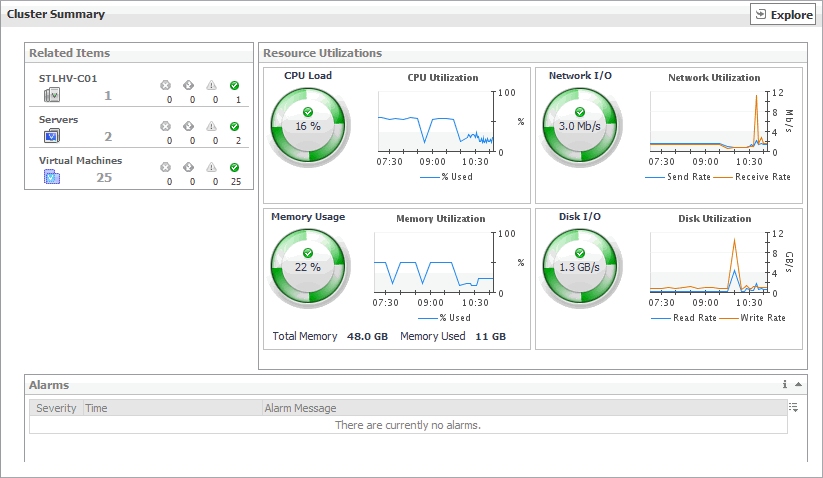
Figure 26. Clusters dwell
 | |||
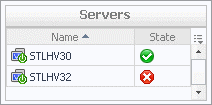 | |||
 |
| |||
| |||
| |||
| |||
| |||
| |||
| |||
| |||
| |||
| |||
Figure 27. CPU Load dialog box
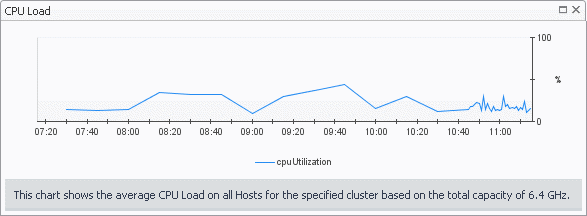 | |||
Figure 28. CPU Utilization dialog box
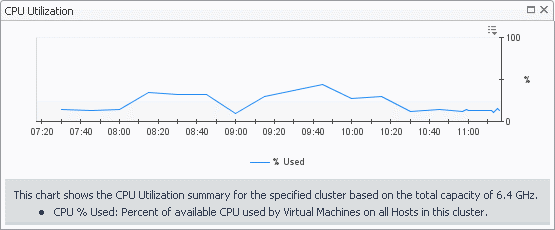 | |||
Figure 29. Disk I/O dialog box
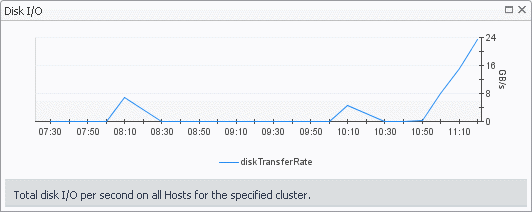 | |||
Figure 30. Disk Utilization dialog box
 | |||
Figure 31. Memory Usage dialog box
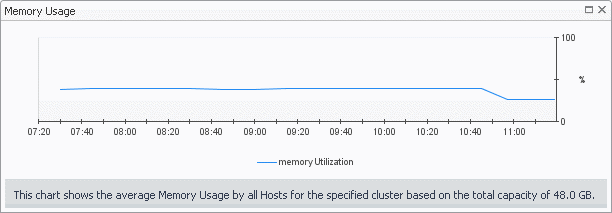 | |||
Figure 32. Memory Utilization dialog box
 | |||
Figure 33. Network I/O dialog box
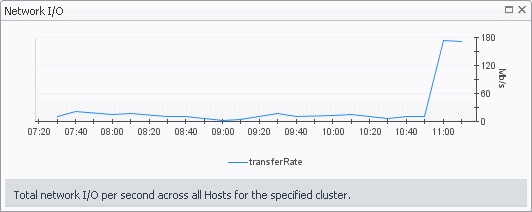 | |||
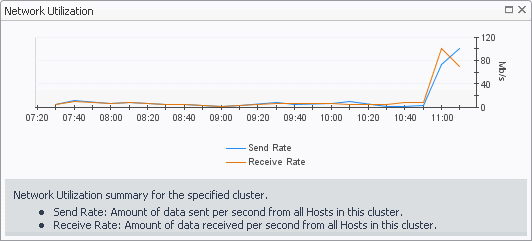
Figure 34. Network Utilization dialog box
 |

