Submitting forms on the support site are temporary unavailable for schedule maintenance. If you need immediate assistance please contact technical support. We apologize for the inconvenience.
How to perform a Windows Group Policy update on workstation or server
설명
How to perform a Windows Group Policy update on workstations and/or servers using Desktop Authority.
원인
해결 방안
An Application Launcher element can be created in order to run a group policy update at logon.
In the Desktop Authority console navigate to Client Configuration | Profiles | select the appropriate profile and highlight the Application Launcher object.
Click "Add" to create a new Application Launcher element.
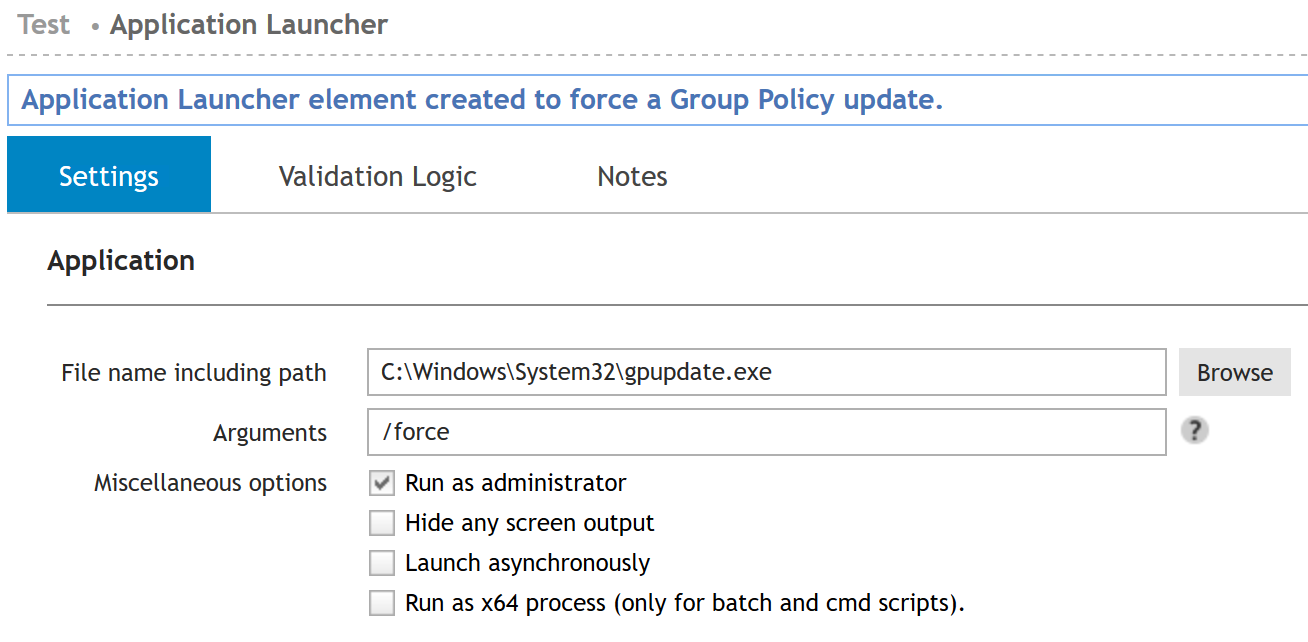
Enter the following path into the "Settings" tab in the dialogue box for the file path: C:\Windows\System32\gpupdate.exe
Entering a /force in the "Arguments" dialogue will force the gpudate.
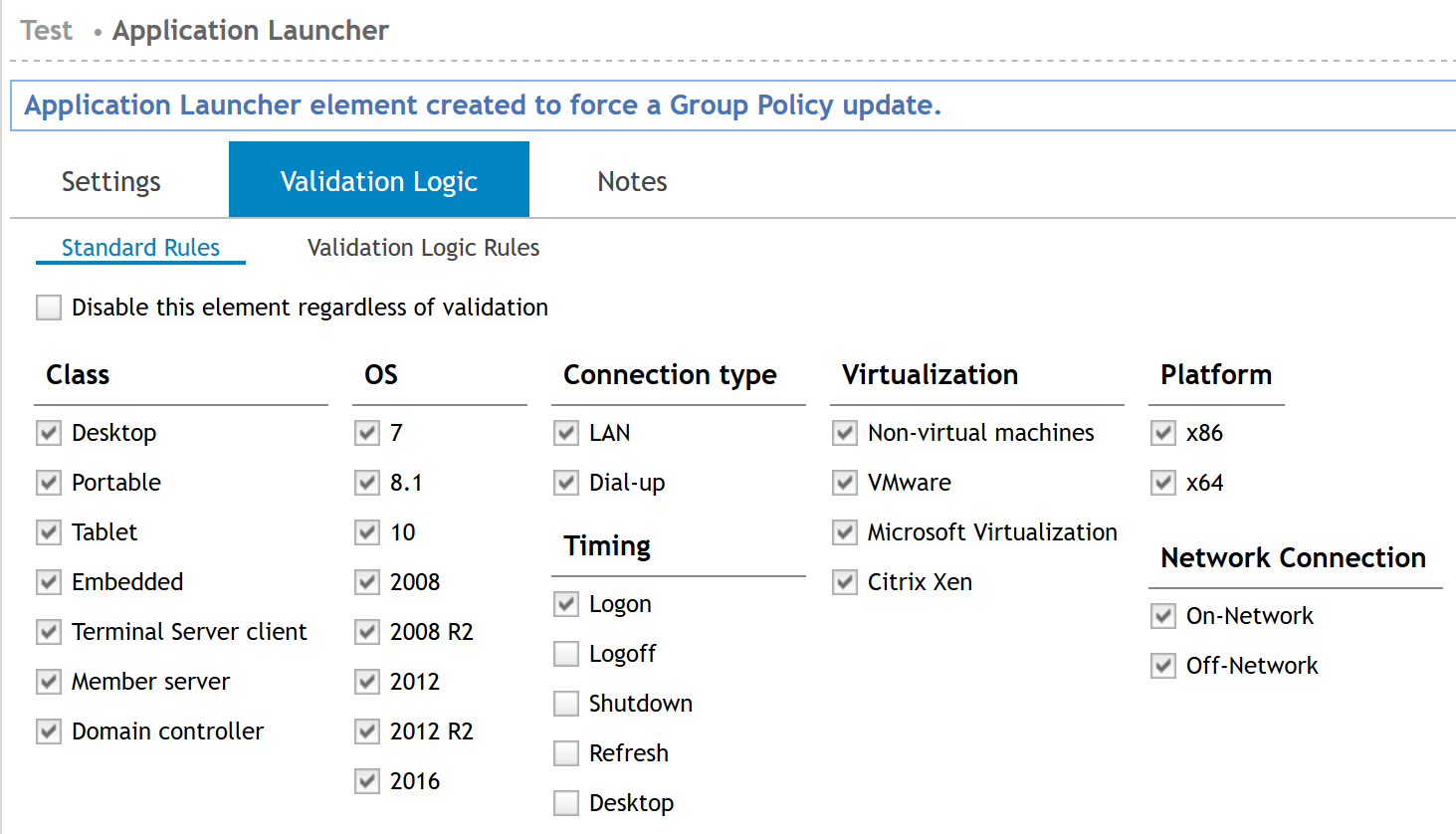
Once the element is setup, specify the range of machines to be affected by this change using the validation logic.