Submitting forms on the support site are temporary unavailable for schedule maintenance. If you need immediate assistance please contact technical support. We apologize for the inconvenience.
라이브 도움말 보기
등록 완료
로그인
가격 산정 요청
영업 담당자에게 문의
제품 번들을 선택했습니다. 귀하의 요청에 더 적합한 서비스를 제공해 드릴 수 있도록 개별 제품을 선택해 주십시오. *
지금은 채팅에 회신할 수 있는 기술 지원 엔지니어가 없습니다. 즉각적인 서비스를 받으려면 당사의 서비스 요청 양식을 사용하여 요청을 제출하십시오.
다음 문서의 설명에 따라 문제를 해결할 수 있습니다.
Pool capacity is evaluated every few hours (after a new topology collection) to determine if a low pool capacity alarm should be generated, and to summarize the number of pools experiencing capacity pressure on the Environment Summary/Monitoring/Summary for Arrays and Filers.
The following factors are examined to determine if a pool is experiencing capacity pressure.
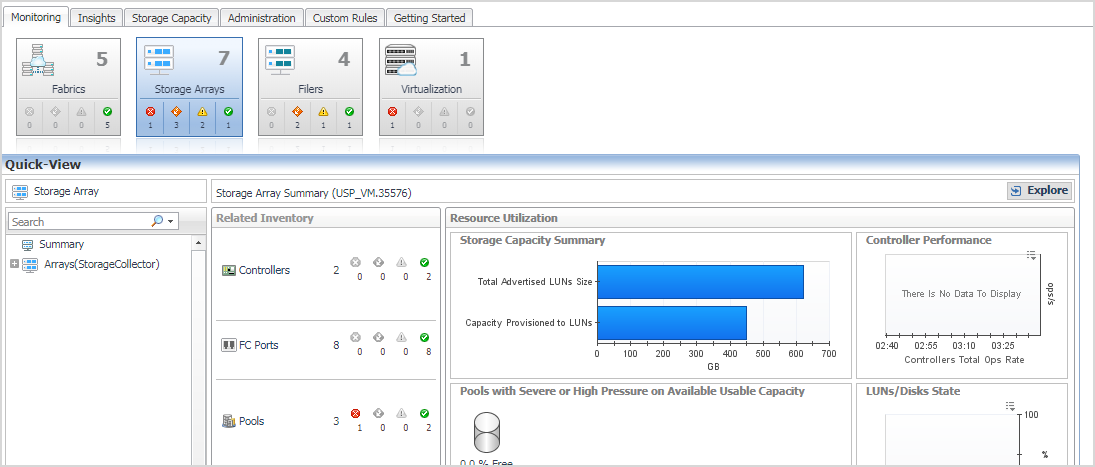
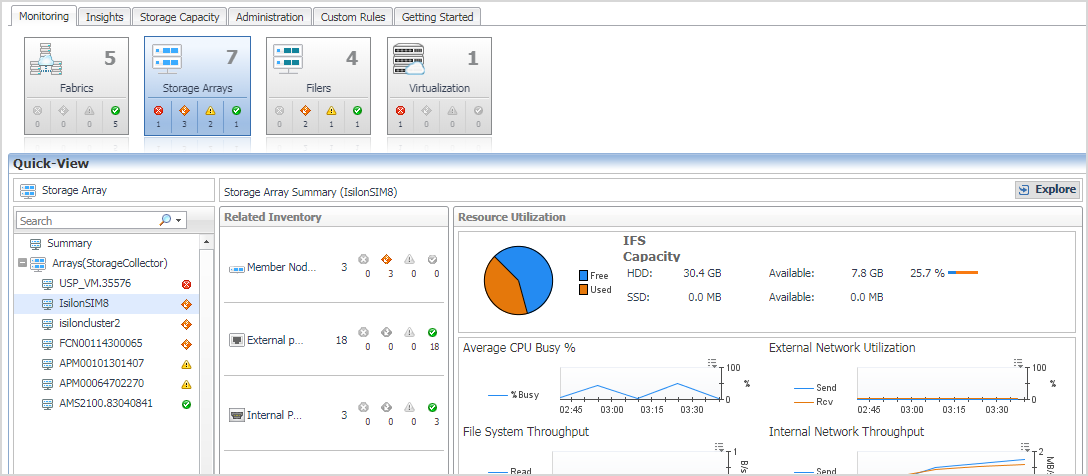
This view will provide you with a quick summary of the arrays in your environment, ordered by low score at the top. The score reflects the percent of pools in your environment with capacity issues.
Clicking on the array name will display a view that identifies the pools with Severe or High capacity issues. A low pool capacity alarm will have been generated for every pool that is not OK, if the low pool capacity rule is enabled.
The SanStorage Pools Capacity Summary Report summarizes the total and available capacity, and estimated time until full, for the pools or aggregates in the selected Storage devices. The report can be optionally limited to the pools or aggregates with thin-provisioned entities.
The rule StSAN E Pool Low Available Capacity with Email will be evaluated after every collection that provides new capacity information. A fatal alarm will be generated for every pool experiencing severe capacity pressure. A critical alarm will be generated for every pool experiencing high capacity pressure. A warning alarm will be generated for every pool included under the monitor count. No email will be generated for warning alarms.
The following registry variables are used in the pool capacity evaluations for alarm generation and for determining which pools are experiencing capacity pressure.
These variables are used in pool capacity evaluation to compare to the estimated Time Until Full. For over-committed pools, they will generate alarms as Fatal/Critical/Warning. For pools that are not over-committed, they will generate alarms as Critical or Warning, based on the available capacity in the pool.
There variables are used to examine pool capacity when no estimated Time Until Full value is available, and when the Time to Full is very long. Critical or Warning alarms will be generated for pools that are not over-committed. Fatal and Critical alarms will be generated if the pool is over-committed.
The value of these registry variables can be easily modified to meet the needs of your environment.
계열사 지원 사이트에서 Quest *제품*에 대한 온라인 지원 도움말을 볼 수 있습니다. 올바른 *제품* 지원 콘텐츠 및 지원에 연결하려면 계속을 클릭하십시오.
The document was helpful.
평가 결과 선택
I easily found the information I needed.
Quest Software 포털은 더 이상 IE 8, 9, 10을 지원하지 않습니다. 브라우저를 최신 버전의 Internet Explorer나 Chrome으로 업그레이드하는 것이 좋습니다.
IE 11로 업그레이드 여기를 클릭
Chrome으로 업그레이드 여기를 클릭
IE 8, 9 또는 10을 계속 사용할 경우 당사가 제공하는 뛰어난 셀프서비스 기능 모두를 최대한으로 활용하실 수 없습니다.