予定されていた保守を実行中のため、サポートサイトでのフォームの送信が一時的に利用できません。 すぐにサポートが必要な場合は、テクニカルサポートまでお問い合わせください。 ご不便をおかけして申し訳ありません。
オンラインヘルプの参照
登録の完了
サインイン
価格設定をリクエスト
営業担当に連絡
製品バンドルが選択されました。 リクエストにより良く対応できるように、個別の製品を選択していただけますか? *
現在、テクニカル・サポート・エンジニアはお客様のチャットに対応できません。 迅速にサービスを受けられるよう、サービス・リクエスト・フォームを使用して
お客様の説明に基づいて、以下の記事が問題解決に役立つ可能性があります。
Pool capacity is evaluated every few hours (after a new topology collection) to determine if a low pool capacity alarm should be generated, and to summarize the number of pools experiencing capacity pressure on the Environment Summary/Monitoring/Summary for Arrays and Filers.
The following factors are examined to determine if a pool is experiencing capacity pressure.
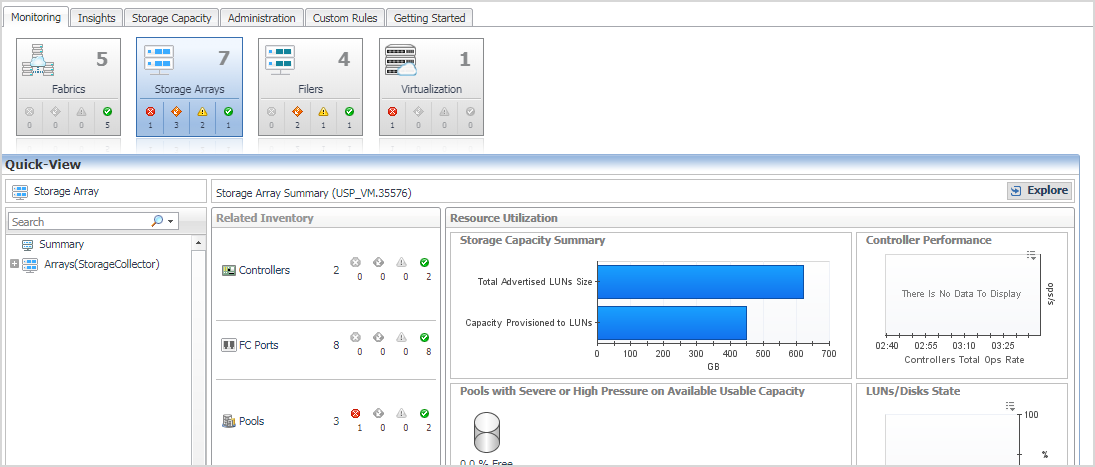
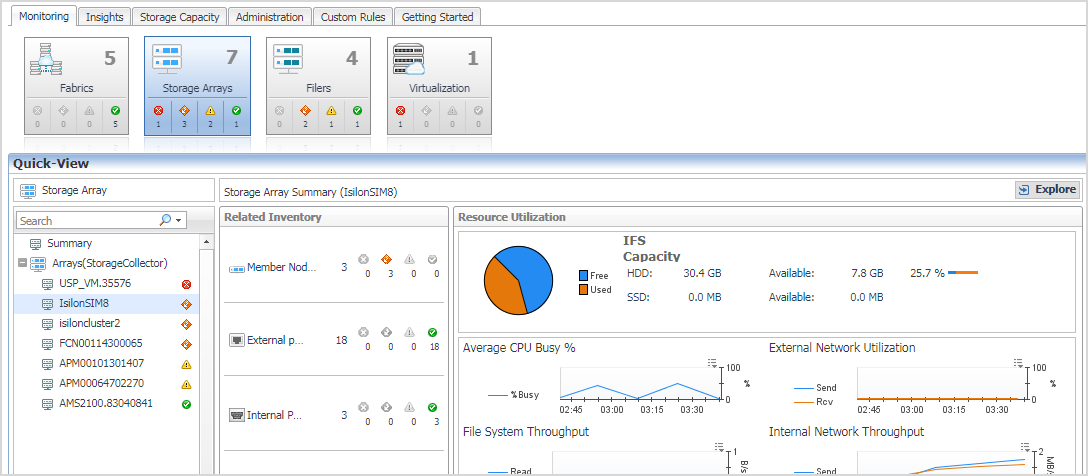
This view will provide you with a quick summary of the arrays in your environment, ordered by low score at the top. The score reflects the percent of pools in your environment with capacity issues.
Clicking on the array name will display a view that identifies the pools with Severe or High capacity issues. A low pool capacity alarm will have been generated for every pool that is not OK, if the low pool capacity rule is enabled.
The SanStorage Pools Capacity Summary Report summarizes the total and available capacity, and estimated time until full, for the pools or aggregates in the selected Storage devices. The report can be optionally limited to the pools or aggregates with thin-provisioned entities.
The rule StSAN E Pool Low Available Capacity with Email will be evaluated after every collection that provides new capacity information. A fatal alarm will be generated for every pool experiencing severe capacity pressure. A critical alarm will be generated for every pool experiencing high capacity pressure. A warning alarm will be generated for every pool included under the monitor count. No email will be generated for warning alarms.
The following registry variables are used in the pool capacity evaluations for alarm generation and for determining which pools are experiencing capacity pressure.
These variables are used in pool capacity evaluation to compare to the estimated Time Until Full. For over-committed pools, they will generate alarms as Fatal/Critical/Warning. For pools that are not over-committed, they will generate alarms as Critical or Warning, based on the available capacity in the pool.
There variables are used to examine pool capacity when no estimated Time Until Full value is available, and when the Time to Full is very long. Critical or Warning alarms will be generated for pools that are not over-committed. Fatal and Critical alarms will be generated if the pool is over-committed.
The value of these registry variables can be easily modified to meet the needs of your environment.
Quest *product*のオンラインサポートヘルプは、関連会社のサポートサイトで参照できます。「Continue(続行)」をクリックすると、*product*の適切なサポートコンテンツとアシスタンスへ移動します。
The document was helpful.
評価を選択
I easily found the information I needed.
Quest Softwareポータルでは、IE8、9、10のサポートを終了しました。ブラウザを最新バージョンのInternet ExplorerまたはChromeにアップグレードすることをお勧めします。
IE 11へのアップグレード: ここをクリック
Chromeへのアップグレード: ここをクリック
の優れたセルフサービス機能を最大限に活用していただけるよう、IE8、9、10以外のブラウザをぜひご利用ください。