Al momento non è possibile inviare moduli sul sito di supporto per pianificare la manutenzione. Se necessiti di assistenza immediata, contatta il supporto tecnico. Ci scusiamo per il disagio.
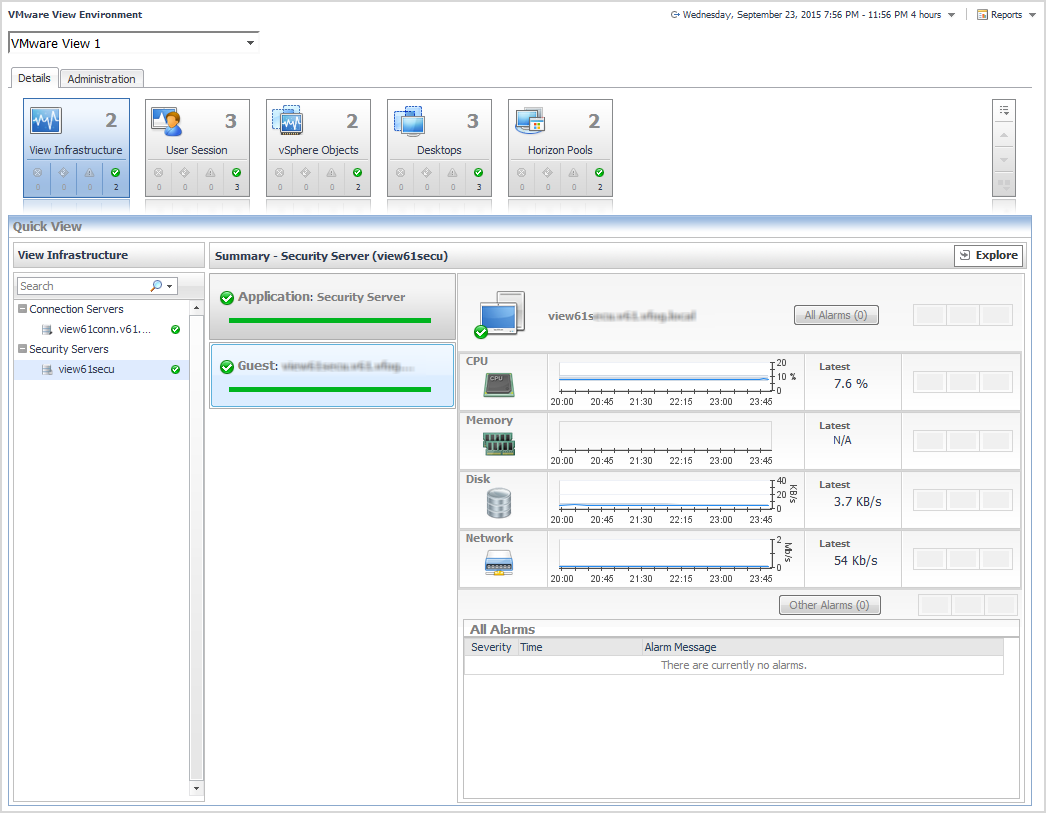
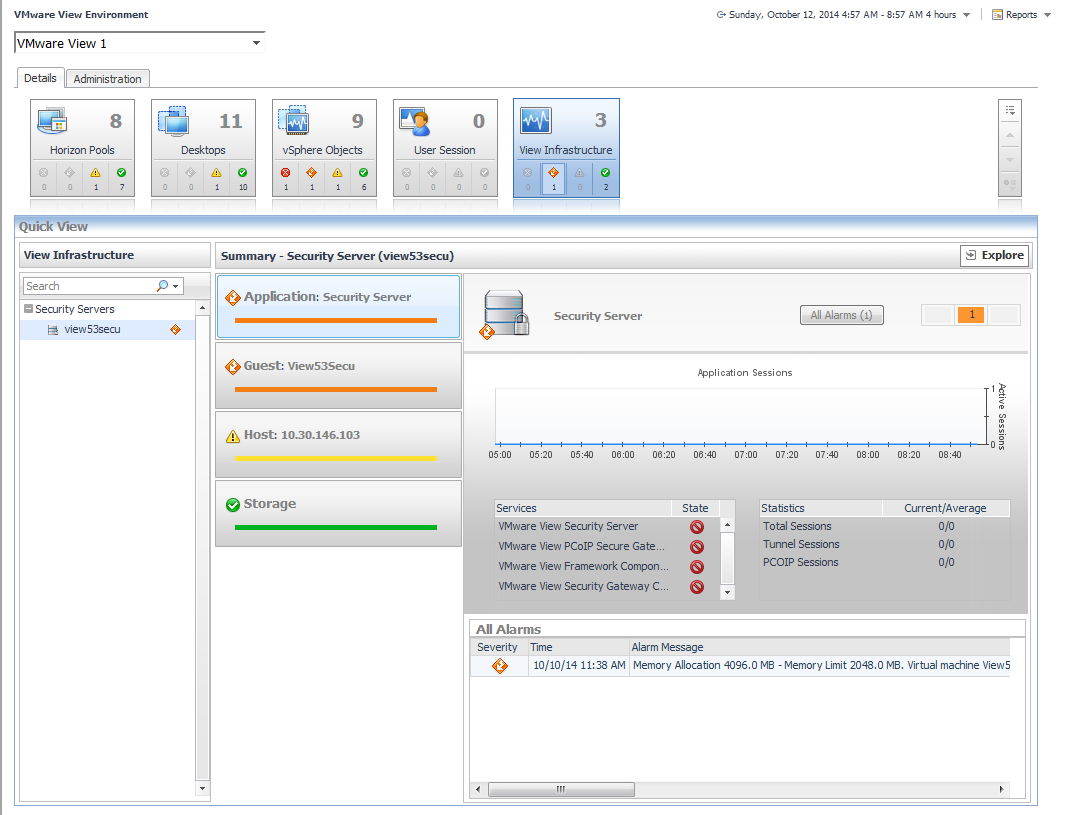
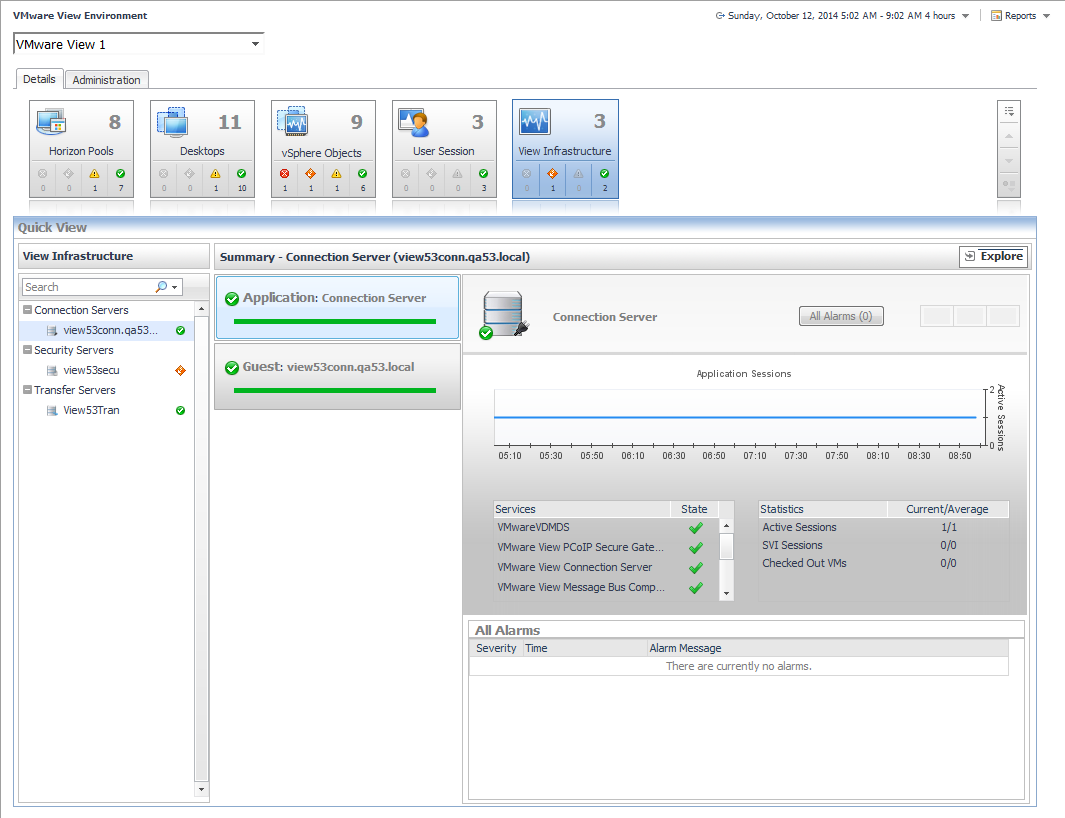
The VMware View Environment Details tab contains tiles that summarize status. Selecting a tile changes the content displayed in the Quick View area. This content varies depending on the tile that you select. For example, selecting the View Infrastructure tile displays the connection server, terminal server, and security server details associated with a View Server instance.
Click the Explore link in the upper-right corner to drill down to the VMware Explorer view of the object, to see detailed information about the selected object and its components. If the selected object is a monitoring VM, the VMware Explorer page appears. For further information, see Use the VMware Explorer. If the selected object is a host, the Host Monitor page appears.
NOTE: The Explore link applies to infrastructure components only. The components that appear in the User Session tile have their own Explore link. For more information, see Explore user sessions.
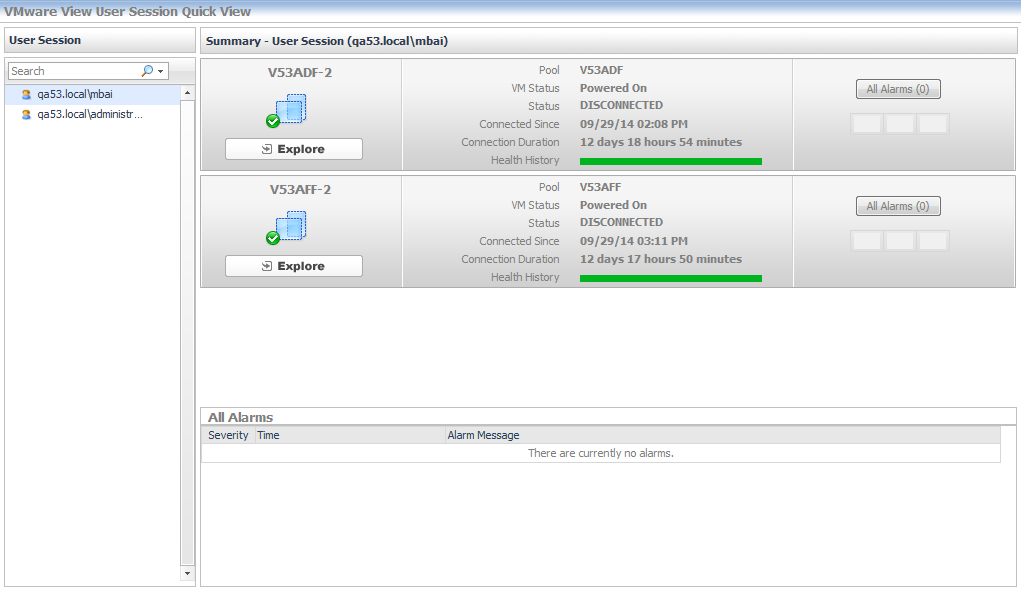
When you click the User Session tile, a list of the connected users is shown in the Quick View. Selecting a user from the Quick View displays the session types for the user, and a summary of the session details depending on the session type. Each user will have one or more sessions in a View instance.
An Explore link is located below the icon of the session type. Click the link to view detailed information about the session type.
Puoi trovare aiuto e supporto online per Quest *prodotto* sul sito di supporto di un affiliato. Fai clic su Continua per essere reindirizzato ai contenuti e all'assistenza corretti per *prodotto*.
Related Documents
The document was helpful.
Seleziona valutazione
I easily found the information I needed.
Seleziona valutazione
Internet Explorer 8, 9 e 10 non sono più supportati
Il portale Quest Software non supporta più Internet Explorer 8, 9, e 10. Si consiglia di aggiornare il browser all'ultima versione di Internet Explorer o Chrome.