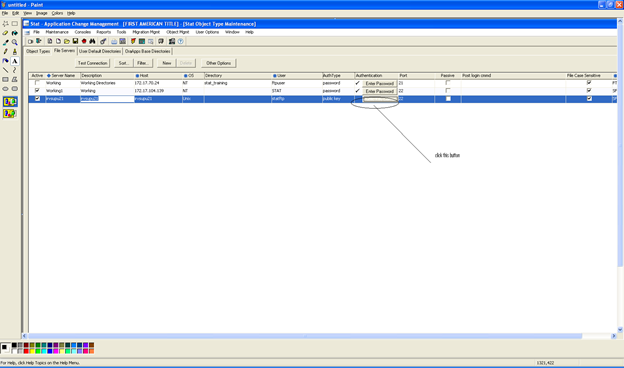
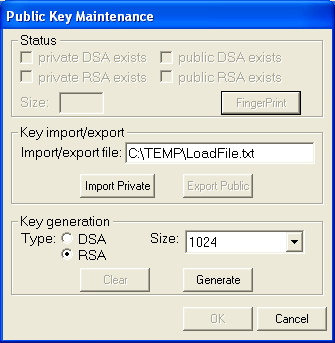
2- In this case, I’ve selected RSA key type generation
3- This is how my public key look like when generating from Stat.
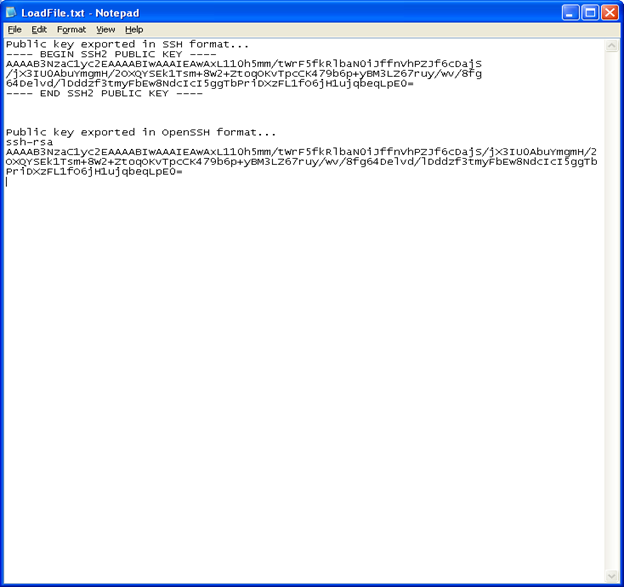
4- We would take the public key below and appended to the authorized_keys file from the Unix server: ssh-rsa AAAAB3NzaC1yc2EAAAABIwAAAIEAwAxL110h5mm/tWrF5fkRlbaN0iJffnVhPZJf6cDajS/jX3IU0AbuYmgmH/2OXQYSEk1Tsm+8W2+ZtoqOKvTpcCK479b6p+yBM3LZ67ruy/wv/8fg64Delvd/lDddzf3tmyFbEw8NdcIcI5ggTbPriDXzFL1fO6jH1ujqbeqLpE0=
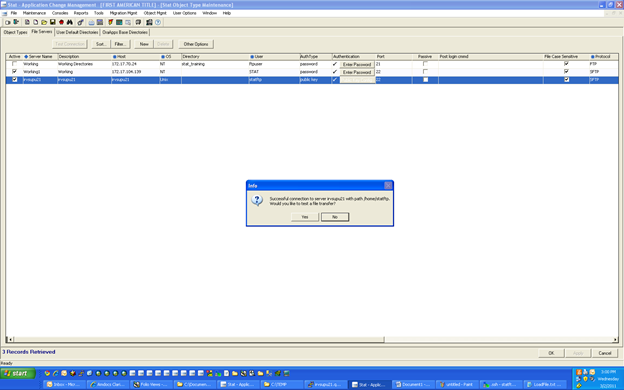
5- Now, We can do a test connect using Stat with public key auth