Solution:
There is a link between the Logical model to the Physical model for a Non-Reverse Engineered model. That is as designed. In order to keep column names from changing, you can use the name hardening functionality by taking the following steps:
1. Go to the physical side of the model
2. Select Tools| Manage Name hardening
3. Then check on column in Type Selection
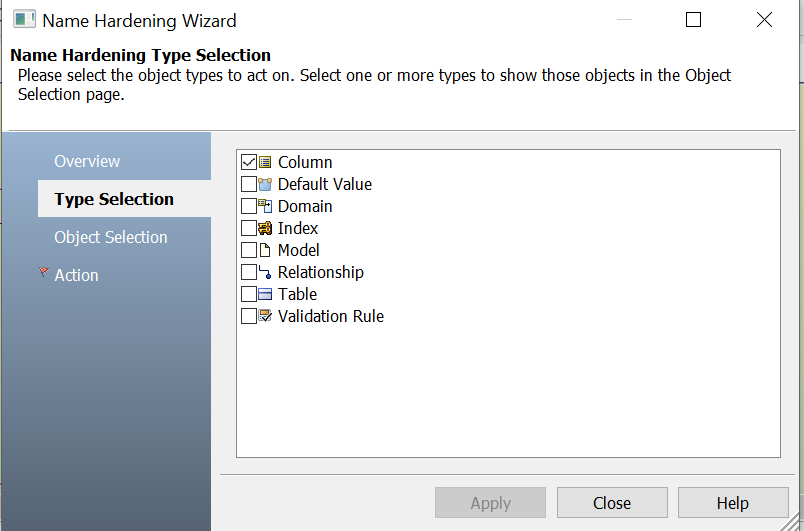
4. Go to Object Selection, and choose either all columns or required columns.
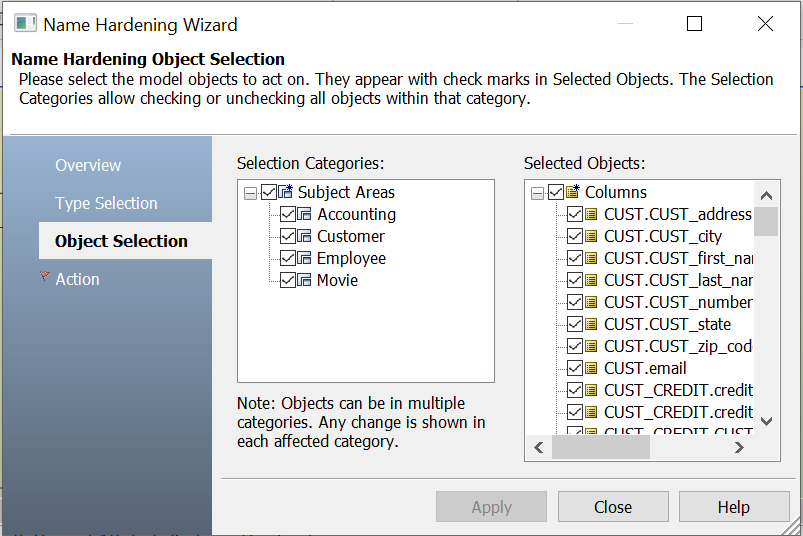
5. In the Action selection, check on the Attributes checkbox under Physical.
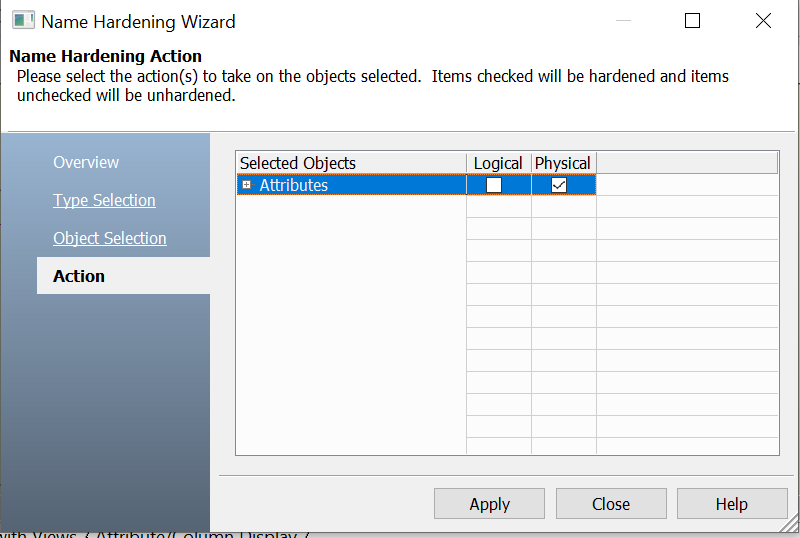
6. Press Apply, and then Close.
Note: In a Reverse Engineered model, the logical and physical models are not linked. However, in a non-Reverse Engineered model, the physical name is generated by the %AttName macro (by default), that's why when you change the logical attribute name; Erwin will change the corresponding column name in the physical model.

