Getting the below error when testing power BI with "Connect to PowerBI". Consent Granted and Account is "Global Administrator"
Error 1
Check source connection failed with unauthorised exception
Error 2
AADSTS500014: The service principal for resource 'https://analysis.windows.net/powerbi/api' is disabled. This indicate that a subscription within the tenant has lapsed, or that the administrator for this tenant has disabled the application, preventing tokens from being issued for it. Trace ID: xxxxxxx-xxxx-xxxx-xxxx-xxxxxxxxxxxx Correlation ID: 6107835b-xxxx-xxxx-xxxx-xxxxxxxxxxxxTimestamp: YYYY-MM-DD 05:41:38Z
Cause for Error 1
Prerequisites not met / not complete with configuration
Cause for Error 2
The tenant has been disabled with Power BI or the subscription expired.
Resolution for error 1
Permission/Prerequisites that needed to be completed including consent grant and Global Administrator rights (Below summary details). For more details steps kindly refer to our official document with this link. Any miss out of the below will lead to the error.
1) Consent and Permissions
| Task | Minimum consents and permissions |
|---|---|
| All tasks |
Migration - Basic - Minimal consent from Source tenant administrator accounts. Migration - Basic - Full consent from Target tenant administrator accounts. |
| View Power BI |
Migration - Power BI consent from Source and Target tenant administrator accounts. Global Administrator role from both source and target tenant administrator accounts. |
| Migrate Power BI | Additional manual setup is required for both source and target tenants through the Azure portal. The steps required to grant additional permissions are described below. |
2) Granting additional permissions for the source and target tenants
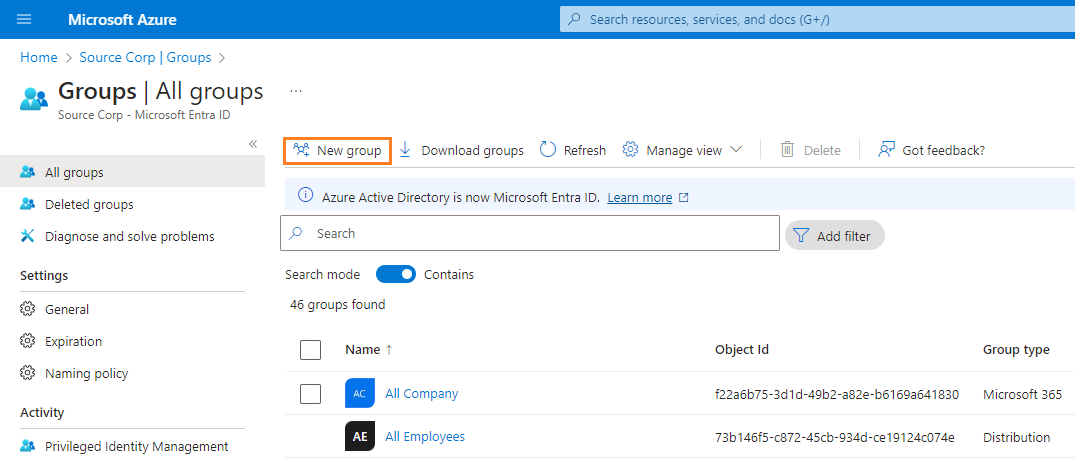
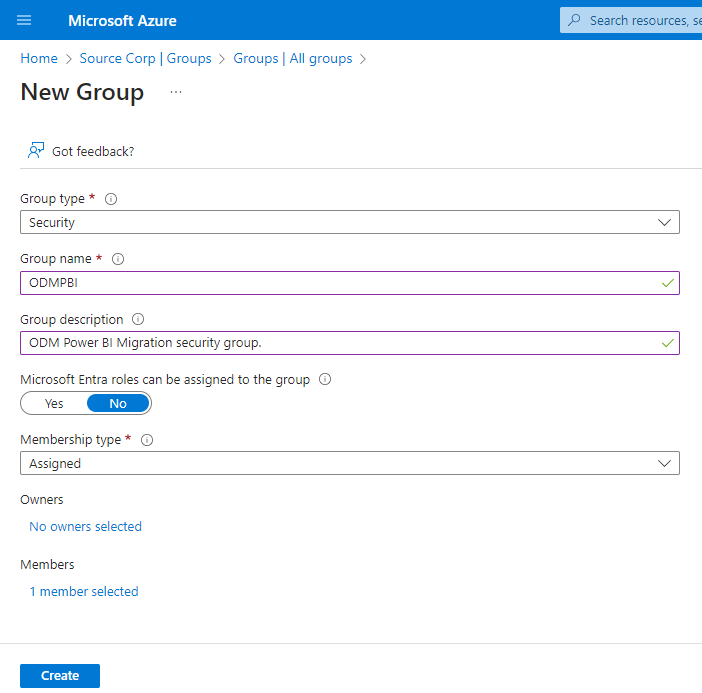
2.1) Part 1- Azure Portal Security Group Setup
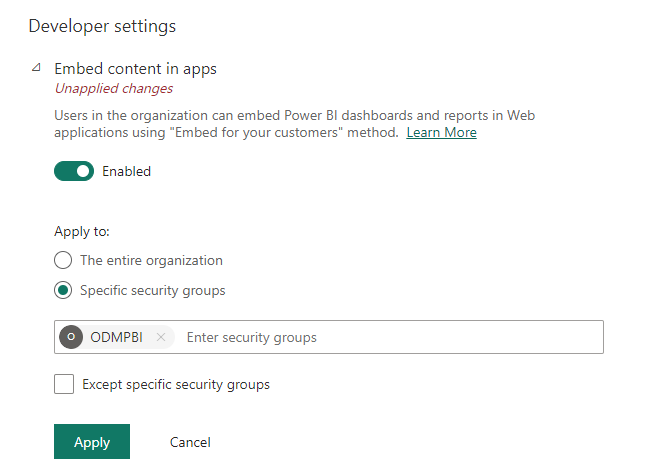
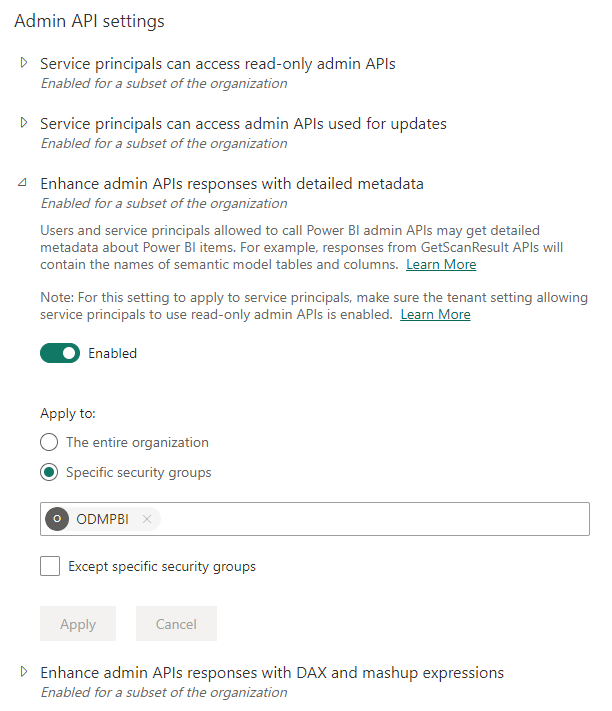
2.2) Part 2- Power BI Setup
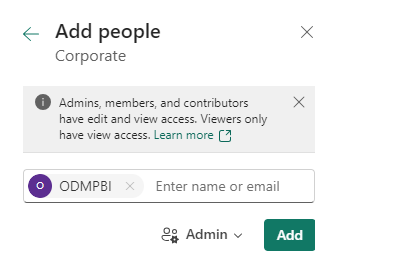
To migrate Power BI data, the security group must also be granted explicit rights in all tenant Power BI objects like Connections, Gateways and Workspaces.
For Connections and Standard Gateways
Resolution for error 2
1) Make sure tenant has power BI subscription. and API access "https://analysis.windows.net/powerbi/api"is not restricted /disabled.
2) Make sure tenant is not expired and with subscription enabled.