Submitting forms on the support site are temporary unavailable for schedule maintenance. If you need immediate assistance please contact technical support. We apologize for the inconvenience.
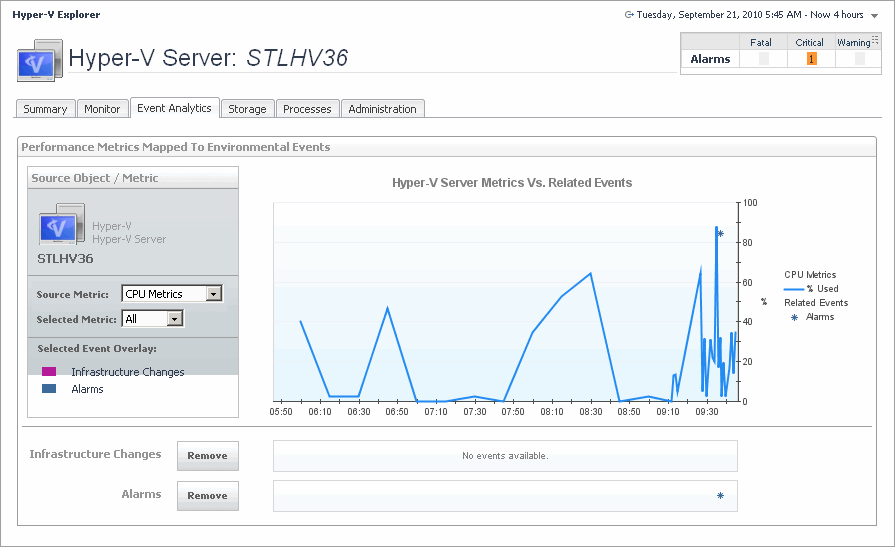
The Hyper-V Explorer Event Analytics tab contains details about the state of resource-related metrics for a server or virtual machine over a selected time period, and also shows any events that occur during that time frame.
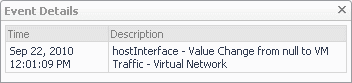
Alarms. If any alarms are generated against the selected server during the selected time period, and are added as an overlay to the chart using the Infrastructure Changes and Alarms view, they also appear in the chart.
•
CPU Metrics, % Used. The percentage of the server’s CPU utilization spent on executing system code and user programs during the selected time period.
•
Disk Metrics, Read Rate. The rate at which the server reads data from the disk during the selected time period.
•
Disk Metrics, Write Rate. The rate at which the server writes data to the disk during the selected time period.
•
Infrastructure changes. If any infrastructure changes occur for the selected server during the selected time period, and are added as an overlay to the chart using the Infrastructure Changes and Alarms view, they also appear in the chart. An infrastructure change is any configuration change that affects the properties of the selected server. This includes the server startup, shutdown, pause, changed shares, changes to memory settings, and similar types of changes.
•
Memory Metrics, % Used. The percentage of the available memory that the server uses during the selected time period.
•
Network Metrics, Receive Rate. The rate at which the server receives data from the network during the selected time period.
•
Network Metrics, Send Rate. The rate at which the server sends data to the network during the selected time period.
Alarms. Allows you to add and review any alarms, that are generated against the selected server, during the selected time period, to the chart.
•
Infrastructure changes. Allows you to add and review any infrastructure changes, that occur for the selected server, during the selected time period, to the chart. An infrastructure change is any configuration change that affects the properties of the selected server or virtual machine object. This includes the object’s startup, shutdown, pause, changed shares, changes to memory settings, and similar types of changes.
Selected Event Overlay. Indicates if the chart on the right shows any color-coded overlays that represent infrastructure and/or alarm events, in addition to the selected source metric.
Source metric. Identifies the combination of the metrics whose values appear in the chart on the right. Possible metric types include: CPU Metrics, Disk Metrics, Memory Metrics, and Network Metrics. For each metric type, you can display the values of a selected metric, or all metric values associated with that type. For example, selecting Disk Metrics gives you an option of displaying Read Rate, Write Rate, or both metrics (All) in the chart.
Alarms. If any alarms are generated against the selected virtual machine during the selected time period, and are added as an overlay to the chart using the Infrastructure Changes and Alarms view, they also appear in the chart.
•
CPU Metrics, % Used. The percentage of the virtual machine’s CPU utilization spent on executing system code and user programs during the selected time period.
•
Disk Metrics, Read Rate. The rate at which the virtual machine reads data from disk during the selected time period.
•
Disk Metrics, Write Rate. The rate at which the virtual machine writes data to disk during the selected time period.
•
Infrastructure changes. If any infrastructure changes occur for the selected virtual machine during the selected time period, and are added as an overlay to the chart using the Infrastructure Changes and Alarms view, they also appear in the chart. An infrastructure change is any configuration change that affects the properties of the selected virtual machine. This includes the virtual machine startup, shutdown, pause, changed shares, changes to memory settings, and similar types of changes.
•
Memory Metrics, % Used. The percentage of the available memory that the virtual machine uses during the selected time period.
•
Network Metrics, Receive Rate. The rate at which the virtual machine receives data from the network during the selected time period.
•
Network Metrics, Send Rate. The rate at which the virtual machine sends data to the network during the selected time period.
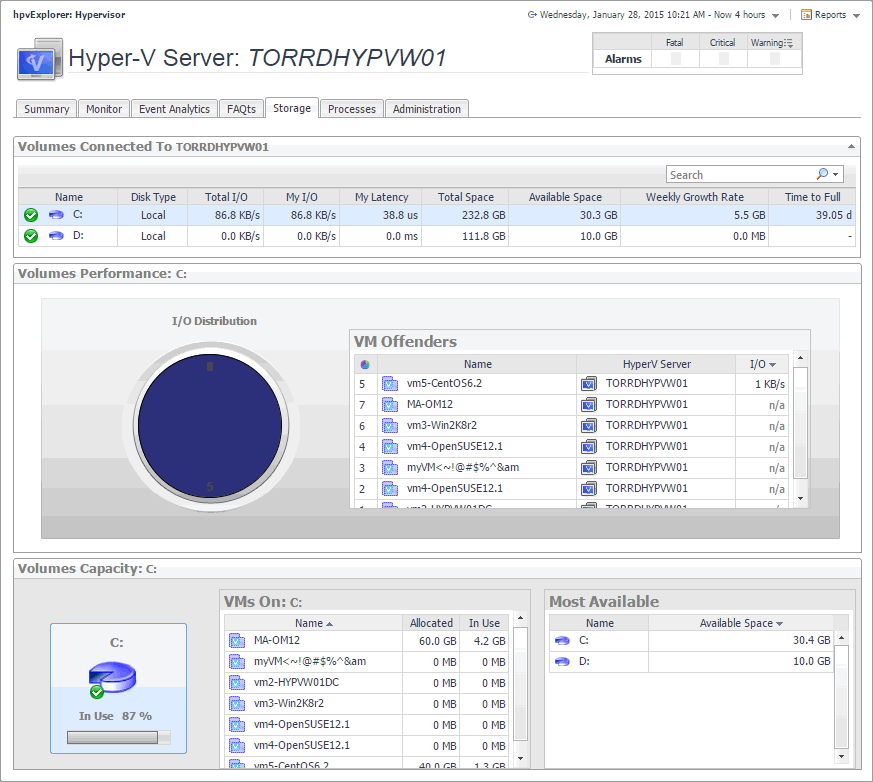
The Hyper-V Explorer Storage tab displays combination of embedded views displaying disk volumes associated with the selected cluster. It identifies the virtual machines that spend the highest amounts of disk resources. Use this tab to find out more about the overall consumption of disk resources for a given cluster. The information provided on this tab can help you prevent potential bottlenecks by reallocating disk resources where they are most needed.
I/O Distribution. A pie chart indicating how much the individual virtual machines using the selected disk volume contribute to the use of I/O resources.
The Hyper-V Explorer Storage tab displays combination of embedded views displaying disk volumes associated with the selected Hyper-V server. It identifies the virtual machines that spend the highest amounts of disk resources. Use this tab to find out more about the overall consumption of disk resources for a given Hyper-V server. The information provided on this tab can help you prevent potential bottlenecks by reallocating disk resources where they are most needed.