Submitting forms on the support site are temporary unavailable for schedule maintenance. If you need immediate assistance please contact technical support. We apologize for the inconvenience.
How to configure IIS if SharePoint is not Installed for ControlPoint Online
설명
It is not required that SharePoint be installed to use ControlPoint Online. However, if SharePoint is not installed, IIS must be configured to allow the ControlPoint Online Configuration Site to run on the server.
해결 방안
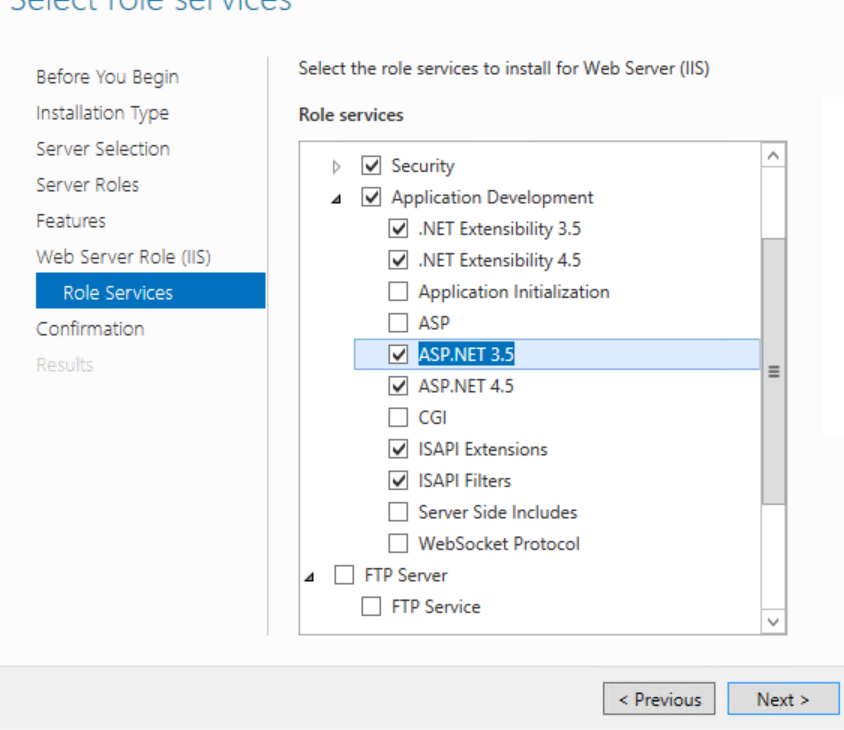
To configure IIS for ControlPoint Online if SharePoint is not Installed:
On the server where ControlPoint Online is installed, open IIS Manager and choose Manage > Add Roles and Features.
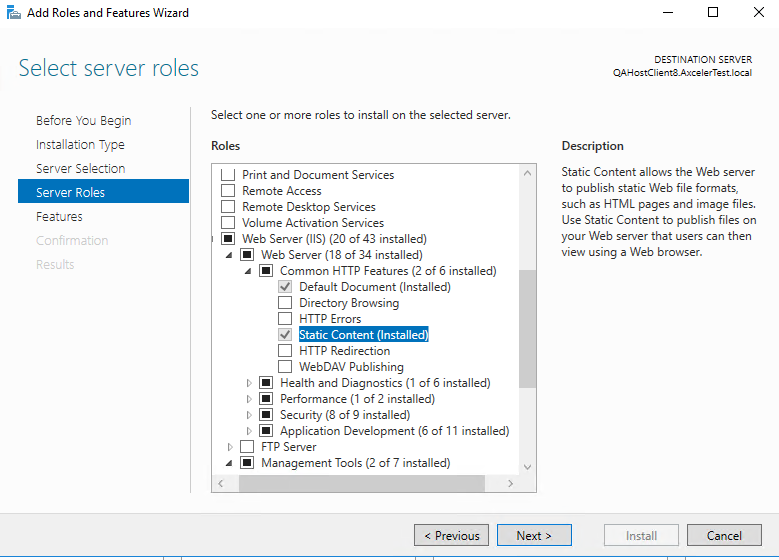
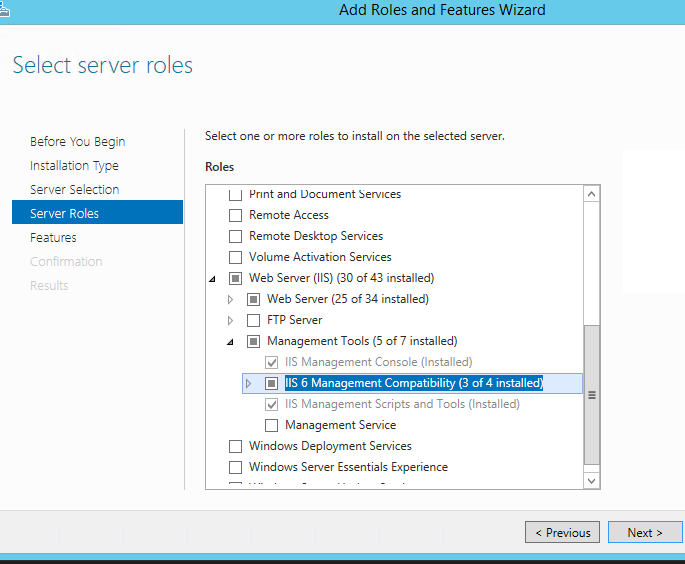
Select Server Roles.
Make sure that the following options are selected:
Web Server (IIS) - Web Server - Common HTTP Features - Static Content
Web Server (IIS) - Management Tools - IIS 6 Management Compatibility
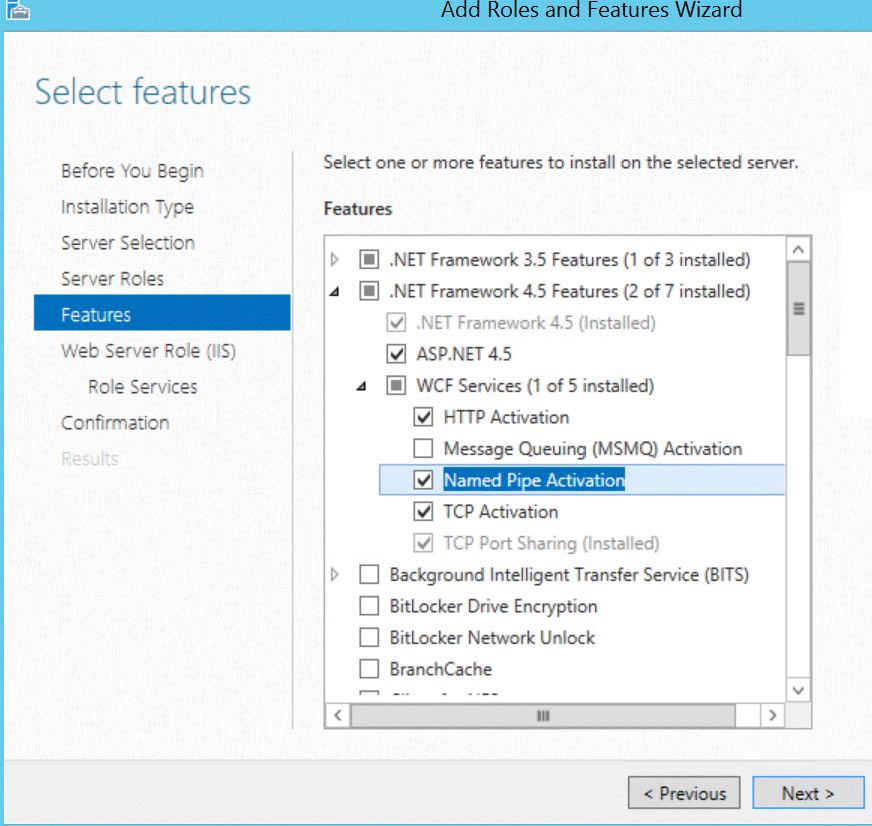
Select Features.
Make sure .NET Framework 4.5 Features - Named Pipe Activation is selected.