Create database backups regularly. Restore the backup and extract the DDL scripts. This is actually not a solution, but the last resort that can be used
Create a table where all schema changes are logged – changes to tables, indexes, keys, views, stored procedures, functions and all other objects that require DDL. This can be done using triggers
Generate a database DDL script every night. As all DDL scripts will be at disposal, all that needs to be done is to find the right one and find the optimal way to deploy it. Do the objects that will be changed need to be dropped and recreated? Can they be altered?
Create a batch file and save it as Snapshot.bat
"C:\Program Files\ApexSQL\ApexSQL Diff\ApexSQLDiff.com" /s1:SQLSERVER2019 /d1:AdventureWorks2018 /sn2:"E:\Snapshots\AdventureWorks2018_2019-01-16.axsnp" /exThis example creates a snapshot of the AdventureWorks2018 database on the SQLSERVER2019 instance and stores it as E:\Snapshots\AdventureWorks2018_2019-01-16.axsnp file. To avoid conflict, the snapshot name is unique and contains the creation date
In Windows Control Panel, open Task Scheduler
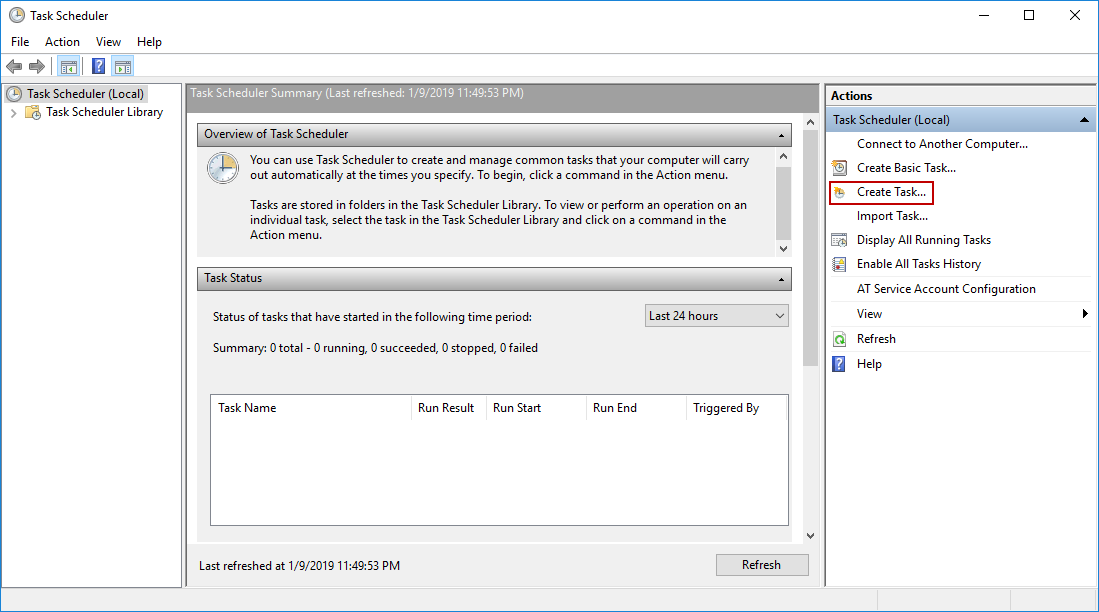
Click the Create task command in the right panel:
Specify the task name and description under the General tab:

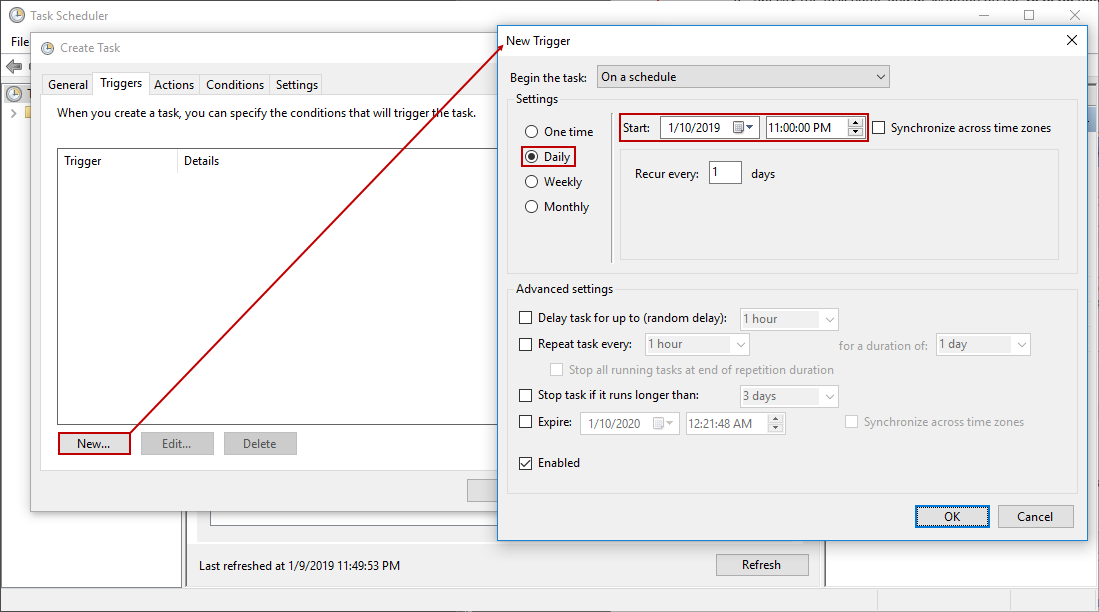
Switch to the Triggers tab and click the New button to initiate the New Trigger dialog. Set the time the snapshot will be created and the task’s occurrence to Daily:
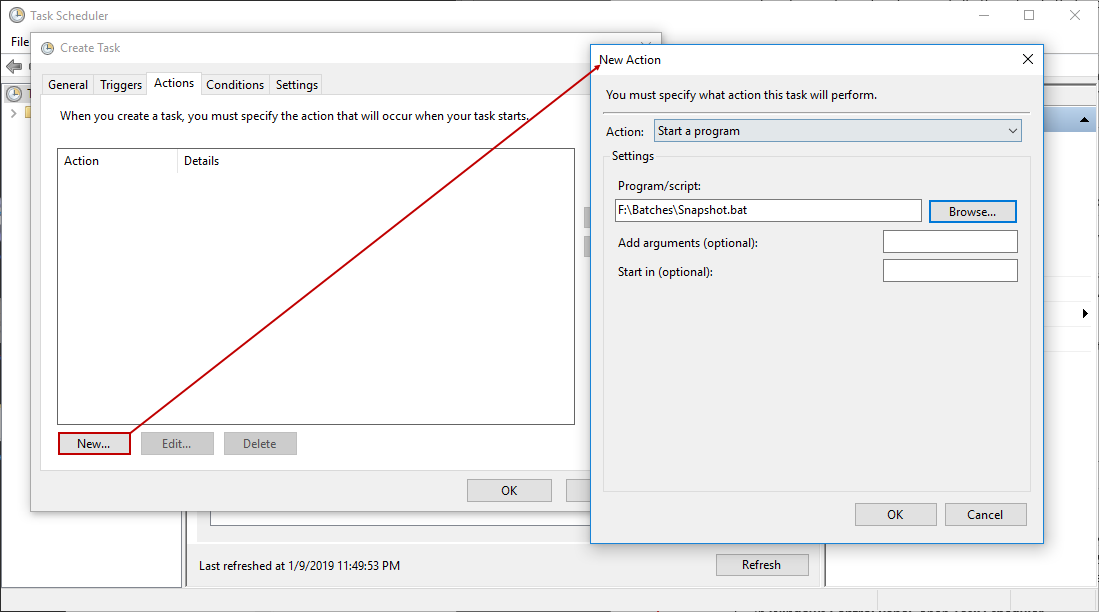
Switch to the Actions tab and click the New button to create a new action, and browse for the Snapshot.bat file:
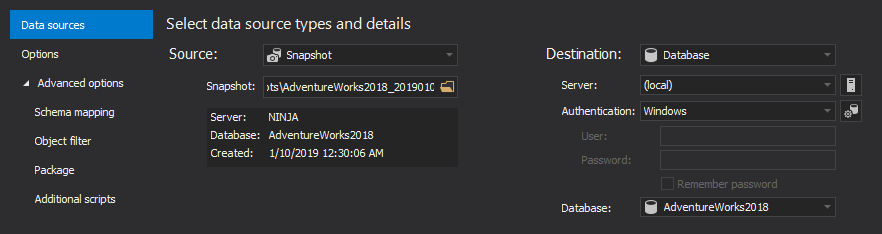
Now, if any old version of any database or object is needed, just open the snapshot created on a specific date using ApexSQL Diff and easily synchronize a live database with it:
Versioning the database structure doesn’t have to be complicated or involve using a source control system. With ApexSQL Diff, it is simpler, saves disk space, and can be automated.

