
Return
-
Title
Allowing users to search a journal mailbox for their archived messages -
Description
Users need access to the journal to search for archived messages (only messages the user has sent or received) -
Cause
N/A -
Resolution
By default users do not have access to the PST Export function. Export permissions need to be applied to allow exporting from ArchiveWeb for users.
Exporting for a user or Archive group can be allowed by doing the following:
- Make sure that the superuser account has all the user roles allowed in Enterprise Manager under Tools > Options > User Roles.
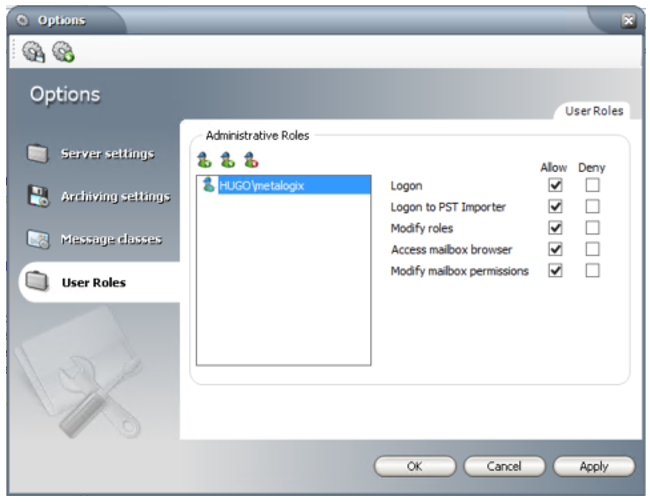
- Log in to ArchiveWeb with the superuser account.
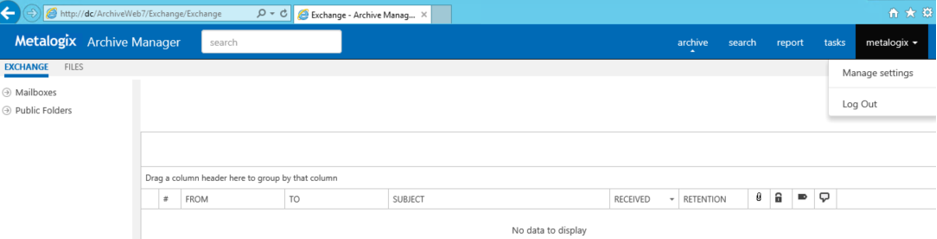
- Click on the logged on account on the top right corner to display the menu options and select Manage settings.
- On the Permissions tab, click the + button, use the pop-up dialog to find the user or Archive group you wish to grant permissions to, then click OK.
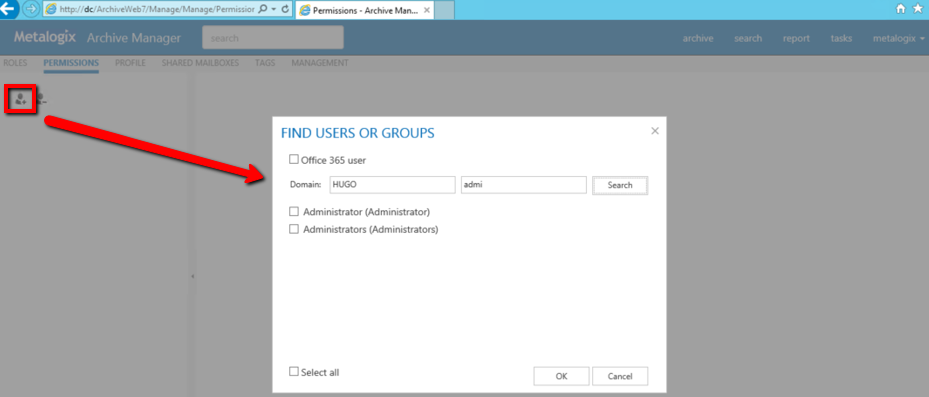
- Select the user or Archive group and mark the "Allow" checkbox for applicable Export rights under the Search role permissions. The permissions go into effect as soon as the check box is marked.

- Log out of the superuser account, then log back in as the user doing the export. The Export button should now be available after the search results are shown.
- Make sure that the superuser account has all the user roles allowed in Enterprise Manager under Tools > Options > User Roles.