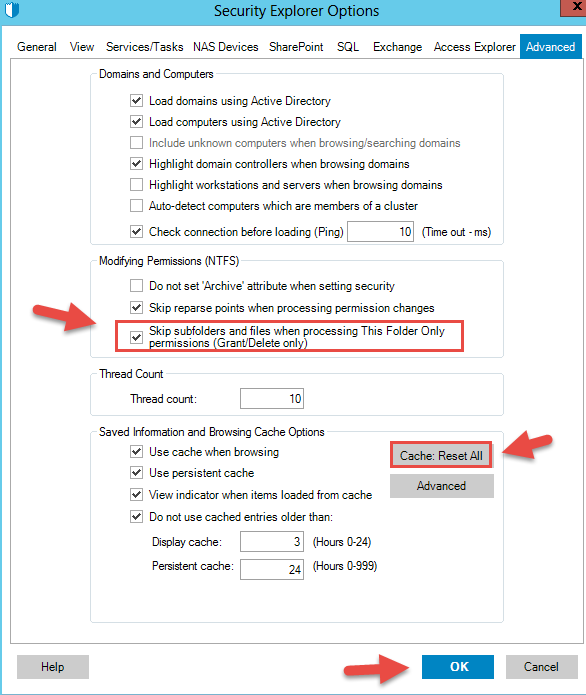
How to skip sub-folders and files when processing This Folder Only permissions
说明
Need ability to skip sub-folders and files when processing "This Folder Only" permissions. Currently the progress window goes through all sub-folders and files when permissions are granted and "This folder only" checkbox is selected.
解决办法
Within the Security Explorer console, go to Tools - Options - Advanced
Check the option "Skip sub-folders and files when processing This Folder Only permissions (Grant/Delete only)"