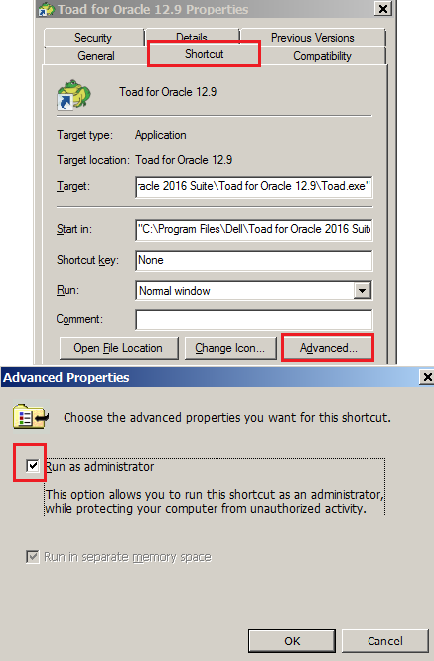
Cause 1: The Toad shortcut has been set up to 'Run as Adminstrator', hence the User Mapped Drives are not available. Note that this only occurs in Windows 10.
Cause 2: May be some sort of permissions issue.
Solution 1:
Uncheck the 'Run as Administrator' box in the Toad shortcut. By default, Toad does not need to be run at an elevated level.
Solution 2:
Try turning off User Access Control (UAC) in the Control Panel, to allow the mapped drives to be displayed. (likely requires a reboot)

