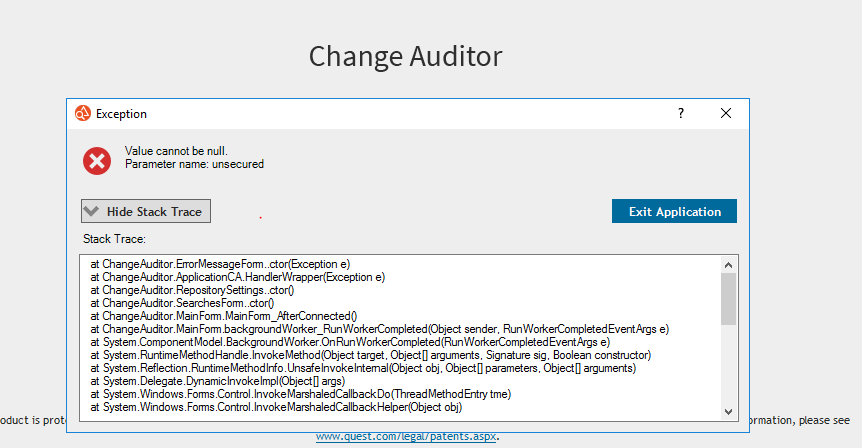
To confirm the issue,
- Open SQL Management Studio
- Connect to the SQL Server that contains the Change Auditor database
- Click New Query
- Select the Change Auditor database from the database drop-down box
- Paste the following command in the Query window
SELECT * FROM [Report].[SharedFolder]
If the record returned has values like the following, it is a problem record. If it does not look the same, then please provide the results to us for review:
0 NULL NULL NULL
If the record looks the same as above, then run the following command to delete it:
- Click New Query
- Select the Change Auditor database from the database drop-down box
- Paste the following command in the Query window
DELETE FROM [Report].[SharedFolder] WHERE FolderPath IS NULL
- Click Execute
- Close SQL Management Studio
The issue is fixed in versions 7.0.2.9805 and later.