The information in this article applies to:
SecureCopy 6.x and up
Title
“Cannot delete [File Name]: The disk is write-protected. Remove the write-protection or use another disk”.
When attempting to delete the “.\ [SecureCopy_Shadow]”
Figure 1
Problem Description
After starting a copy job, a volume called [SecureCopy_Shadow] is found on the root volume of the source machine. Any attempt to delete this volume results in the error above.
![[image]](https://support.quest.com/KBArticleImages/SL4083/ca16201d.jpg)
Figure 2
Cause
The [SecureCopy_Shadow] volume is mounted and used as the source of the copy job when the “Use volume shadow copy services on local source paths to ensure open files are copied” checkbox is checked, (figure 3 & 4).
![[image]](https://support.quest.com/KBArticleImages/SL4083/fcfd71bb.jpg)
Figure 3
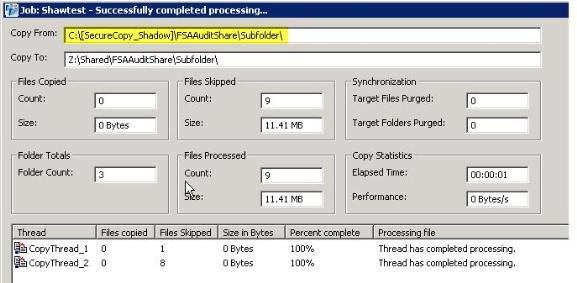
Figure 4
Resolution
Normally Secure Copy will un-mount (and remove) this volume at the end of the copy job after closing the Job Status window. Windows will not allow this volume to be removed if a process is actively connected. If it is still visible in the root folder after the Job Status windows closes, and you are not able to delete it, make sure the SecureCopycmd.exe (figure 5) process in not running in memory.
![[image]](https://support.quest.com/KBArticleImages/SL4083/92595db2.jpg)
Figure 5
In some cases if a job ends prematurely this path remains in a read only state and cannot be deleted with the normal DOS/Windows commands. In this case using the junction comand LINKD “C:\ [SecureCopy_Shadow]” /D should remove it. Please see http://en.wikipedia.org/wiki/NTFS_junction_point for more information on the LINKD command.

![[image]](https://support.quest.com/KBArticleImages/SL4083/cf4ac02c.jpg)