When attempting to re-install Rapid Recovery, you receive an error indicating that the target directory already exists:
C:\Program Files\AppRecovery\Core\
When you attempt to manually delete this folder, the system returns an error stating that one or more files are in use, even though related services have already been stopped.
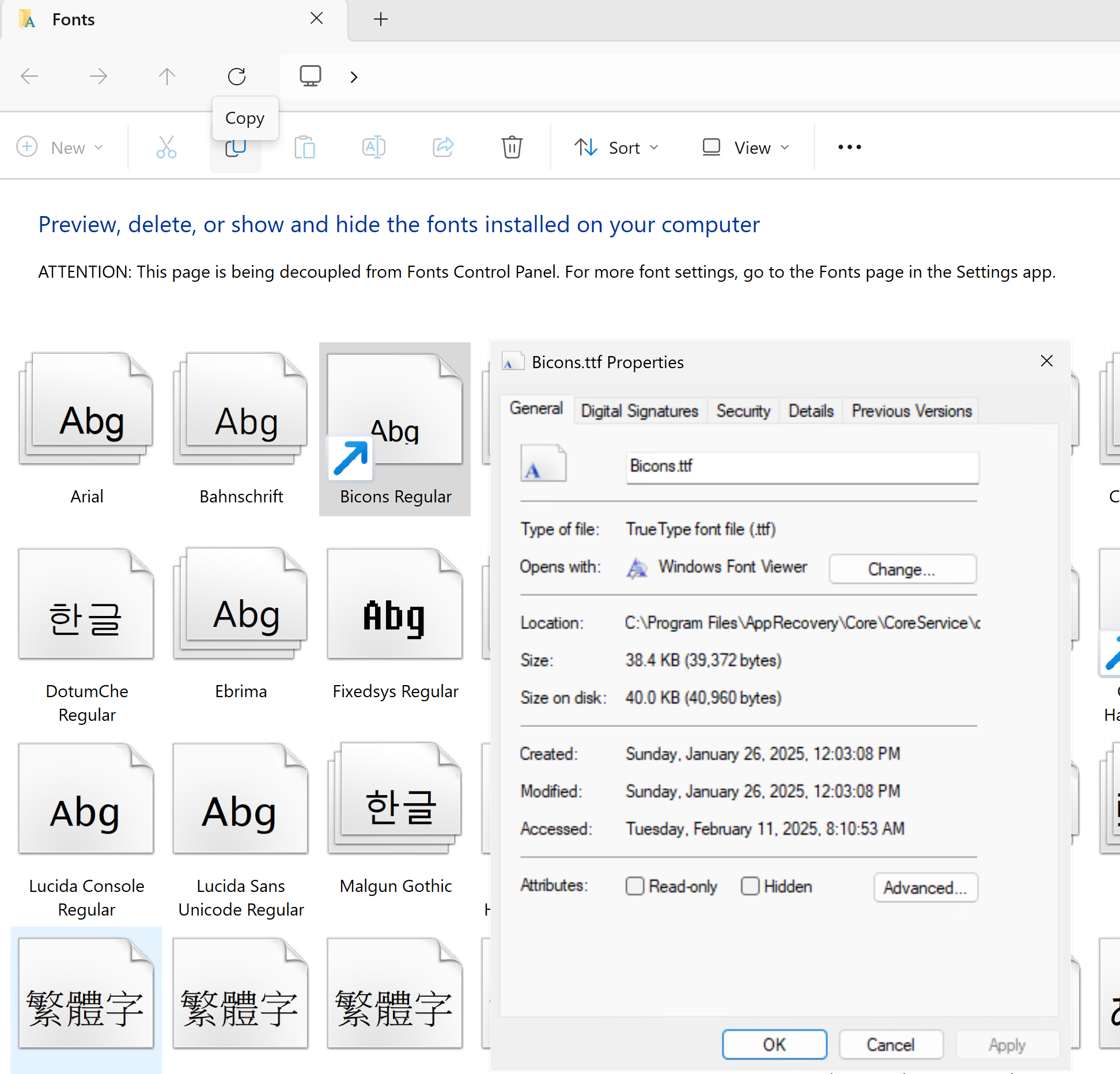
Some font files used by the Rapid Recovery Core web interface, such as Glyphicons or Bicons, remain locked or registered in Windows. These fonts are referenced via shortcuts in the Control Panel > Fonts applet and may be held open by background processes (e.g., svchost.exe). This prevents the folder from being removed or overwritten during reinstallation.
C:\Program Files\AppRecovery\Core\CoreService\coreadmin\Content\
⚠️ Warning:
Editing the Windows Registry incorrectly can cause serious system problems. Only use this method if the Control Panel method fails. Always create a backup of the registry before making changes.
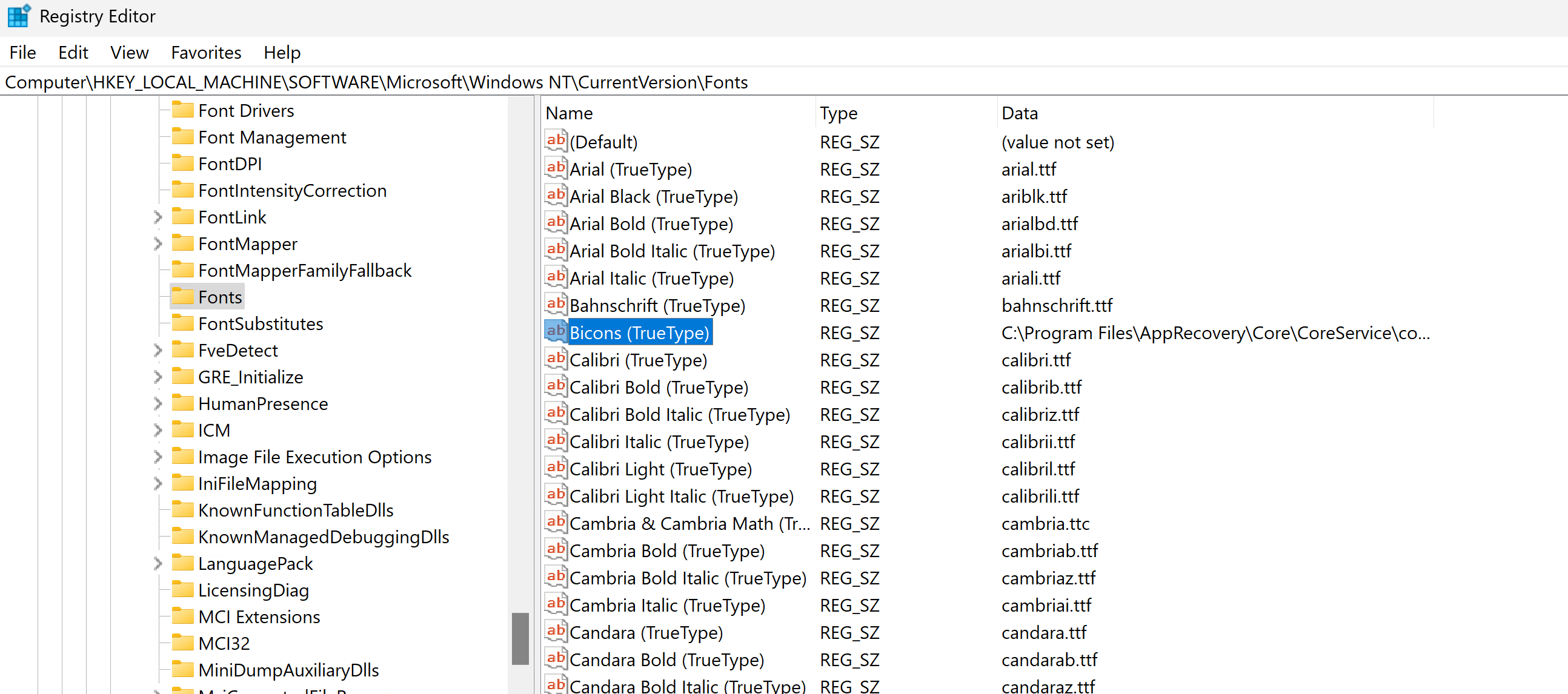
regedit.exe as Administrator.HKEY_LOCAL_MACHINE\SOFTWARE\Microsoft\Windows NT\CurrentVersion\Fonts
C:\Program Files\AppRecovery\Core\
If file locks still persist after attempting the above steps, a third-party tool can be used to forcibly unlock them.
Tool: EMCO Unlock IT
After unlocking, reboot the system and retry deletion.
C:\Program Files\AppRecovery\Core\CoreService\coreadmin\Content\Bootstrap\fontsC:\Program Files\AppRecovery\Core\CoreService\coreadmin\Content\LightTheme\fontsC:\Program Files\AppRecovery\Core\CoreService\coreadmin\Content\DarkTheme\fontsC:\Program Files\AppRecovery\Core\CoreService\coreadmin\Content\HybridTheme\fonts
