Unable to check Organization Units (OU's) in the new or existing workflow. The checkbox is greyed out.
Possible Cause 1
The checked Organization Unit (OU) to be added to the workflow is checked from the Environment at the sub-OU.
Possible Cause 2
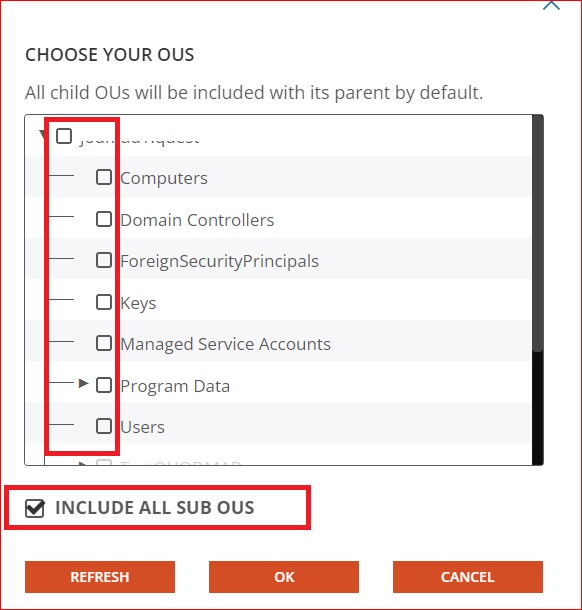
The checked Organization Unit (OU) to be added to the workflow is not checked from the Environment at the Root Directory.
Refer to the below sample screenshot
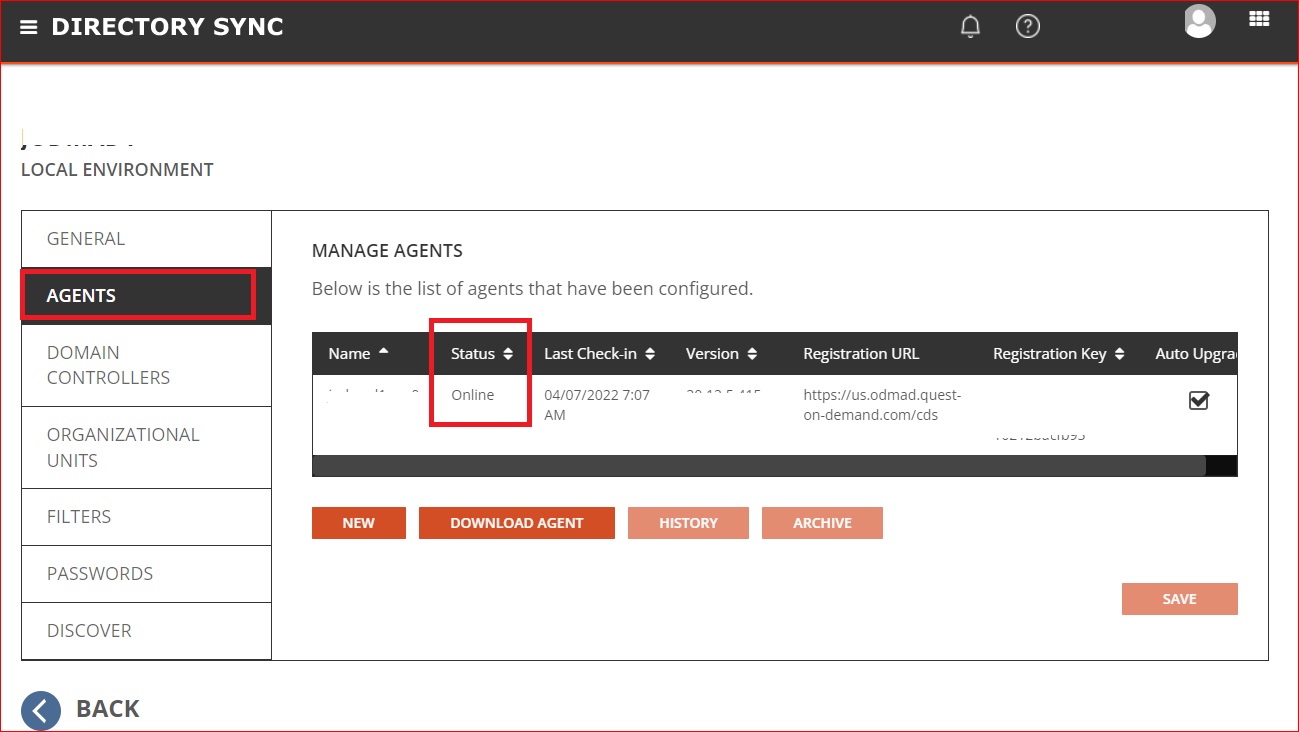
2) Navigate to add OU
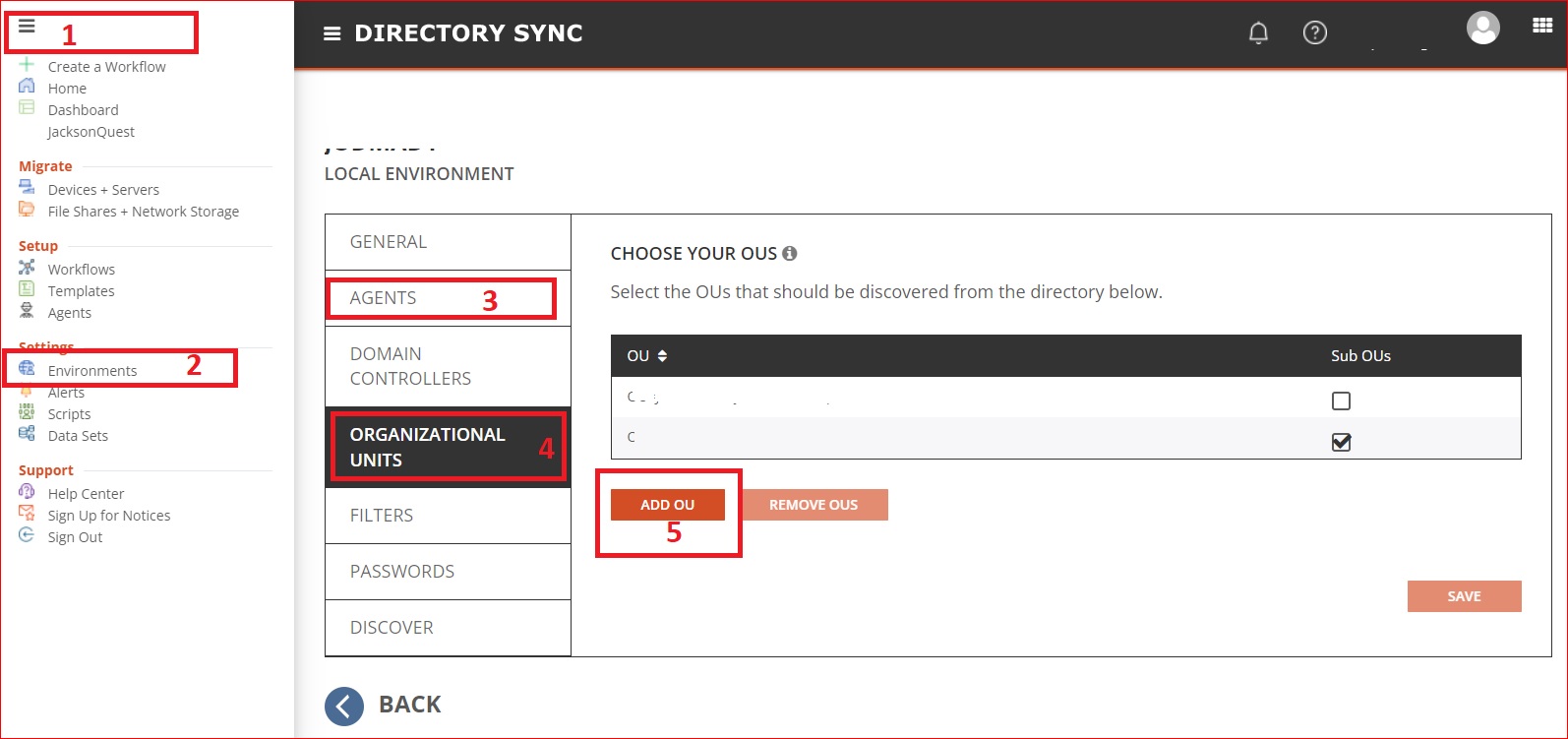
Environment>(Select the respected Environment)> Settings> Organizational Units > Add (then from the Directory select the OU that you are required to work on)
Refer to the below sample screenshot
Refers to the Document How do I set up environments? for more information

