Submitting forms on the support site are temporary unavailable for schedule maintenance. If you need immediate assistance please contact technical support. We apologize for the inconvenience.
The Hyper-V Explorer Storage tab displays combination of embedded views displaying disk volumes associated with a selected virtual machine. It identifies the virtual machines that spend the highest amounts of disk resources. Use this tab to find out more about the overall consumption of disk resources for a given virtual machine. The information provided on this tab can help you prevent potential bottlenecks by reallocating disk resources where they are most needed.
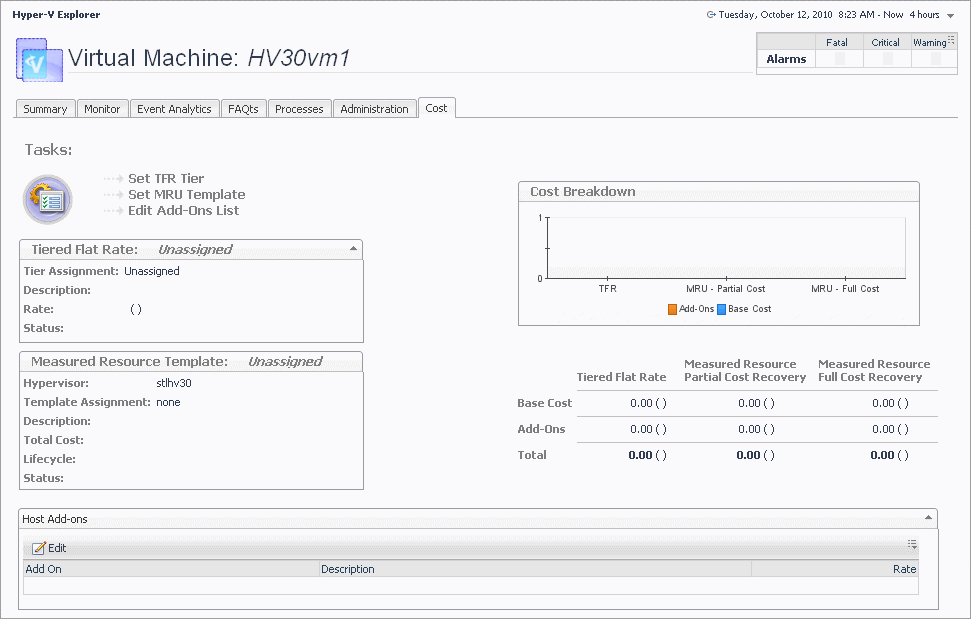
The Cost tab contains information about the costs associated with the selected virtual machine’s usage. The information about these costs is provided by the cost models and server assignments that are configured in Foglight for Chargeback. For more information about Foglight for Chargeback, see the Foglight for Chargeback User and Reference Guide.
Add-Ons. Shows the cost of upgrades to standard host configurations. These upgrades could include hardware, software, licensing, or even infrastructure items such as rack space or power backup units.
•
Base Cost. Shows the cost of a standard host configuration.
Edit Add-Ons List. Starts a wizard that allows you to add add-on’s to the selected virtual machine.
•
Set MRU Template. Starts a wizard that allows you to create a measured resource template and associate it with the selected virtual machine.
•
Set TFR Tier. Starts a wizard that allows you to create tiers and associate them with the selected virtual machine. A tiered flat rate (TFR) is a pre-configured level of expense that is associated with a virtual machine.