When trying to delete a manual label you cannot and get an error message.The error message is listed as "You cannot delete labels that are applied to any items.
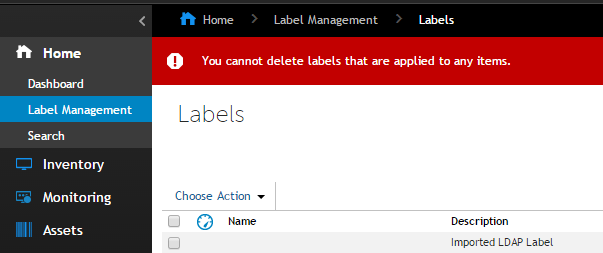
Steps to delete a manually created label within the K1000.
1. Navigate to the item that is associated with it in inventory. In case of a computer inventory label, select the computer name.
2. Under Activities, Select Manage Associated Labels.
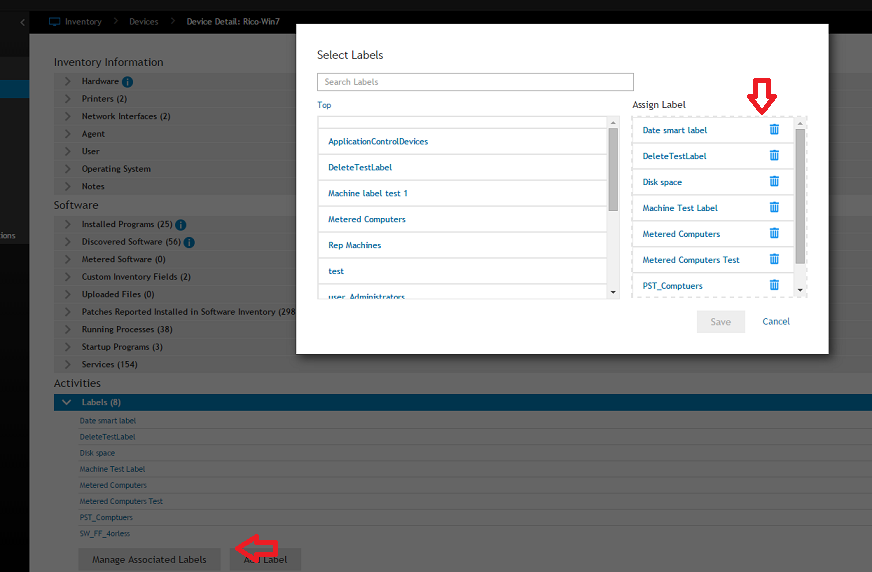
3. Delete appropriate label.
4. Once all machines have had the label removed, navigate to Home, Label Management, Labels.
5. Check the box next to the label to be deleted. Select Choose Action, then delete.


