|
1 |
On the VMware Environment dashboard, on the Monitoring tab, in the Virtual Environment Overview, select the Virtual Switches tile. |
|
2 |
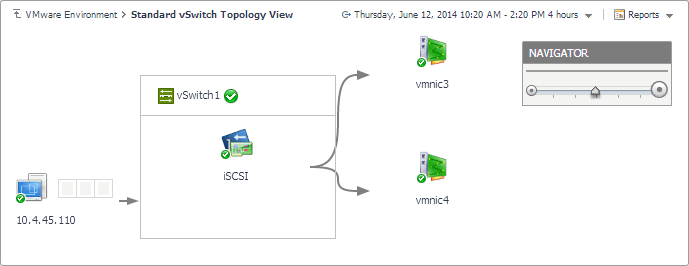
To display a standard virtual switch in the Standard vSwitch Topology View, complete the following steps. |
|
a |
In the Quick-View, in the Virtual Switches view, under Standard Virtual Switches, select a virtual switch. |
|
b |
|
3 |
To display a distributed virtual switch in the Distributed vSwitch Topology View, complete one of the following procedures. |
|
a |
In the Quick-View, in the Virtual Switches view, under Distributed Virtual Switches, select a virtual switch. |
|
b |
|
4 |
To display a Cisco virtual switch in the Distributed vSwitch Topology View, complete one of the following procedures. |
|
a |
In the Quick-View, in the Virtual Switches view, under Cisco Virtual Switches, select a virtual switch. |
|
b |

|
1 |
On the VMware Environment dashboard, on the Monitoring tab, in the Virtual Environment Overview, select the Virtual Switches tile. |
|
2 |
|
• |
| |||
| |||
| |||
Figure 407. Utilization dialog box
 | |||
|
| |||
| |||
| |||
| |||
|
| |||
| |||
| |||
Figure 408. Utilization dialog box
 | |||
|
| |||
| |||
| |||
 | |||
|



|
• |
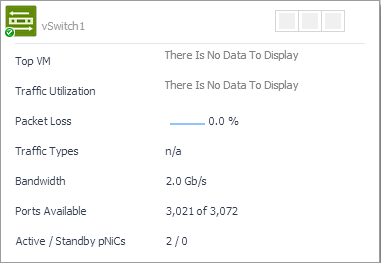
On the VMware Environment dashboard, on the Monitoring tab, in the Quick-View, select the Virtual Switches tile. |
| |||
| |||
| |||
| |||

