The Explain Plan button is grayed out when viewing SQL statements in either the PostgreSQL agent or PostgreSQL PI.
In PostgreSQL PI, a message "Missing permissions. To generate the plan, ensure the Agent properties is configured with database administrator account, "Enable Administration" and "Enable Explain" options are set and you have the PostgreSQL Administrator role in your account" appears when the mouse is held over the grayed out Explain Plan button.
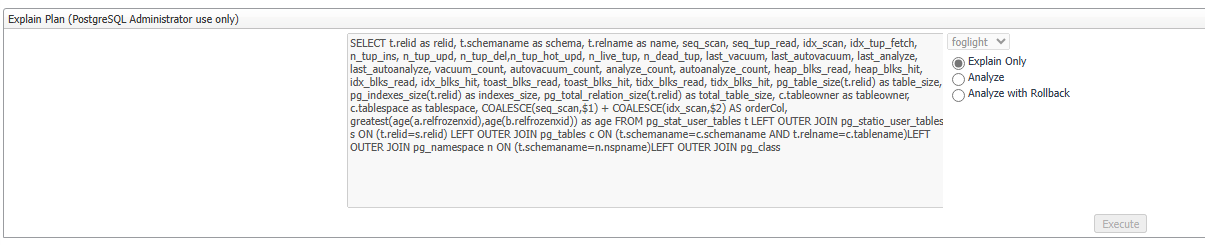
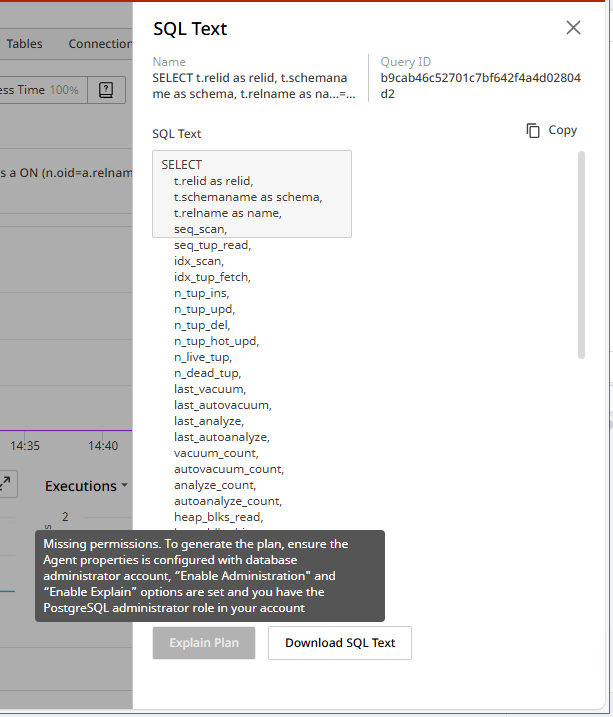
The Explain Plan functionality requires multiple agent status property settings to be enabled and set, as well as having the PostgreSQL Administrator role in the FMS and the monitored database.
Product defect in the SPIRepository 7.3.2 cartridge. This issue is limited to being unable to view the Explain Plan only in PostgreSQL PI.
To use the Explain Plan, there are several requirements
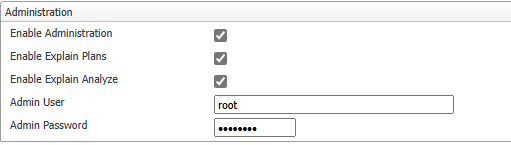
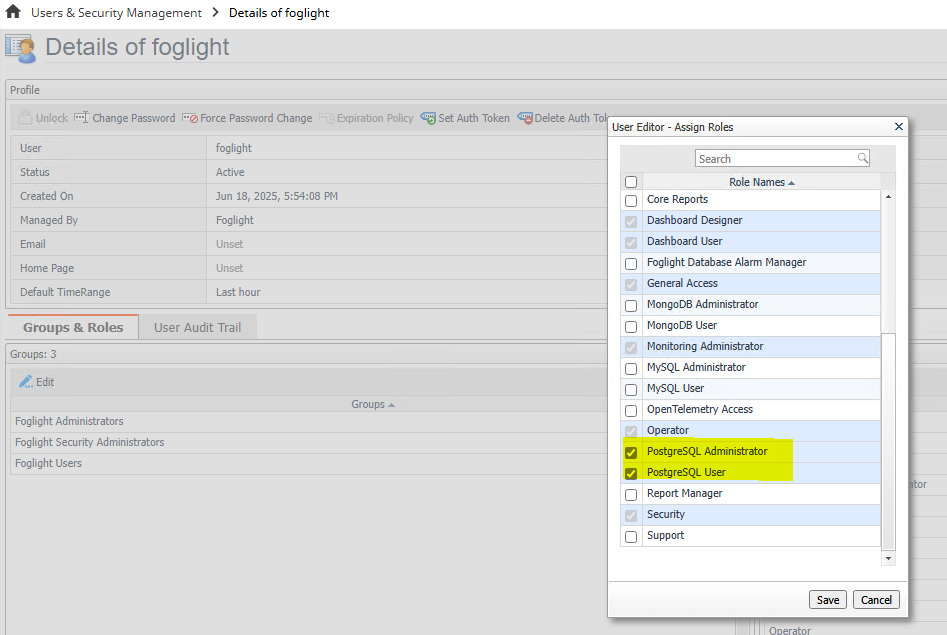
It's also recommended to deactivate and then activate the PostgreSQL agent after making the changes to the Agent Status Properties so the settings take effect sooner.
Workaround
Download the updated SPIRepository 7.3.2 cartridge with Hotfix HFIX-566, then unzil and install the .car file in the FMS.
Users must be logged into Supportlink to be able to view the attachment.
Status
This issue has been logged as a product defect and will be fixed in an upcoming release of the PostgreSQL PI agent.

