There are thousands of distributed. commercial software applications aka shrink-wrapped, from small shareware apps to large corporations, that use a SQL Server backend. These systems, although distributed, could often benefit from and sometimes require data change auditing at the client location.
Although ApexSQL sells a successful, enterprise auditing tool for SQL Server, ApexSQL Audit, this tool is often not appropriate for distributed, commercial software.
This is where DML triggers can really come in handy. The advantages of DML triggers in this particular context include:
Although performance is often cited as a concern with triggers, unless triggers are put on tables that experience high throughput, like batch loads, triggers have a minimal or non-existent performance impact. The time to fire an individual trigger is normally measured in milliseconds. In a well-designed audit plan, triggers can actually offer performance and other advantages to alternatives like profiling. The biggest concern with triggers is generally initial setup and maintenance.
ApexSQL Trigger is a 3rd party tool designed to automate the process of creating a trigger based auditing system. Once implemented, ApexSQL Trigger can allow for rapid refactoring of a trigger based auditing plan due to schema or trigger template changes.
At a high level, ApexSQL Trigger is a trigger-factory, that can automatically produce thousands of triggers, defect free, based on a trigger template and a Table schema.
How it works
ApexSQL Trigger is a software application that reads a table schema and processes against a template, to create a trigger for that table. To change the actual design and implementation of the trigger, simply change the template and re-generate.
A single trigger creation process looks as follows:

This transaction is simply repeated, for each table selected for auditing in a particular database.
A trigger template is a simple XML file that can be edited and customized within ApexSQL Trigger itself via built in editor that includes auto-complete and syntax highlighting:
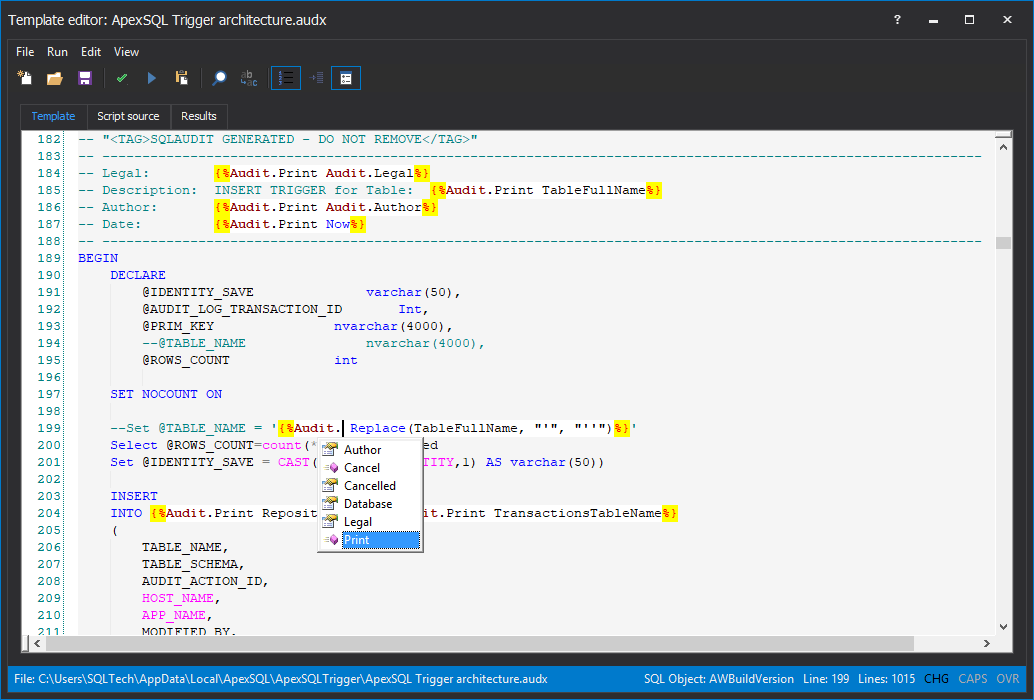
A trigger template includes blocks of static code (generally T-SQL - mixed with actual programmatic code that will produce different results based on the nature of the particular table being processed at the time. Most users simply use the default template that ships with ApexSQL Trigger, but it can be fully customized and even replaced with a template designed from scratch:

By implementing a template based paradigm, ApexSQL Trigger can both rapidly produce a large number of templates quickly, but it also allows the templates to be easily redesigned and customized and then easily re-generated.
Once the trigger template has been approved for use, the focus switches to the user interface, where an audit plan can be created. This plan includes:
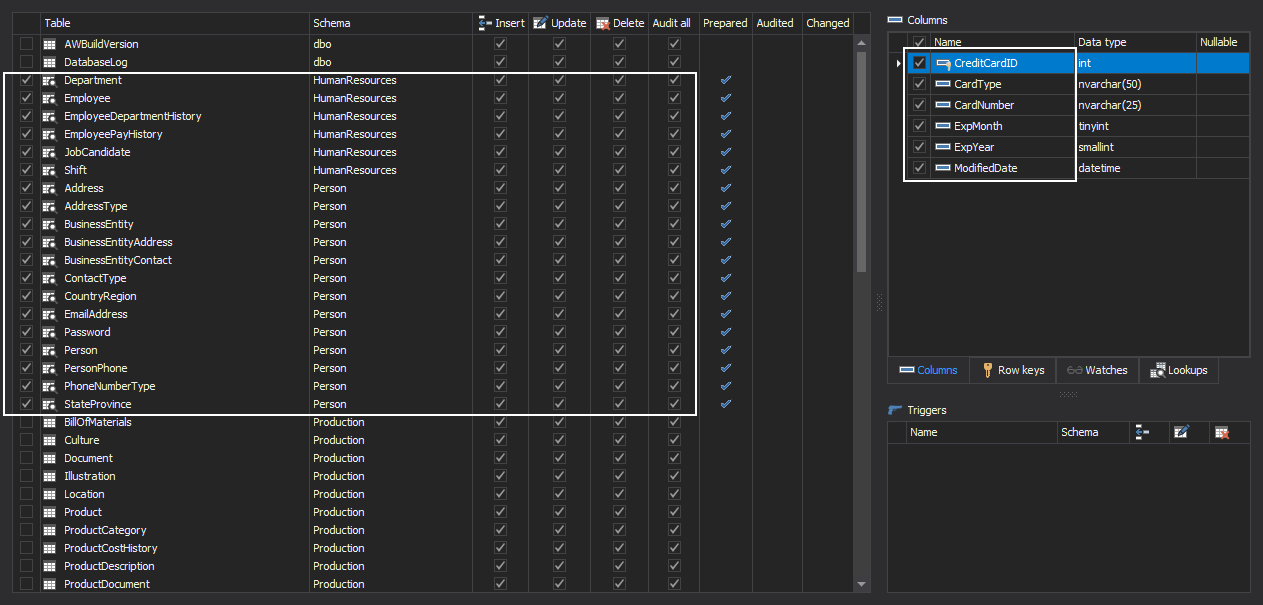
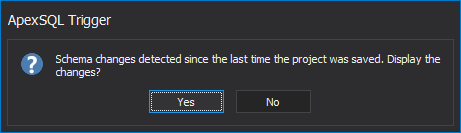
Once configured, the plan can be saved as a project. ApexSQL Trigger can even be configured to detect new tables or columns added since the last time the project was saved, and notify the user so that those additions can be considered for auditing:

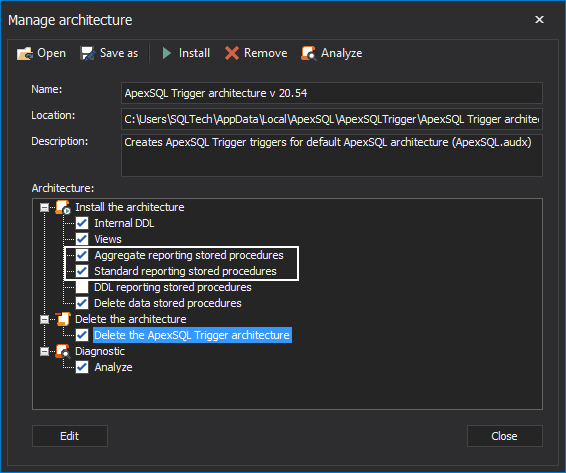
This is great but where is the audit data written? On the first install of ApexSQL Trigger, the software will prompt for the addition of a variety of objects e.g. tables, procedures that form the architecture that allows auditing to work. This includes tables where the auditing data is written and procedures and views that supply the reports used to visualize the data.
When you ship your self-auditing, commercial application, all of these objects will need to be included as well. This way the triggers will be able to add data to the repository, and end users will be able to view and report on the audited data.
Logging data changes is a key component but essentially useless without the ability to quickly and easily search and report on that data. The open architecture of ApexSQL Trigger allows for distributing reporting components along with the auditing trigger and repository objects that can function just like the built-in reports in ApexSQL Trigger itself:
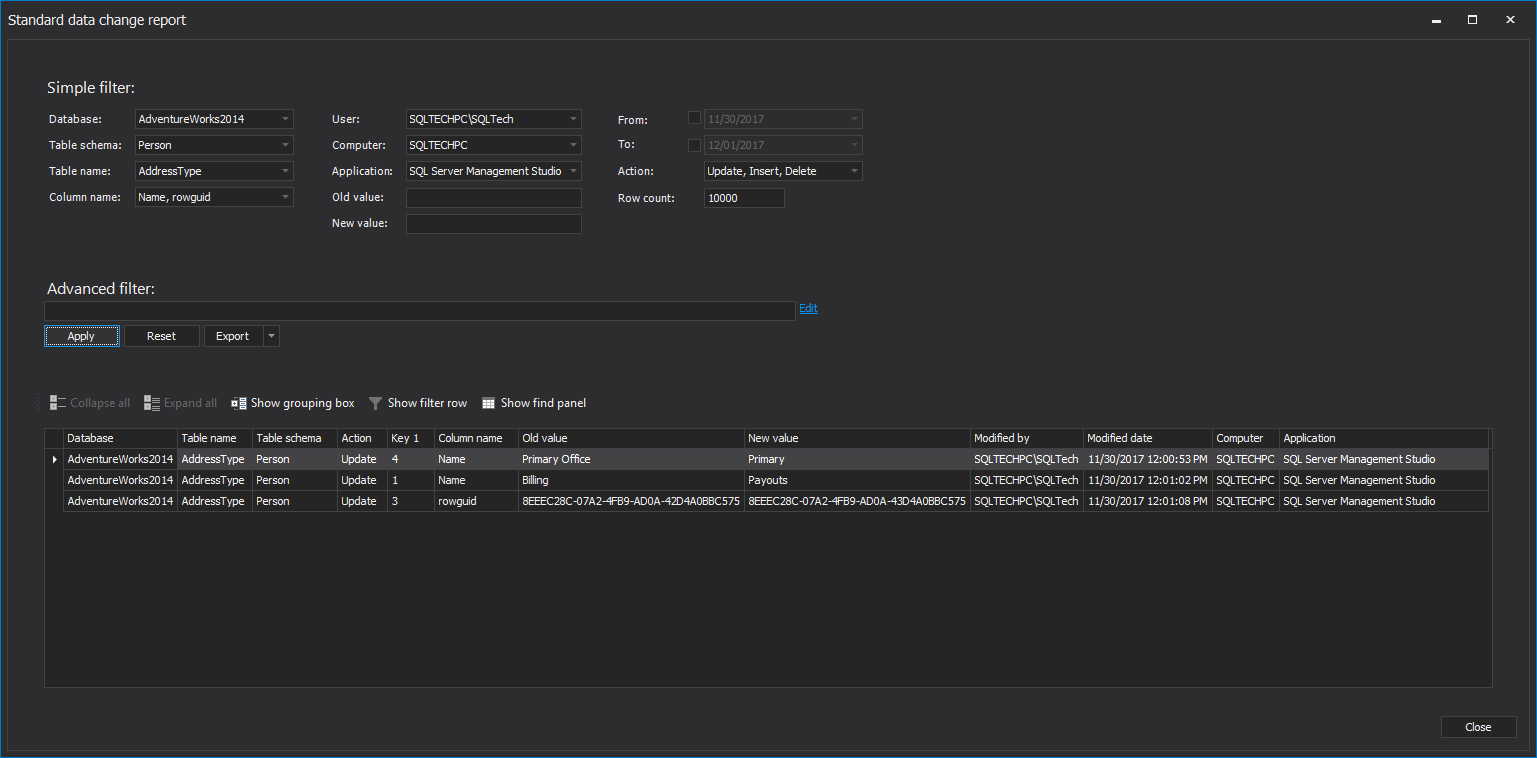
By including ApexSQL Trigger stored procedures and views in the database backend of your commercial software, reporting can be easily integrated with the commercial tool. For example, a form that accepts user input and presents returned data can be added to the client application, and interface directly with the stored procedures included in ApexSQL Trigger:
In addition to creating the audit plan initially, via the user interface, adding auditing triggers can be included as part of your Continuous integration and delivery process. This makes updating builds to add an auditing layer an easily automated process.
ApexSQL Trigger has a rich command line interface aka CLI that allows automation with PowerShell for example. Auditing is included as a step in the ApexSQL CI/CD toolkit and open source PowerShell scripts to automate this step can be downloaded from our GitHub repository
Please see the following content, including articles on using ApexSQL Trigger, configuring audit plans and even automating the process via the CLI.

