When trying to delete a database object, which has an object that depends on it, no problems can be caused, since it will not allow to be deleted:
Drop failed for Table 'HumanResources.Employee'. (Microsoft.SqlServer.Smo)
Could not drop object 'HumanResources.Employee' because it is referenced by a FOREIGN KEY constraint.
The situation is completely different when a database object that depends on other objects is deleted. There will be no warning messages. The problems might appear afterwards, when it’s realized that the specific object is actually still needed; it wouldn’t have been deleted it was known that it was dependent on other database objects, or that it is still used in external databases or other projects.
To be certain that no references will be broken when deleting a database object, check if there are other objects that depend on the one that will be deleted, and if there are any that it depends on.
To see object dependencies:
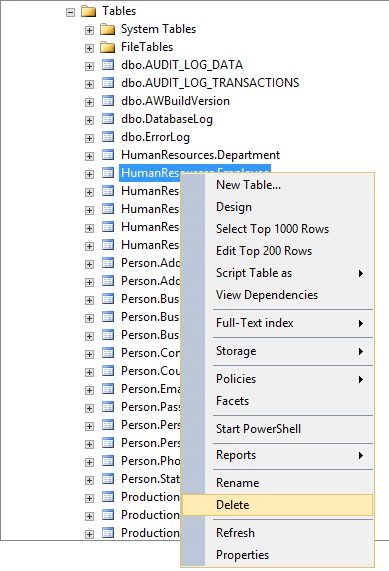
Right click the object that is to be deleted and select the Delete option from the drop down list:
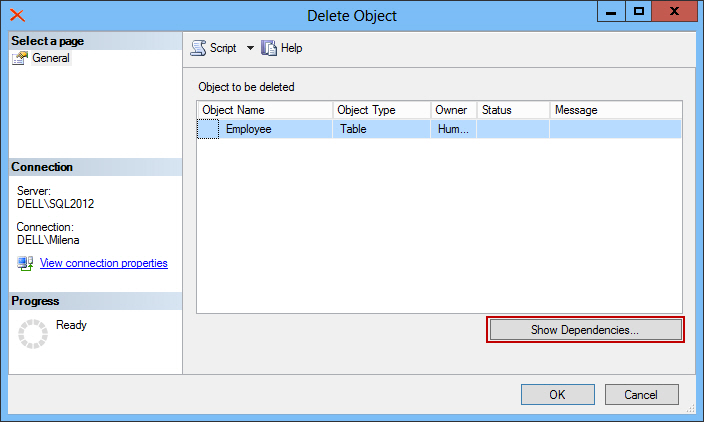
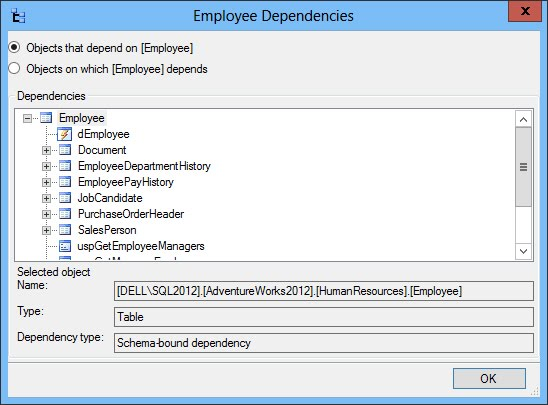
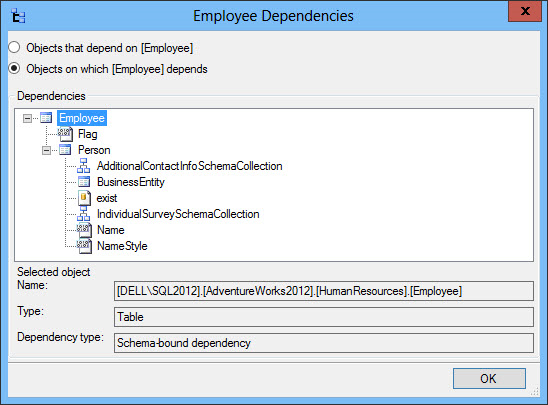
The flaws of this method are:
Another method is to analyze SQL Server’s system tables in the master database:
The flaws are again the same – not all dependencies are shown and it’s time consuming.
ApexSQL Clean can help determine all dependencies in a database, dependencies with objects in an external database or .NET, Delphi, C++ and ASP projects. It also analyzes SQL Server database object dependencies, as well as the impact of potential changes and deletions on your SQL database, and determines object interrelationships within the database, between different databases, scripts and even applications.
To find all dependencies for an object:
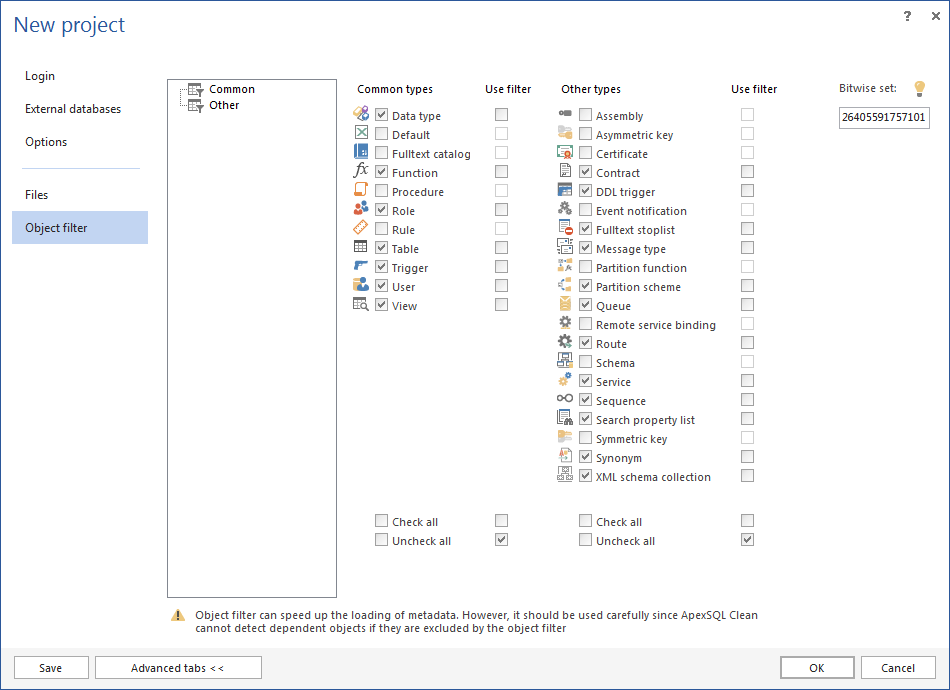
When everything is set, click the OK button
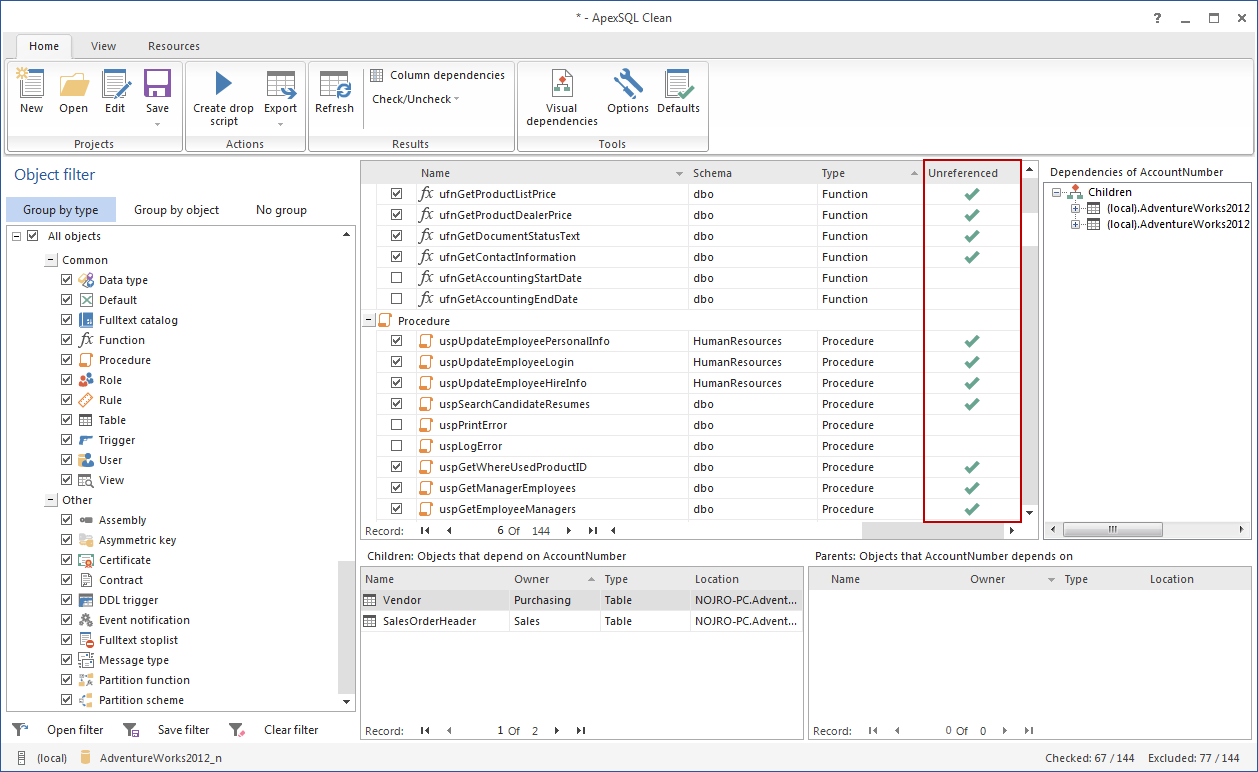
The object referential status and information will be displayed in the Results grid section. Unreferenced objects will be marked with a check sign in the Unreferenced column. Only these objects can be dropped from the database safely:
Click the Create drop script option from the Home tab in the Actions group:
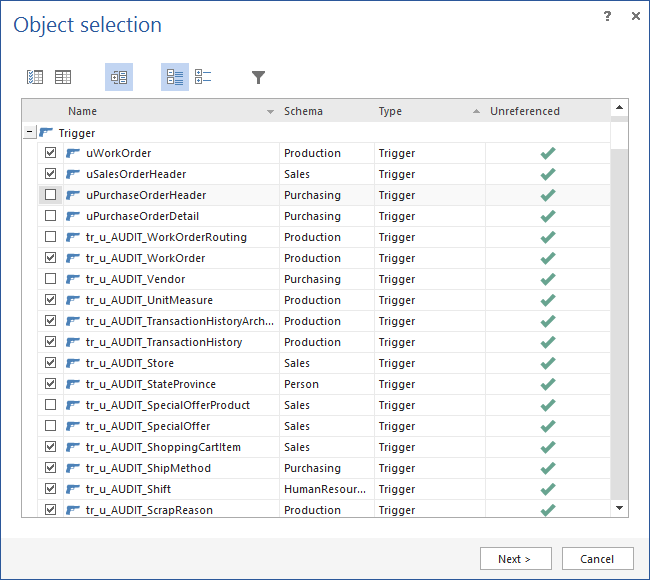
If a database needs to be cleared and objects that are not needed removed, ApexSQL Clean to make sure that no dependencies will be broken.

