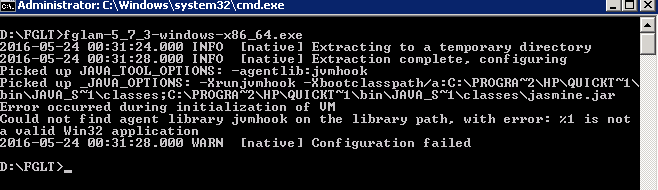
When installing FglAM (fglam-5_7_3-windows-x86_64.exe) on Windows server 2008 R2 64bit OS, received the following error:
1. Go to Computer | System Properties | Advanced System settings, click Environment Variables.
Look for _JAVA_OPTIONS and JAVA_TOOL_OPTIONS etc which have QTP java classes path, remove them.
2. Open a new command prompt. Type 'set' and this should tell you what environment variables you have.
Confirm _JAVA_OPTIONS and JAVA_TOOL_OPTIONS are no longer there
3. Run the fglam-5_7_3-windows-x86_64.exe

