Submitting forms on the support site are temporary unavailable for schedule maintenance. If you need immediate assistance please contact technical support. We apologize for the inconvenience.
Foglight Agent Manager Host. The name of the machine on which the Agent Manager and the VMware Performance Agent process are running.
•
Metric History. The progress of the import of historical data. Each VMware Performance Agent monitors a single Virtual Center. When you create a VMware Performance Agent instance and the Agent Setup wizard determines that the Virtual Center was not previously monitored by this Foglight for Storage Management instance, it starts importing historical data into Foglight for Storage Management. This data is not immediately available as it takes some time to collect it. This process can import data collected over 30 days or less, depending on the amount of data available in the Virtual Center. This allows you to explore VMware metrics as soon as the data is imported, instead for waiting for the agent to collect some data from the Virtual Center. Historical data is intended for charting, trending, and general presentation purposes. It does not cause any alarms to fire.
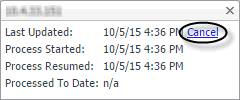
Click this column to start a metric history import, or to see its progress. When the import is in progress, you have an option to cancel it, if needed. Click Cancel in the dwell to cancel the import. You can resume it at a later time.
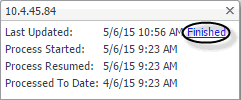
When the metric history import is completed, this is indicated in the dwell.
You can find online support help for Quest *product* on an affiliate support site. Click continue to be directed to the correct support content and assistance for *product*.
Related Documents
The document was helpful.
Select Rating
I easily found the information I needed.
Select Rating
IE 8, 9, & 10 No longer supported
The Quest Software Portal no longer supports IE8, 9, & 10 and it is recommended to upgrade your browser to the latest version of Internet Explorer or Chrome.



 ), or it needs to be updated (
 ).
).
 or
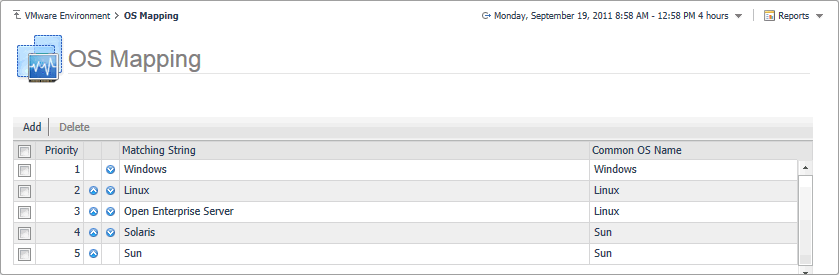
or  allows you to edit the priority sequence.