|
1 |
Open the http.conf file in a text editor. |
|
2 |
Verify that mod_info is enabled. |
|
3 |
Verify that mod_status is enabled, and that the ExtendedStatus directive is also enabled (set to On). |
|
4 |
Verify that the server-status and server-info handlers are configured. These handlers are built in to a standard Apache distribution and allow the agent to get the server’s status report and configuration information respectively. |
|
1 |
Add the following authentication settings to your http.conf file: |
|
2 |
|
a |
Select the Remote Agent Manager that you want to host the Apache monitor from the list. |
|
b |
In the Apache Host box, type the host name or IP address of the Apache web server that you want to monitor. |
|
c |
|
d |
Type the port number for the Apache Server Port. The default port number is 80. |
|
e |
Apache Server Version — Use only if you have customized the Apache server to hide the server version in the server-status and server-info pages. Select the Apache server version from the list. If the server version is not selected, the agent may fail to collect data. If the Apache server has not been customized, accept the default value. |
|
f |
Type the Server Status Path, or accept the default value. |
|
g |
Type the Server Info Path, or accept the default value. |
|
h |
Click Next. |
|
• |
Server Status URL — The full URL of the server status page. By default this is http://example.com/server-status. |
|
• |
Server Info URL — The full URL of the server information page. Be default this is http://example.com/server-info. |
|
• |
Optional — Proxy information. If you need to specify proxy information, click the arrow beside the word Proxy to access additional settings. |
|
• |
|
b |
Click Next. |
|
c |
|
d |
|
g |
Optional — On the Policies page, configure any policies to restrict the credential. For more information, see Edit credential policies in the Foglight Administration and Configuration Help. |
|
6 |
Click Next. |
|
8 |
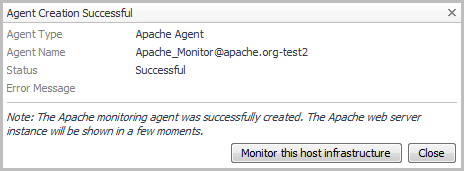
Optional — If you have installed Foglight for Infrastructure, and you want to also monitor the host infrastructure, click Monitor this host infrastructure. The Add Monitored Host wizard opens. For detailed information about this wizard, see Adding a monitored host in the Foglight for Infrastructure User and Reference Guide. |


