
|
Figure 96. Resource Utilizations view
 | |
|
Figure 97. Related Items view
 | |
 | |
|
Figure 99. Sessions view
 |

|
1 |
|
2 |
|
3 |

|
4 |
|
• |
If NetScaler data is available, the following information appears on the Summary - Session view. |

|
• |
If NetScaler data is not available, the following information appears on the Summary - Session view. |

|
5 |

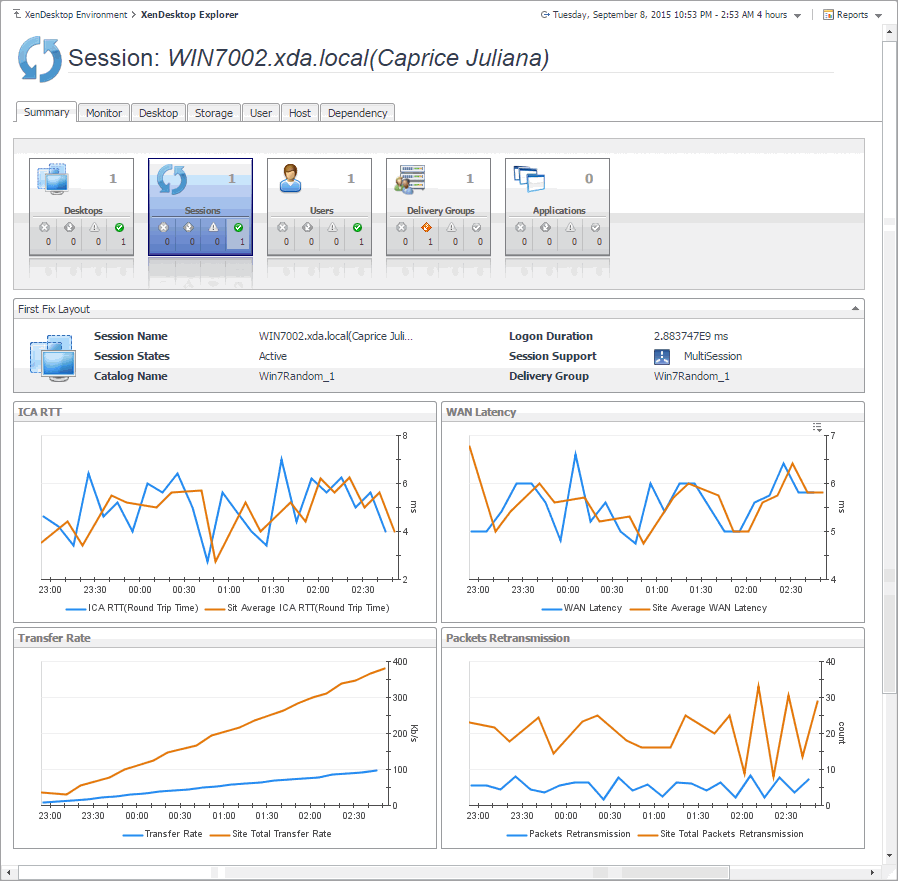
|
TIP: You can also explore session details by choosing XenDesktop > XenDesktop Explorer, and then selecting a desired session in the XD Explorer tree on the navigation panel. |
|
Figure 114. Session Basic Information view
 | |||||||||||||||||||
|
Figure 115. Session Performance Details view
 | |||||||||||||||||||
|
Client: This embedded view shows the name and IP address of the machine accessing your XenDesktop environment. It also displays the following information:
| |||||||||||||||||||
|
NetScaler: This embedded view shows the name and IP address of the NetScaler gateway machine. It also displays the following information:
| |||||||||||||||||||
|
Server: This embedded view shows the name and IP address of the XenDesktop server machine hosting the application or desktop associated with the selected session. It also displays the following information:
|



