
|
1 |
On the VMware Environment dashboard, on the Monitoring tab, in the Virtual Environment Overview, select the Datastores tile. |
|
2 |
|
• |
| |||
| |||
| |||
| |||
 | |||
|
| |||
| |||
| |||
| |||
| |||
| |||
| |||
| |||
|
• |
On the VMware Environment dashboard, on the Monitoring tab, in the Quick-View, select the Datastores tile. |
| |||
| |||
| |||
| |||
|

|
1 |
On the VMware Environment dashboard, on the Monitoring tab, in the Virtual Environment Overview, select the Datastores tile. |
|
2 |
|
3 |
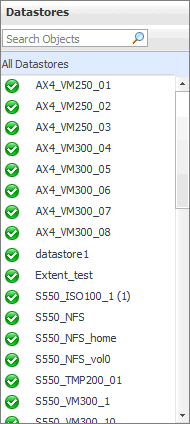
In the Datastore Summary view that appears, click a datastore. |
| |||
| |||
| |||
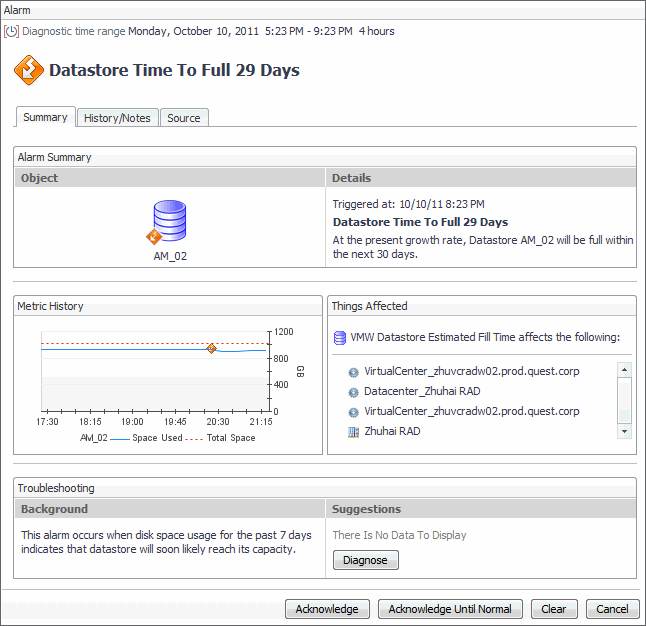
Figure 288. Alarms dialog box
 | |||
|
| |||
| |||
| |||
| |||
| |||
| |||
| |||
| |||
| |||
| |||
Figure 289. Storage Used dialog box
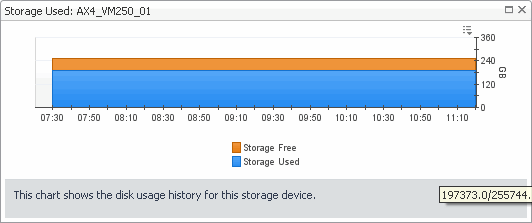 | |||
Figure 290. Logical Drive Utilization dialog box
 |

|
NOTE: The VSAN Physical Disks, VSAN Virtual Disks, and VSAN Topology tabs appear in this view only if a VSAN Datastore is selected. For more information about VSAN datastores, see VSAN datastores . |
|
1 |
On the VMware Environment dashboard, on the Monitoring tab, in the Virtual Environment Overview, select the Datastores tile. |
|
2 |
|
3 |
| |||
| |||
| |||
| |||
| |||
|
| |||
| |||
| |||
| |||
| |||
| |||
| |||
| |||
| |||
| |||
|
| |||
| |||
| |||
|
|
Lists the visual machines associated with the selected disk in the Physical Disks view.
NOTE: This view appears on the VSAN Physical Disks tab. This tab is only available when a VSAN Datastore is selected. For more information about VSAN datastores, see VSAN datastores . | |||
| |||
| |||
| |||
|
Lists the visual machines associated with the selected virtual machine in the Virtual Disks view.
NOTE: This view appears on the VSAN Virtual Disks tab. This tab is only available when a VSAN Datastore is selected. For more information about VSAN datastores, see VSAN datastores . | |||
| |||
| |||
| |||
| |||
| |||
| |||
| |||
|
NOTE: This view appears on the VSAN Physical Disks tab. This tab is only available when a VSAN Datastore is selected. For more information about VSAN datastores, see VSAN datastores . | |||
| |||
| |||
| |||
| |||
| |||
| |||
| |||
|
|
NOTE: This view appears on the VSAN Virtual Disks tab. This tab is only available when a VSAN Datastore is selected. For more information about VSAN datastores, see VSAN datastores . | |||
| |||
|
|
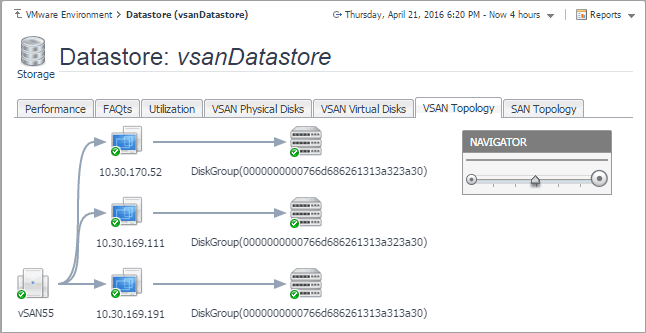
Figure 292. VSAN Topology tab
 |


