WORKAROUND 1:
Disable the Error Log Scanning collection for the affected instances.
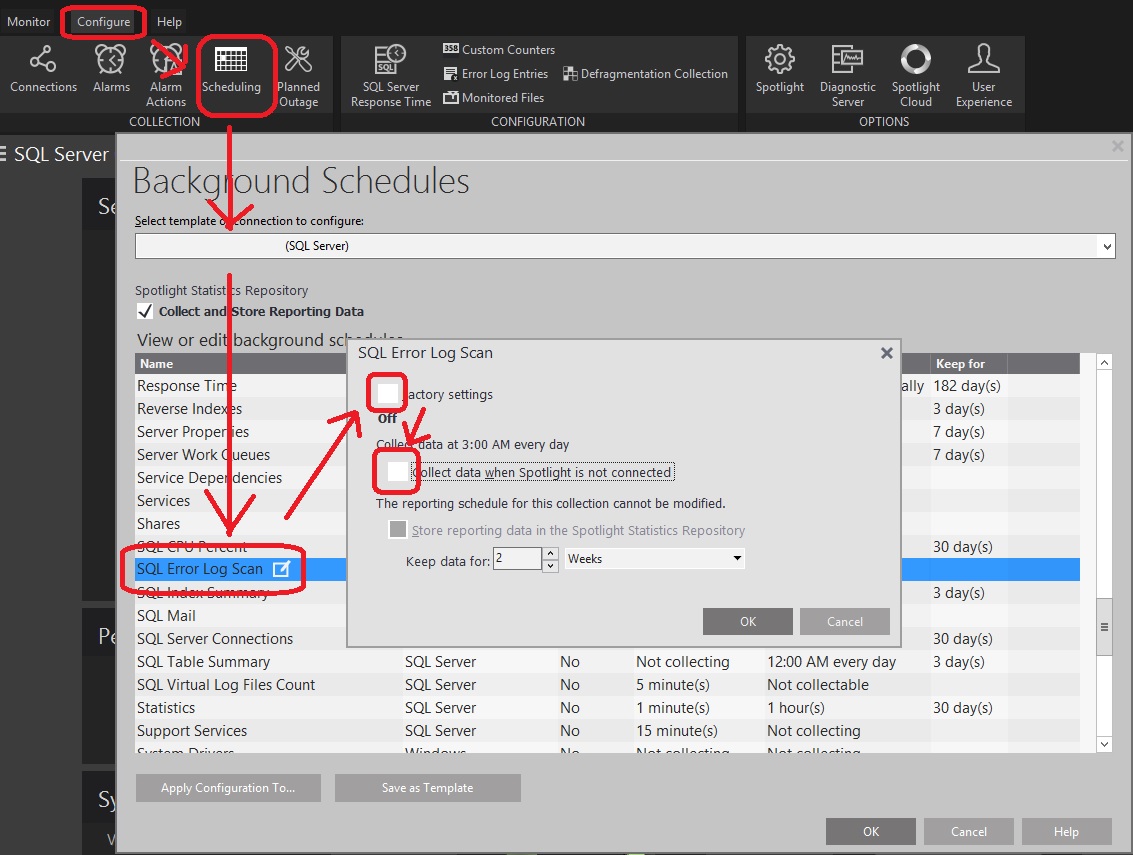
1. Select Configure | Scheduling option from the top of your screen.
2. Select the connection name from the drop-down list.
3. Disable both “Error Log Alarm" and "SQL Error Log Scan" collections.
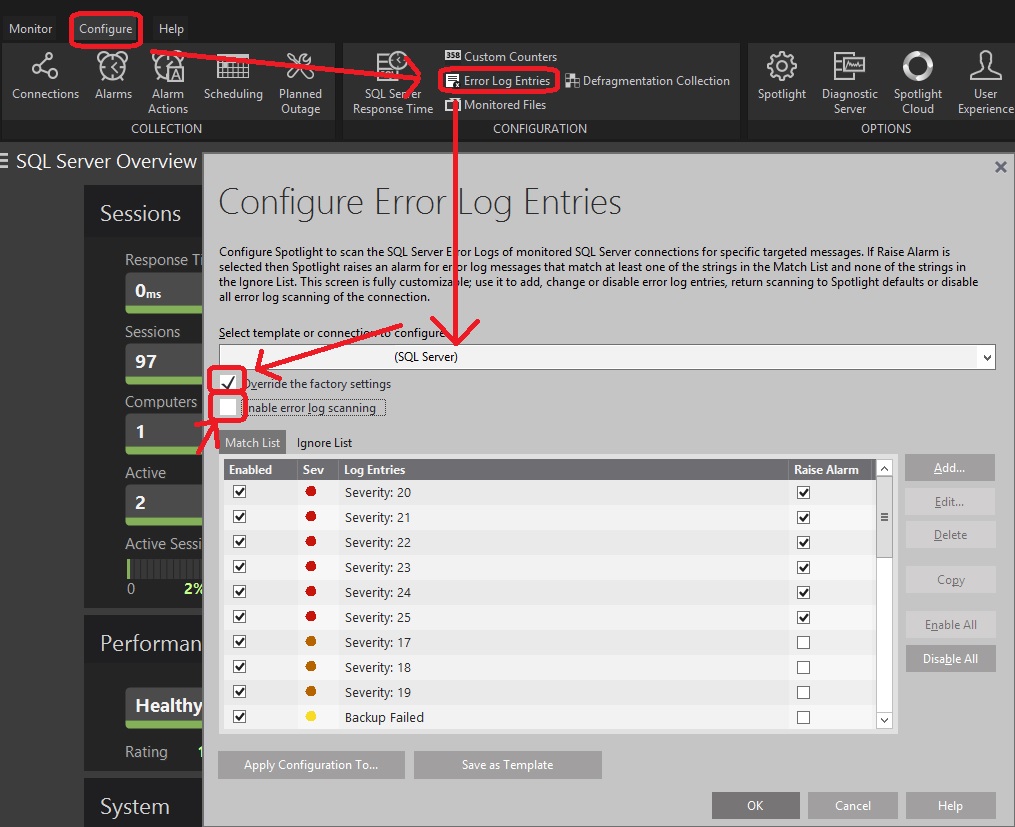
4. Next, select Configure | Error Log Entries and select the connection name.
5. Enable 'Override the factory settings' and disable 'Enable error log scanning'.
SOLUTION 1:
The issue should be fixed by applying the latest
fix packs of the related SQL Server versions.

