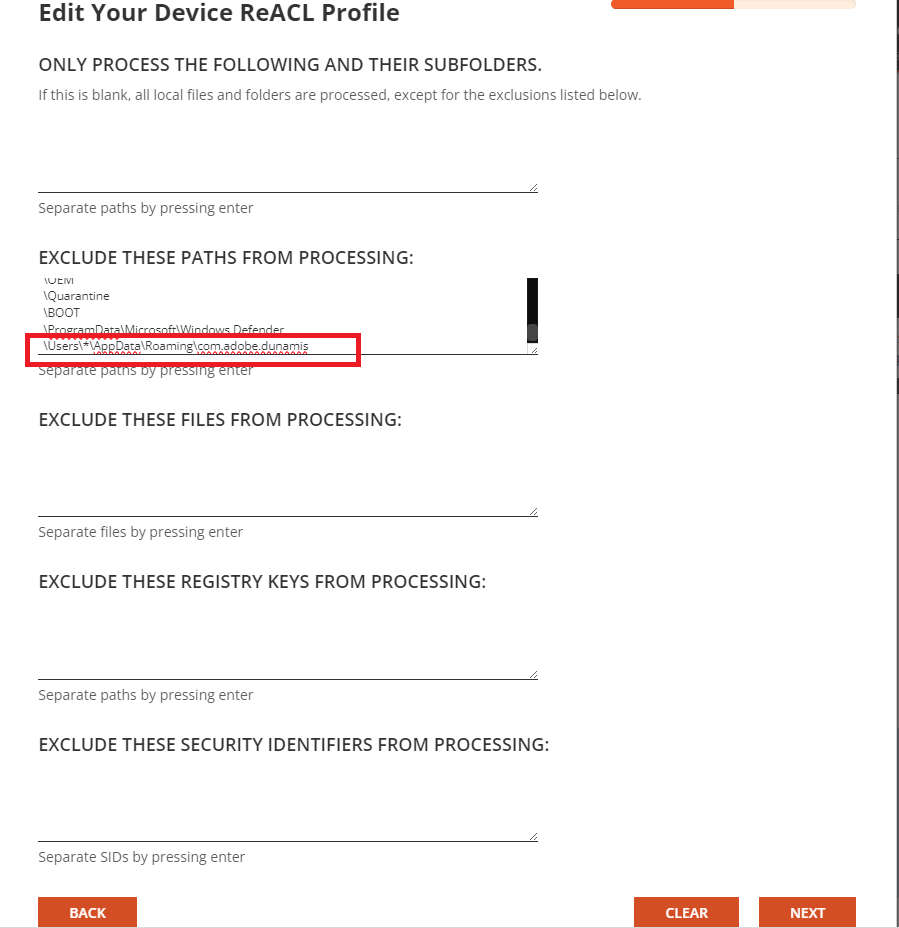
Customer required to add this path in the Device ReACL Profile in the
Exclude These Paths From Processing box, due to the exclusion path is common for all the users and reside under the user name. Customer required to use the wildcard characters (‘*’ matches zero or more characters and ‘?’ matches any single character) when specifying excluded folders.
The detail explanation of the wildcard format can be found in this document: https://support.quest.com/technical-documents/on-demand-migration/current/active-directory-user-guide/7#TOPIC-1601748
Please enter the exclusion path in the
Exclude These Paths From Processing as this example format:
\Users\*\AppData\Roaming\com.adobe.dunamisThe following is the sample screen capture:-