Submitting forms on the support site are temporary unavailable for schedule maintenance. If you need immediate assistance please contact technical support. We apologize for the inconvenience.
Recovery of a single or multiple files is required without having to restore the whole virtual machine which will required additional time and storage space to complete.
Resolution
Hyper-V plugin creates an index of the files stored on the VMs that are backed up; therefore, it is possible to create a restore selection set with the file/s that need to be recovered by following these steps:
From the left navigation pane, click Create Restore Job.
On the Create Restore Job - Choose Saveset screen, locate the backup created with the NetVault Plugin for Hyper-V with the file/s to be restored.
Press the [🔄️Restore] button.
On the Create Selection Set screen, expand the nodes by clicking on [+] and select the file/s that will be restored.
Press the [📝Edit Plugin Options].
Choose the Restore files from inside VM guest OS to specified location radio button.
On the Target directory field, type in the location on the Hyper-V host where the file/s will be restored.
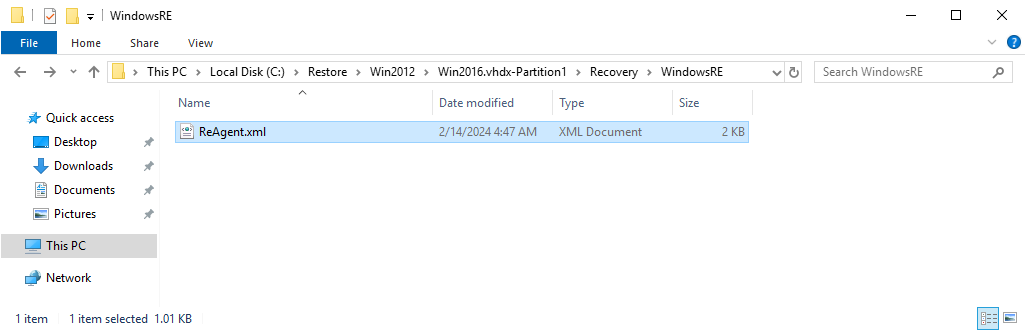
The restore job will not only restore the selected file/s, but it will also create a descriptive directory structure that will include all the nodes listed on the selection set (compare the images with the restore selection set and the restored files).
The input directory must exist; otherwise the job will fail with the error: VM Files restore directory doesn't exist: {Target directory}.
If a second job is being set up to restore files from the same VM, please move the initially restored files to another location or the job will fail with the error: Failed to prepare target filesystem for the restore because the plugin won't be able to merge files to an existing directory structure.
Press the [OK] button to save the options.
Press the [>Next] button to advance to the next screen.
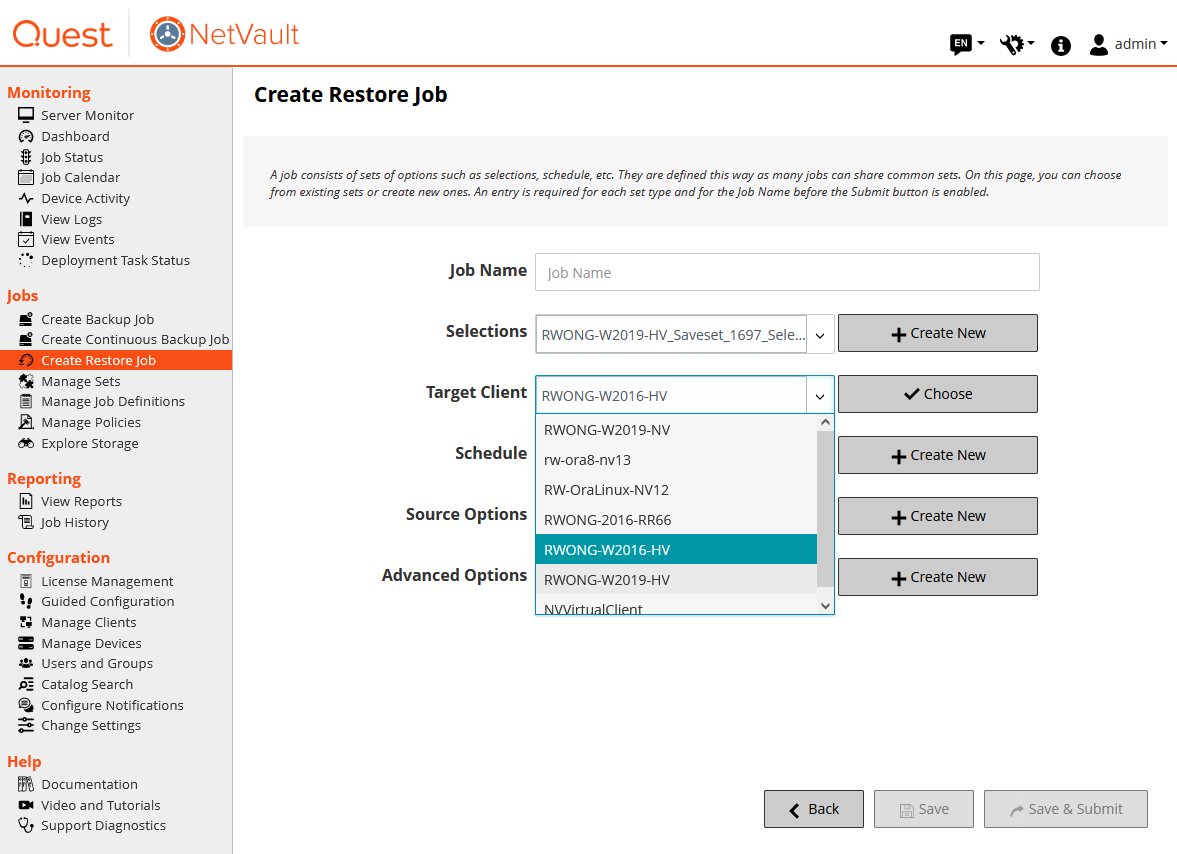
On the Create Restore Job, the Target Client drop down list can be used to specify another Hyper-V host.
The Windows Server OS must be running the Hyper-V service; otherwise, the restore job will fail with the error message: The Restore operation failed with an error 'Hyper - V feature not installed on the target client'.
The NetVault Plugin for Hyper-V must be installed on the selected client; otherwise, the restore job will fail with the error message: Cannot find installed software for the selected plugin name.
The plugin run a Power Shell script; if not enabled, the following error message will be displayed: The Restore operation failed with an error 'Failed to execute powershell script due to Execution Policy not being set to RemoteSigned. Please run Set-ExecutionPolicy RemoteSigned in a powershell window as an administrator'.
Press the [Save and Submit] button to run the restore job.
Your Request will be reviewed by our technical reviewer team and, if approved, will be added as a Topic in our Knowledgebase.
Welcome to Quest Support
You can find online support help for Quest *product* on an affiliate support site. Click continue to be directed to the correct support content and assistance for *product*.
Search All Articles
IE 8, 9, & 10 No longer supported
The Quest Software Portal no longer supports IE8, 9, & 10 and it is recommended to upgrade your browser to the latest version of Internet Explorer or Chrome.