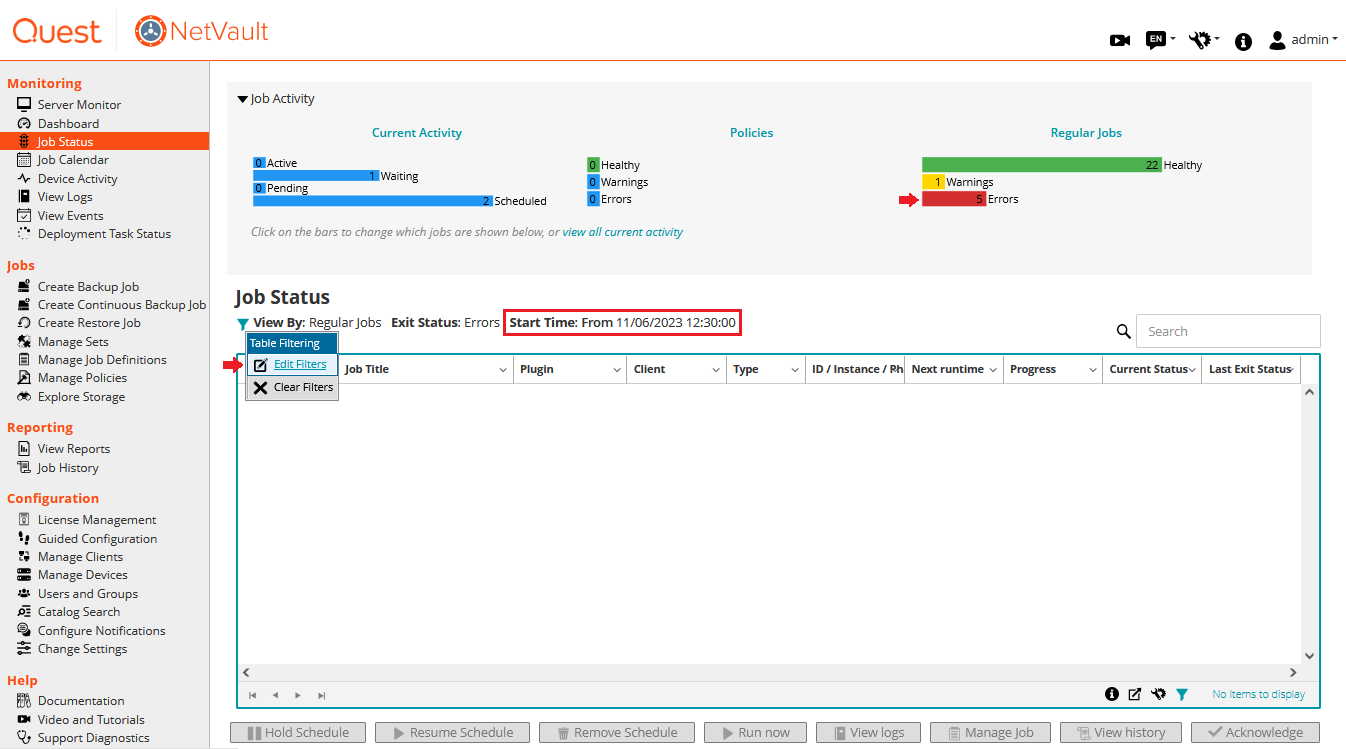
First, please ensure that the jobs with errors are not filtered out. By default, the Job Status table only displays items from the past 7 days as specified by the Start Time field:
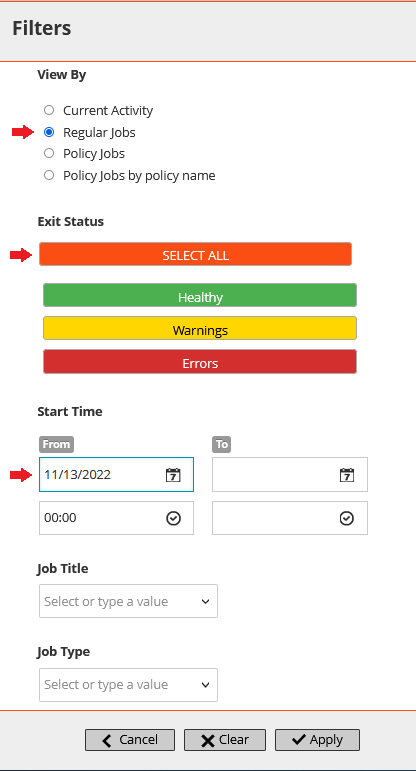
Edit the filters to display jobs that started more than a week ago:
If the issue persist, please apply the following workaround:
- To avoid this issue, before deleting a job, ensure any of its run time error are acknowledged under Job Status
- To remove the existing errors after the job has been deleted, please follow the below procedure:
1) Take a NVDB backup
2) STOP NETVAULT then open ..NetVault Backup\pgsql\bin\pgAdmin.exe
3) Expand the netvault_scheduling database > Schemas > public > Tables > right click 'phasestatus' > View Data > View Filtered rows
4) In the small window that appears input this filter query:
ackedstatus is NULL
and exitstatus != 300
and exitstatus != 301;
5) Click Validate to make sure the query is correct then click OK to run it
6) You should only see the deleted jobs still displayed in this table, explaining the unaccounted errors we see in the UI
7) You can multi-select the rows from the first column (1,2,3) > right click > delete, to remove these left over rows from the phasestatus table
8) You can now acknowledge all errors and confirm the Errors count for Regular Jobs goes back to zero.
Status:
This issue will be resolved in a future version of NetVault

