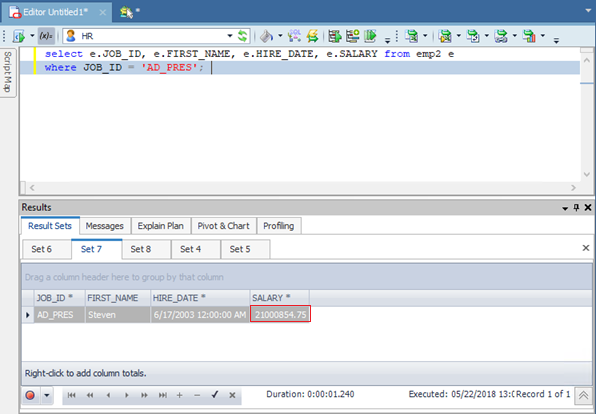
Getting rounded numbers after 7 digits in Toad Data Point i.e. anything greater than 99,999.99 will be rounded
WORKAROUND:
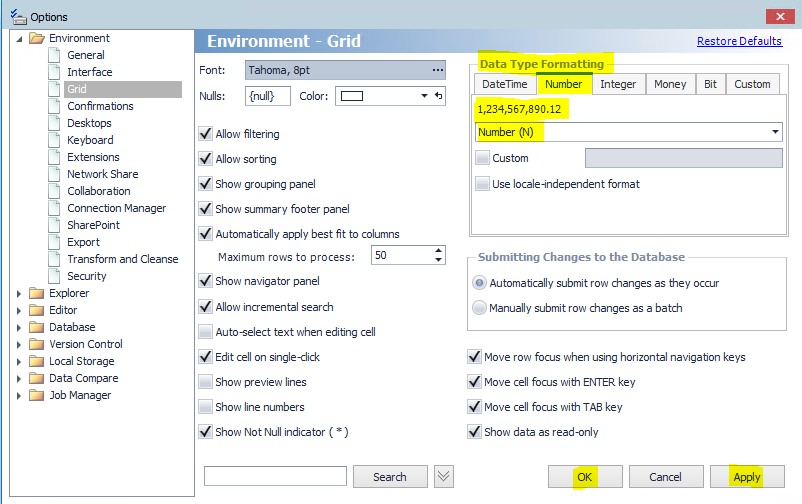
Changing the Data type formatting to number (N) will resolve the current behavior. In order to change the data type formatting for number to: Number(N), please follow these steps according to the image below.
1. Go to Tools menu | Options | Environment | Grid | in the right pane go to Data Type Formatting | Number tab | Change the value to: Number(N)
STATUS
Issue fixed in patch version 5.2.0. The latest release can be downloaded here.

