When troubleshooting agent functionality issues, it is often useful to ensure that a client is able to reach the FD server, obtain its configuration, use the configuration obtained, and upload data to the configured FD uploads area. The aim of this article is to describe some testing that can be done to determine if that is happening, and if not, where it is failing. This information can be useful in troubleshooting issues being experienced with PST Flight Deck Agents on the rare occasion that it is needed.
Architecture:
Versions before and including 8.1:
The FD agent is available in both a 64-Bit and 32-bit version. The correct version needs to be installed for the agent to work. The proper bitness of the agent is determined by the bitness of the Outlook application installed on the client. If a client has a 32-bit version of Outlook installed, then the 32-bit version of the FD agent should also be deployed to that client.
Version 9.0+
There is one installation package available, which will automatically install the correct bit version based on the installed bit version of Outlook.
Testing:
There are several areas that can be isolated to test that the FD agent is working as expected:
As some of these concerns are centered around server based settings that should not change, they should only be required to be tested once from any client, where other areas may need to be tested as issues arise.
It is recommended to do some testing after the FD server is initially set up and your first client is installed. The purpose of the following tests are to ensure the communication to the FD server is working, configuration is able to be obtained from the server, and files can be transferred from the client to the server using BITS. All of the tests are performed from the client machine where the FD Agent was just installed.
FileScanner to server communication testing:
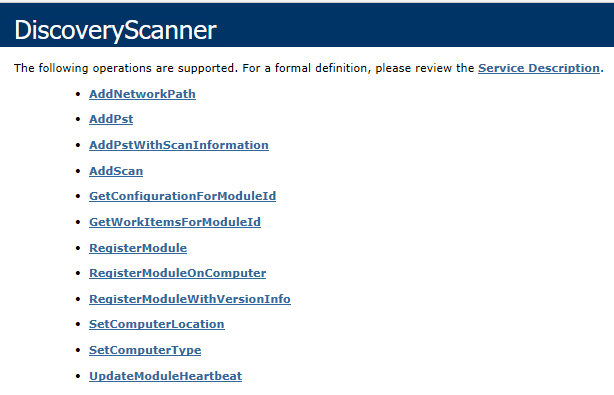
If you do not receive similar output, the FileScanner is unable to complete the initial communication with the FD server.
Frequently issues identified at this stage are related to name resolution issues, Client Server communication issues, or FD server requirements not being set.
If successful, please proceed to the configuration and upload testing.
Configuration and Upload Testing:
If the FileScanner testing above went as expected, the next step is to test the ability to reach the server, download and use the desired configuration file, and upload a file to the BITs “Upload Location” as is configured on the FD server. This testing will be performed by the “BitsTester” application found in the FD Agent’s install directory (Default C:\Program Files\QUADROtech\Migration Agent).
Figure 2: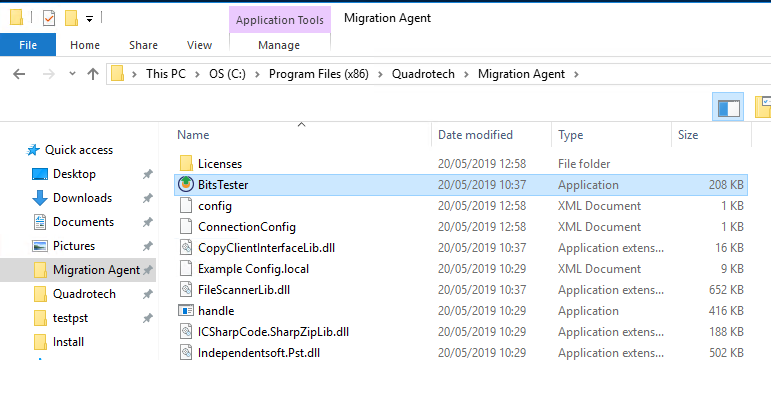
Figure 3: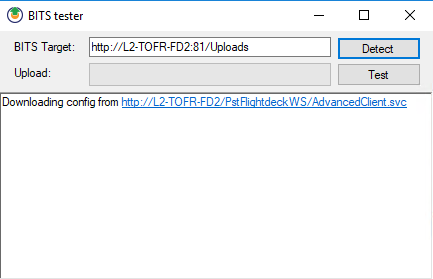
Fig 4: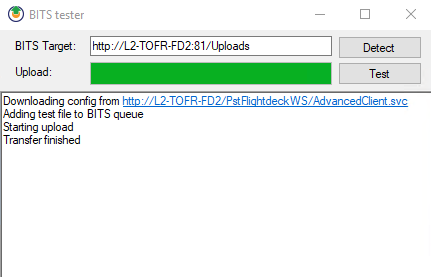
If there are issues encountered in successfully completing the Configuration and uploading testing, where to investigate depends on where the process failed.
If failure occurred during “Detect” portion of testing then you may wish to look into the following to isolate the issue:
If failure occurs during the upload, please ensure IIS on the FD server has been configured to permit uploading per the Post-Install steps in the FD documentation.
Should the above tests prove to be successful, the next test you should perform is an End to End test (E2E). Only a portion of this test takes place on the client and an End to End test should be performed more frequently than the other tests detailed in this KB article. For more details related to performing an E2E test, please review the PST FD Admin guide section titled “PST Migration – First Test User”

