Remote management is required to increase network administration efficiency.
1. Open Desktop Authority Manager
2. Navigate to Client Configuration | Profiles | User | Remote Management
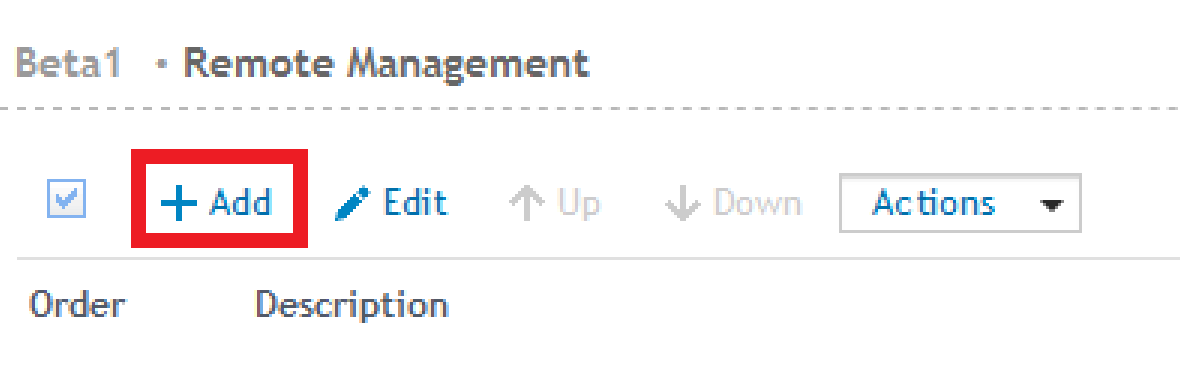
3. Select "Add" button to "Add new element"
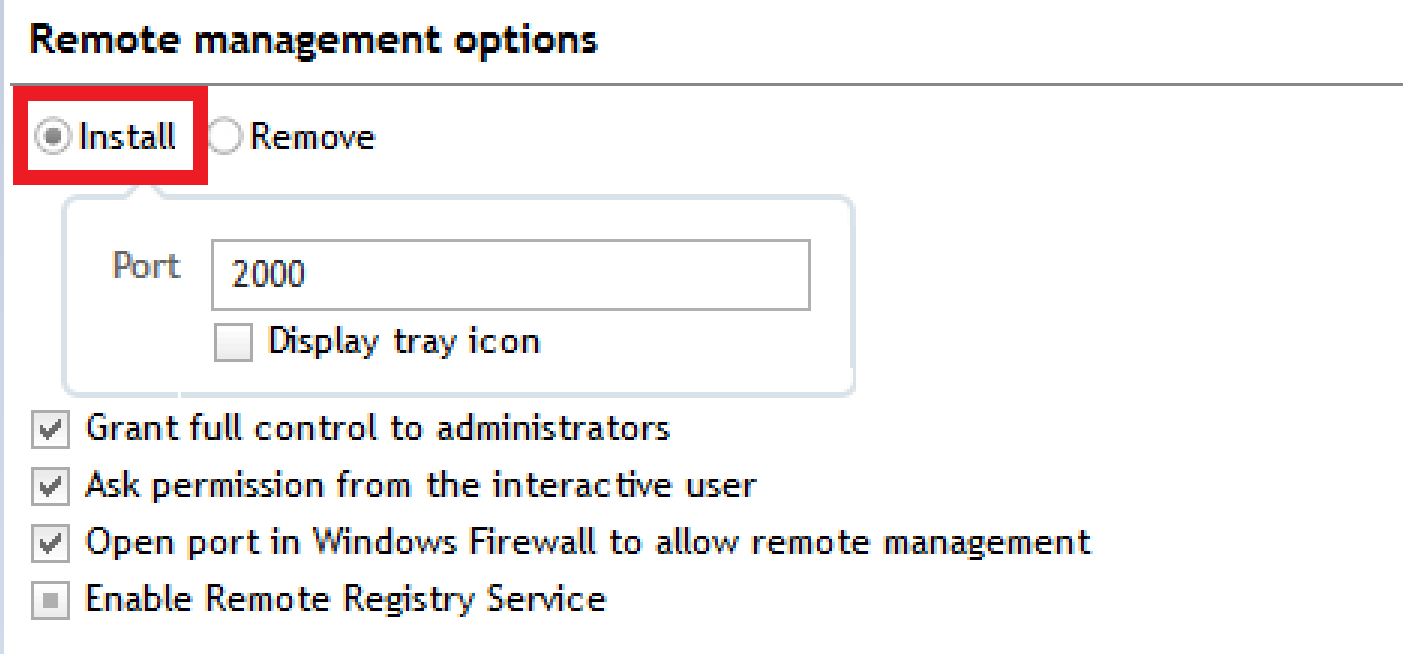
4. Under "Settings" tab, select "Install button" to install the Desktop Authority host software on client workstations. By default the Desktop Authority host software is configured to use port 2000.
5. Enable settings as desired but make sure to check "Open port in Windows Firewall to allow remote management" box. Also, check "Enable Remote Registry Service)" box.
6. A permission set can be configured under the "Access Control" section to enable permissions for a specific user.
7. Advanced settings can be configured pertaining to "General, Interactive user's permission, Security, Audible notification, Logging and IP Filtering" settings under the "Advanced" tab.
8. Select "Validation Logic" to set intended recipients of the Remote Management element.
9. Add notes for informational purposes if desired.
10. Save and Replicate. Expert Assist agent will be installed on intended workstations consistent with selected "Timing" in Validation Logic.

