DESCRIPTION:
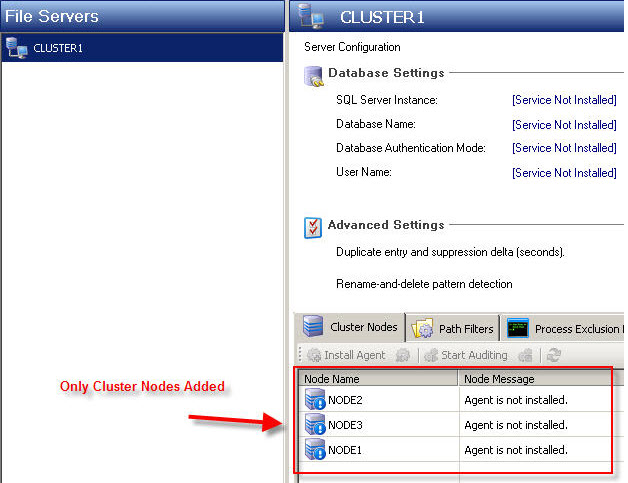
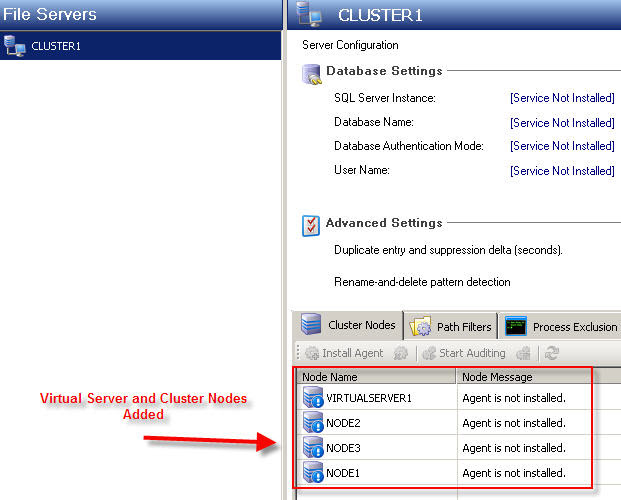
When adding a Cluster virtual server to the list of servers in the FSA Agent Configuration Console, the virtual server name appears on the Cluster Node tab along with the physical server node names.
ABSTRACT:
Cluster virtual server definition
With the Microsoft Cluster service (MSCS) you have the ability to bind multiple NetBIOS network names to one physical server. To do this, you can create a Network Name resource in Cluster Administrator, and then you can set a dependency on an IP Address resource. The Network Name resource creates a virtual server to which users connect.
To access a network application or resource in a non-clustered environment, network clients must connect to a physical server (that is a specific computer on the network that is identified by a unique network name and IP address). If that server fails, access to the application or resource is lost.
Through server clusters, MSCS enables the creation of virtual servers. Unlike a physical server, a virtual server is not associated with a specific computer, and therefore can failover from one node to another like a group. It can also be made available, or taken offline dynamically without affecting other virtual servers and resources that the server is making available. If the node that is hosting the virtual server fails, clients can still access its resources by using the same server name, but they will be redirected to a different node in the Cluster.
Cluster Administrator view showing cluster name and virtual server name
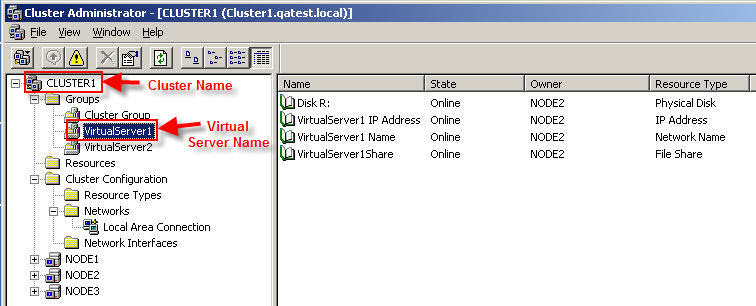
File System Auditor audits events based on the physical node names of the cluster server, not virtual server names. The FSA Agents must be distributed to each physical node in the cluster; therefore there is no reason to add the virtual server name into the Agent Configuration Console.
SOLUTION:
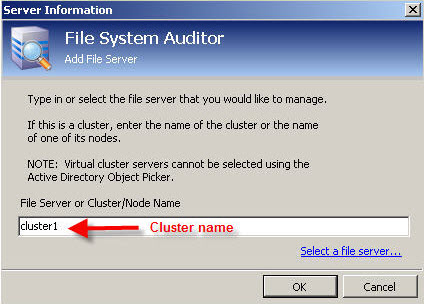
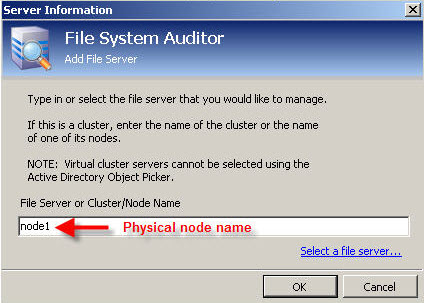
When adding a cluster server to the FSA Agent Configuration console, the server must be added using the cluster server nameor the name of a physical node on the cluster, not the virtual server name.
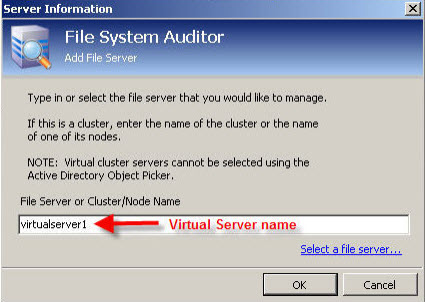
Adding the server using the name of the virtual server will add the virtual server along with all nodes of the cluster to the Cluster Nodes tab of the Agent Configuration Console as shown here:
The correct method is to add the cluster by either cluster name or the name of one of the physical nodes in the cluster as shown below: