When Foglight monitors a SQL Server or SQL Managed Instance, the deadlock collection using Extended Events can cause performance issues. The query runs frequently, consumes high CPU, and leads to memory pressure in the default Resource Pool. Additionally, Foglight generates multiple sessions that are killed almost immediately, contributing to instability and session churn.
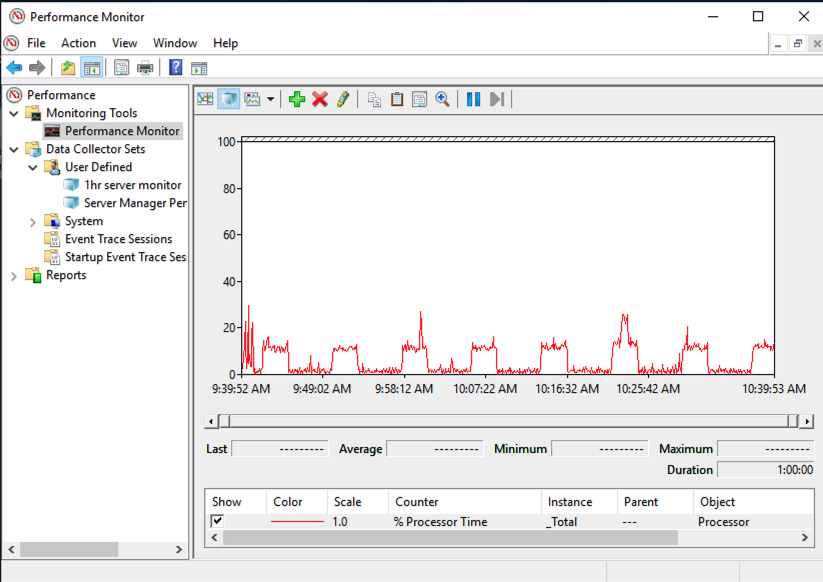
Foglight’s deadlock collection reads .xel files using fn_xe_telemetry_blob_target_read_file, which:
When SQL Server is under resource pressure:
KILLED/ROLLBACK), increasing load and instability.Other collections (e.g., Error Log) may fail due to memory exhaustion, even though they are not the root cause.
WORKAROUND 1
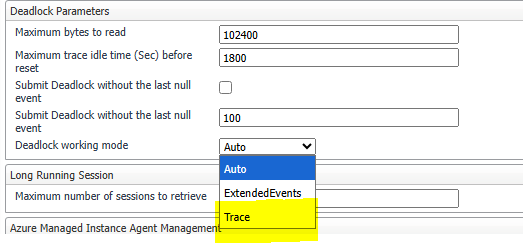
Change Deadlock Working Mode to Trace in Foglight Agent Properties.
This uses the legacy SQL Trace method, which is lighter on CPU and memory.
Path:
Foglight -> Agent Status -> Edit Properties -> Deadlock Collection -> Set toTrace
WORKAROUND 2
Move old system_health*.xel files from the SQL Server log folder to another location.
This reduces the size of blob reads and lowers resource usage.
Example Path:
C:\Program Files\Microsoft SQL Server\MSSQL13.MSSQLSERVER\MSSQL\Log
Note: Files in use cannot be moved.

