To send a notification via email when an user logs in, an application launcher element can be created with this configuration:
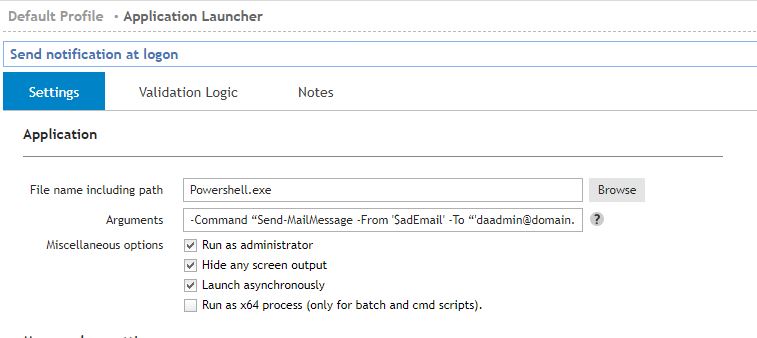
File name including path: Powershell.exe
Arguments: -Command “Send-MailMessage -From '$adEmail' -To “'daadmin@domain.local' -Body '$adFullName just Logged In' -Subject 'LOGIN: $UserID' -SmtpServer 'smtp.domain.local' -Port 25”
Miscellaneous options: Run as administrator, Hide any screen output and Launch asynchronously options may be enabled.
Validation logic Timing: Logon
With this configuration when the user logs on the powershell command will be executed and it will send an email to daadmin@domain.local (or any desired account) from the Active Director Email information for current user ($adFullName and $UserID).
smtp.domain.local must match the actual mail server.
Validation logic must be set to logon (timing option) to apply this element only at logon.

