Microsoft Outlook settings object is modifying PST file
説明
The Microsoft Outlook settings element is modifying the current Microsoft Outlook PST files on the user’s workstation causing the Outlook application not to open properly.
原因
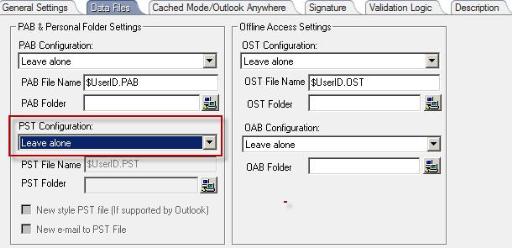
The Microsoft Outlook settings element is configured to “Only modify existing” in the “Data files” tab of the Outlook settings element.
対策
In the Desktop Authority console navigate to User Management Profiles | Profiles | Microsoft Outlook Settings | Data Files Tab. In Data Files tab verify that the “PST configuration” setting is set to “Leave alone”.