After installing Smart Switch and trying to open it, it shows an error “Security policy restricts use of Smart Switch.”
原因
The application doesn’t have enough permissions to run properly.
対策
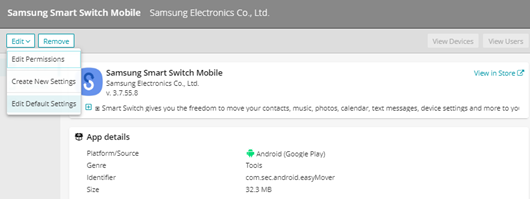
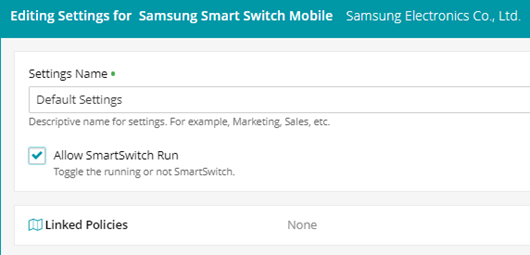
For Smart Switch to run, the right permissions must be provided: -From the KaceCloud console go to Libraries>Apps>Search for Smart Switch>on the right panel, hit edit>Edit default settings>make sure that the option ‘Allow SmartSwitch Run’ is selected and then hit ‘save’ on the bottom-right corner.
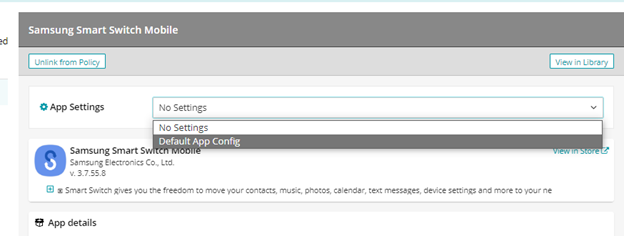
Then go to Policies>search for the policy applied to the device that includes the smart switch app>on the left panel of the policy detail select ‘Apps’>search for smart switch>assign the Default App Config on the App Settings dropdown.
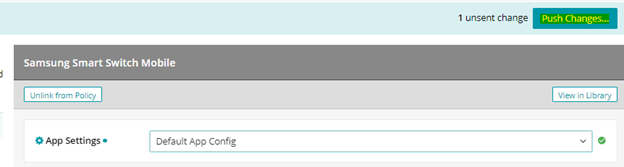
click Push Changes to apply the configuration
Once the policy update gets pushed to the device, Smart Switch should open properly.