In situations there are multiple application server instances on a host it is sometimes difficult to determine the process id (PID) of a specific instance. Can Foglight show the process id of an instance monitored by the JavaEE agent?
Go to the server in question in the JavaEE dashboards and click on the JVM link. The Runtime Name field in the Properties tab of the resultant Properties tab is of the form:
<process id>@<monitored host>
For example:
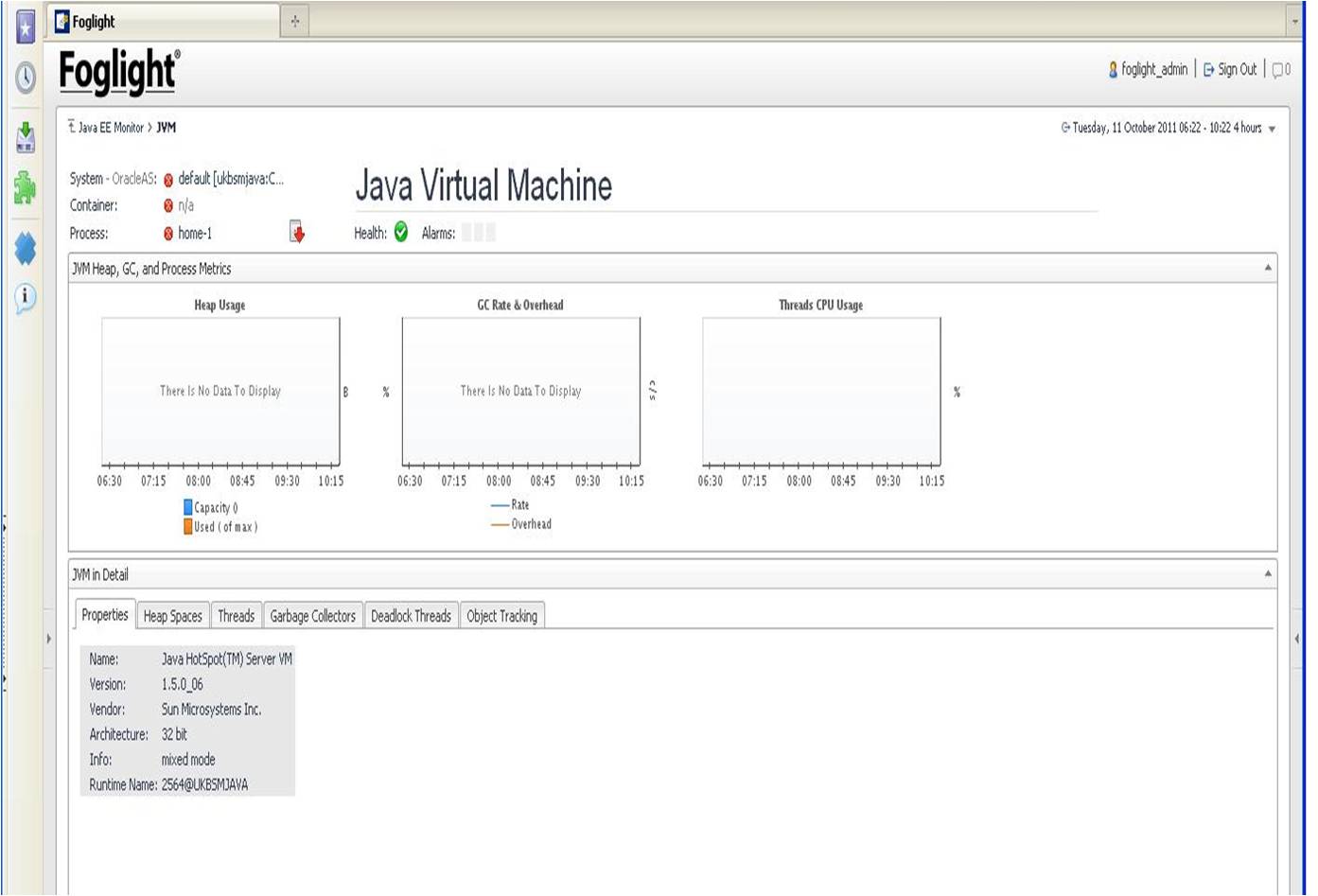
To extract the process id, follow the procedure below:
- From the dashboard go to the Action Panel on the right
- Click on the Design tab
- Scroll down to the [Table] JVM properties - you will see that the relevant table in the dashboard is highlighted
- Click Table] JVM properties to see the design of the WCF details of the table. There is a key called JVM which is of type JavaEEJVM and if scroll down | there is a property called runtimeName" which is what you are looking for.
- Go to the Script Editor (Administration | Tooling | Script Editor in the Navigation Panel on the left)
- Open the Query dropdown list and click J
- Scroll down and select JavaEEJVM
- Click the List Instances button
- A list of JavaEE JVMs will be shown which are being monitored
You can then use the id shown to collect the process id.
- From the command line cd to the FMS bin directory
./fglcmd.sh -usr <user> -pwd <password> -cmd util:topologyexport -f test.xml -topology_query JavaEEJVM where id=<id>
Where <user> and <password> are the username and password you use to login to the Foglight web console and <id> is the Foglight id of the JVM.
Extract the value of runtimeName from the test.xml which is created using grep, awk and sed if using Unix or Linux or the equivalent tools in Windows.
The above command assumes one is using Unix or Linux. If on Windows replace ./fglcmd.sh with fglcmd

